

Bulin 47 AI Video Generator
Become the freestyler in the viral Bulin 47 street clip. Upload one photo and the Bulin 47 AI video generator puts you outside the restaurant, next to the speaker, bouncing to the beat and rapping into the night. No prompt, no editing.
- 1 photo
- 12 seconds
- 9:16 · 1:1 · 16:9
- Original beat
What People Are Making
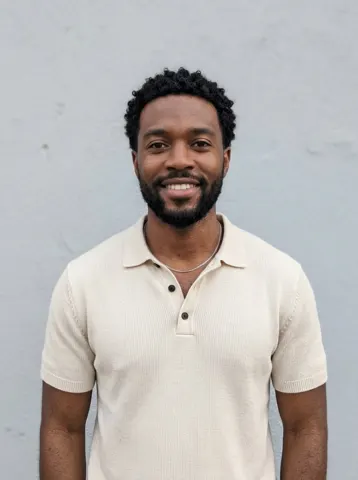
This Bulin 47 AI video came out of this studio from the test photo in its corner, with no editing afterwards.
Bulin 47 AI video of a man in a cream polo
Our test photo becomes the freestyler at the red-lit restaurant entrance, with the speaker, the phone and the crowd around him. 12 seconds in 9:16, about three and a half minutes at 480p.
How to Make the Bulin 47 AI Video
- 1
Add your photo
Your photo becomes the freestyler in the Bulin 47 AI video. One person, face large and sharp; a half-body photo keeps your outfit.
- 2
Choose the format
Pick the format of your Bulin 47 AI video: 9:16 for TikTok and Reels, 1:1 for the feed, 16:9 for YouTube. Standard is 10 credits, HD 20.
- 3
Download and post
Your Bulin 47 AI video lands in My videos as an MP4, and we email you when it is ready.
Best Photos for a Bulin 47 AI Video
Face large and sharp
Front-facing photos keep the likeness through the head turns and bounces.
One person only
Group photos make it unclear who should freestyle.
Show your arms
Half-body photos keep sleeves and skin tone consistent when the hands move.
Skip the sunglasses
Eyes visible, no masks, no heavy filters.
What Is the Bulin 47 AI Video?
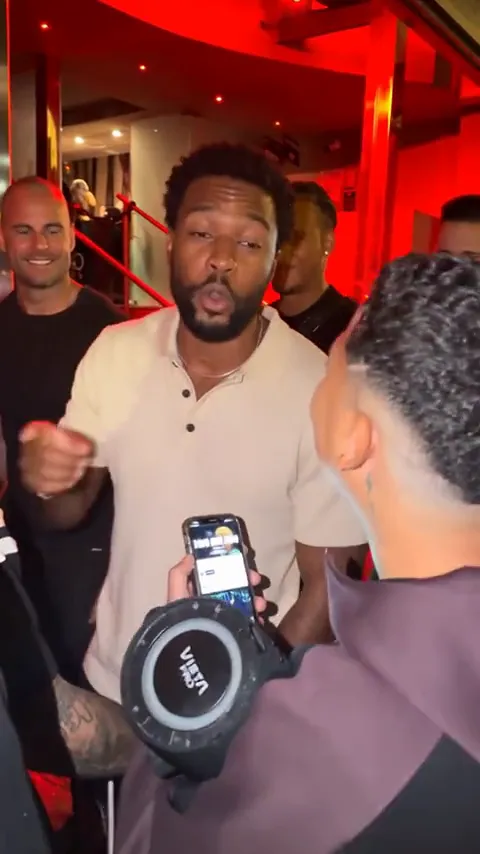
Bulin 47 is a Dominican artist. Content creator Kevin Y approached him outside a restaurant in Spain with a speaker, and Bulin 47 answered the beat with an improvised freestyle. Kevin posted the clip on October 2, 2026, it went viral, and within days the Bulin 47 AI trend took off: people put themselves, their friends and even their parents into the freestyle.
Our Bulin 47 AI video follows the street, the speaker and the freestyle energy, and makes you the rapper. The beat is original to our template, not the sound from the clip; add the trend sound in TikTok if you want it.
AI Trend Video is independent and not affiliated with Bulin 47, the creator of the original clip, their labels or TikTok.
Bulin 47 AI Video FAQ
How do I make the Bulin 47 AI video?
Upload one photo, pick the format and quality, and press Create. The Bulin 47 AI video appears in My videos a few minutes later.
Does it include the original sound?
No. It comes with an original beat. Add the Bulin 47 sound in TikTok, Instagram or YouTube when you post.
Is the Bulin 47 AI video a face swap?
No. It is a new video: your photo guides the freestyler’s face and clothes, the template guides the scene and the moves. Likeness can vary between takes.
How much does a Bulin 47 AI video cost?
Every trend costs the same: 10 credits at 480p and 20 at 720p. One-time packs start at $9.99 for 10 credits and never expire; monthly plans start at $39.99 for 50 credits a month. There is no free trial.
Do I need to download an app?
No. It runs in your phone or computer browser, and the MP4 is ready to post on TikTok, Reels or Shorts.
What if my Bulin 47 AI video looks wrong?
A failed render returns its credits automatically. If a finished video clearly did not work, report it from My videos within 7 days and we return the credits or refund the payment.
Still have a question? support@aitrendvideo.io