

How to Make the Nicole Kidman Dance AI Video (2026)
Upload One Full-Body Photo and Get Back a Nicole Kidman Dance AI Video With the Complete Rooftop Routine, Ready to Post on TikTok or Reels
The Nicole Kidman dance AI video generator on AI Trend Video turns a single photo into a 12-second clip of your person dancing the full routine on a city rooftop. No app to install, no prompt to write—just a browser and one good photo. This guide walks through the trend's origin, every studio step, the best photo tips, and how to post the finished video.
What Is the Nicole Kidman Dance Trend?
"Nicole Kidman" is a song by Slovak singer-songwriter Adéla from her debut album Prima, released on September 4, 2026. The title nods to the actress. The track went top ten in the US and the UK and reached No. 2 on the Billboard Global 200.
The hook turned into a TikTok dance. The choreography is by dancer Kyler Irby, whom Adéla credits in her own dance video posted on September 26, 2026. On October 6, 2026, Nicole Kidman posted her own take on TikTok.
Made on AI Trend Video from one full-body photo of a made-up woman. 12 seconds, 9:16, Standard 480p, with an original pop beat.
The Nicole Kidman Dance Moves, Step by Step
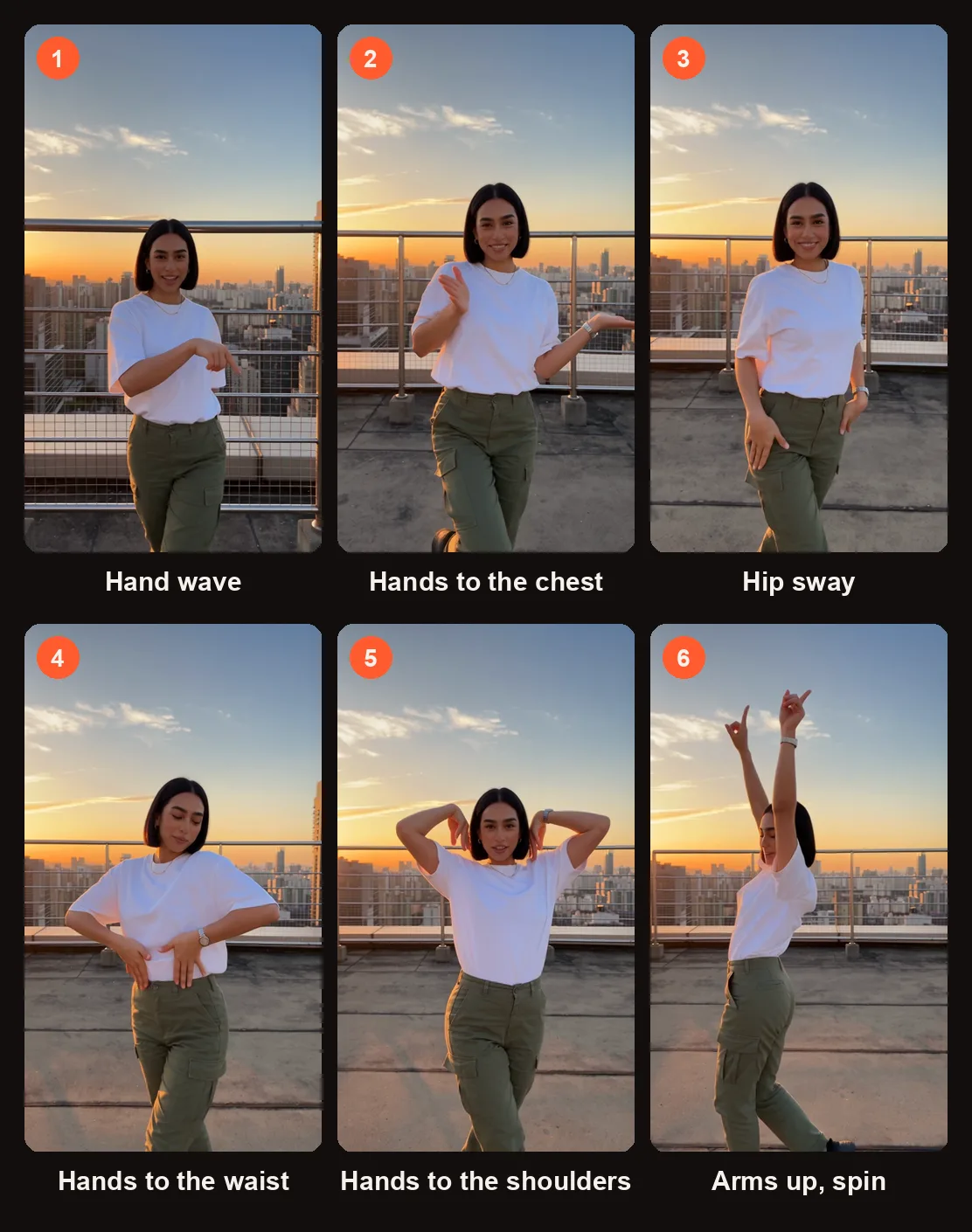
Six moments from the sample clip, in order.
The routine has six distinct moves that flow together in about twelve seconds.
| Move | What It Looks Like |
|---|---|
| Hand wave | A playful wave to the camera, palm open |
| Hands to chest | Both hands press flat against the chest |
| Hip sway | A slow sway of the hips, weight shifting side to side |
| Hands to waist and shoulders | Hands slide down to the waist, then up to the shoulders |
| Arms raised | Both arms extend straight up overhead |
| Spin with hair flip | A full spin finished with a quick hair flip |
The moves are simple on their own, but the transitions between them give the dance its character. The hand wave sets up a casual, confident tone, the hip sway holds the middle, and the spin with hair flip closes it out.
What the Nicole Kidman Dance AI Video Keeps From Your Photo
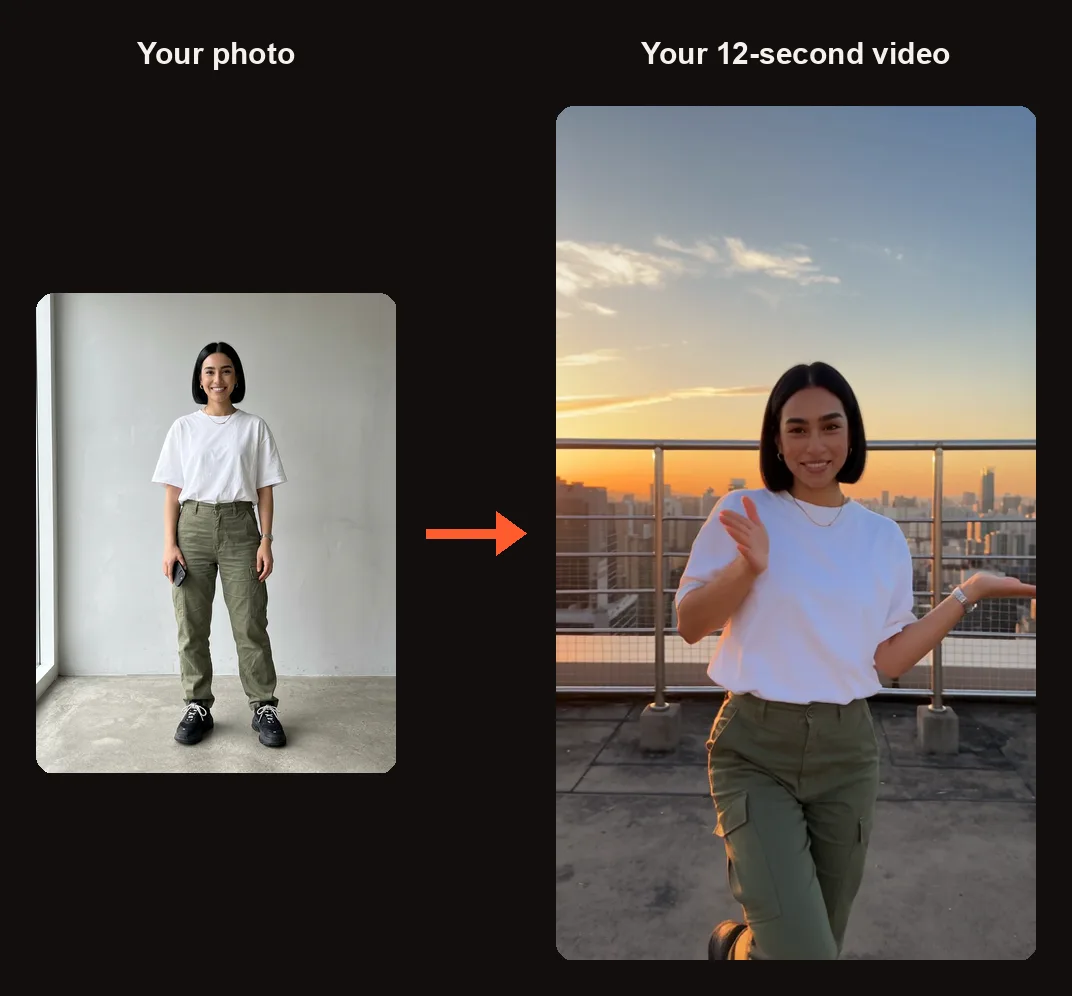
The test photo and a frame from the finished clip: same face, hair, T-shirt and cargo pants.
The dancer in the video keeps the face, hairstyle, skin tone, body shape, and outfit from your uploaded photo. If you upload a photo of someone in a red dress, the dancer wears a red dress. If the person has short curly hair, the dancer has short curly hair. The rooftop setting and camera angle are the same for everyone: a sunlit city rooftop at golden hour with the skyline softly blurred, framed from the knees up in a handheld phone style that follows the dancer.
How to Make a Nicole Kidman Dance AI Video
Head to the Nicole Kidman dance AI video generator. You will sign in with Google when you press Create. Everything happens in the browser—there is no app to download.
Step 1: Pick a Full-Body Photo
Choose a photo of one adult (18 or older) who has agreed to appear. The photo should show the full body—head to feet—with the face toward the camera and arms and legs visible. This gives the AI the most detail to work with for the face, the outfit, and the body proportions.
Only photos of adults who gave permission. No children, no celebrities, no public figures.
Step 2: Add It to the Studio
In the studio, tap the photo slot labeled "Tap to add a photo" and upload your image. Once the photo is in place, the orange button at the bottom updates to show the credit cost.
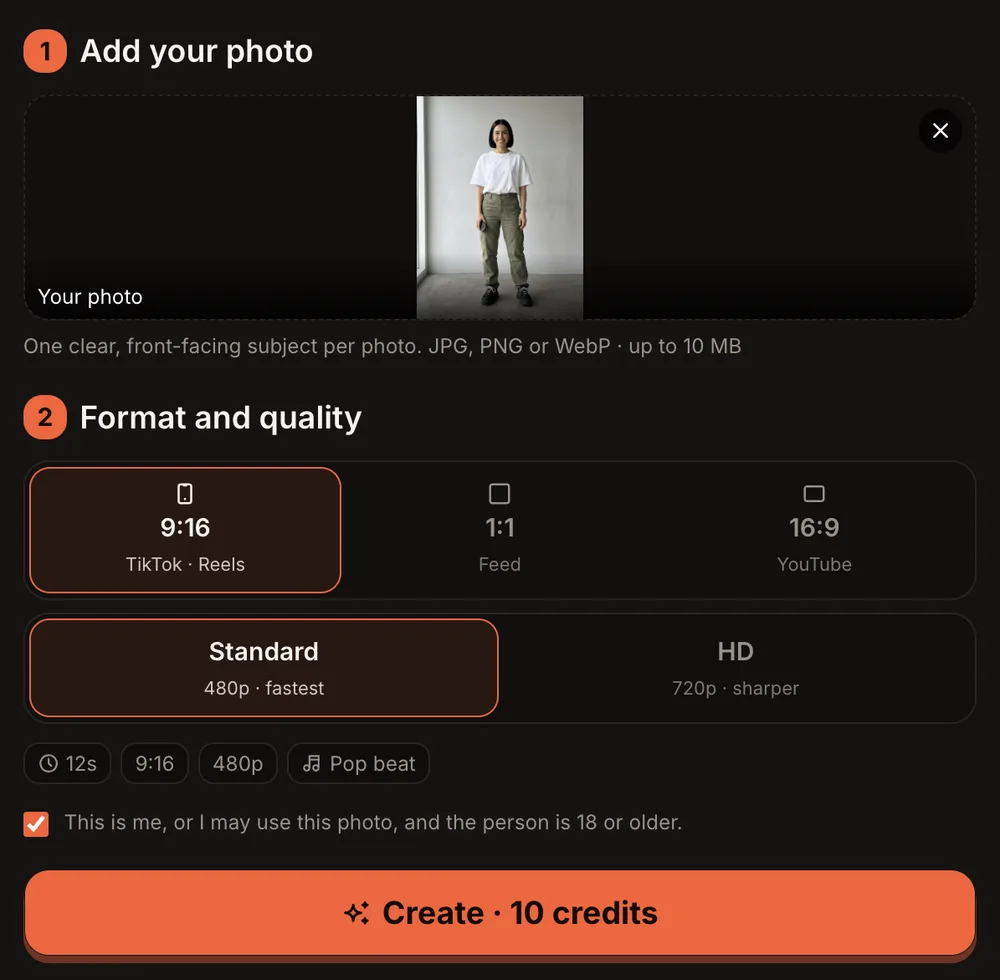
The whole photo shows in the slot, so you can check it before you create.
Step 3: Choose the Format and Quality
Below the photo slot, the "Format and quality" step sets the shape and sharpness of your Nicole Kidman dance AI video. Pick them based on where you plan to post.
| Option | What You Get |
|---|---|
| 9:16 (TikTok · Reels) | Vertical video sized for TikTok and Instagram Reels |
| 1:1 (Feed) | Square video for Instagram feed posts |
| 16:9 (YouTube) | Widescreen video for YouTube |
| Standard (480p) | 10 credits — good for phone screens |
| HD (720p) | 20 credits — sharper for larger screens |
| Length | 12 seconds |
| Sound | An original upbeat pop instrumental with an afrobeats groove and a synth hook (not the Adéla song) |
After you pick your settings, the orange button reads "Create · 10 credits" for Standard or "Create · 20 credits" for HD.
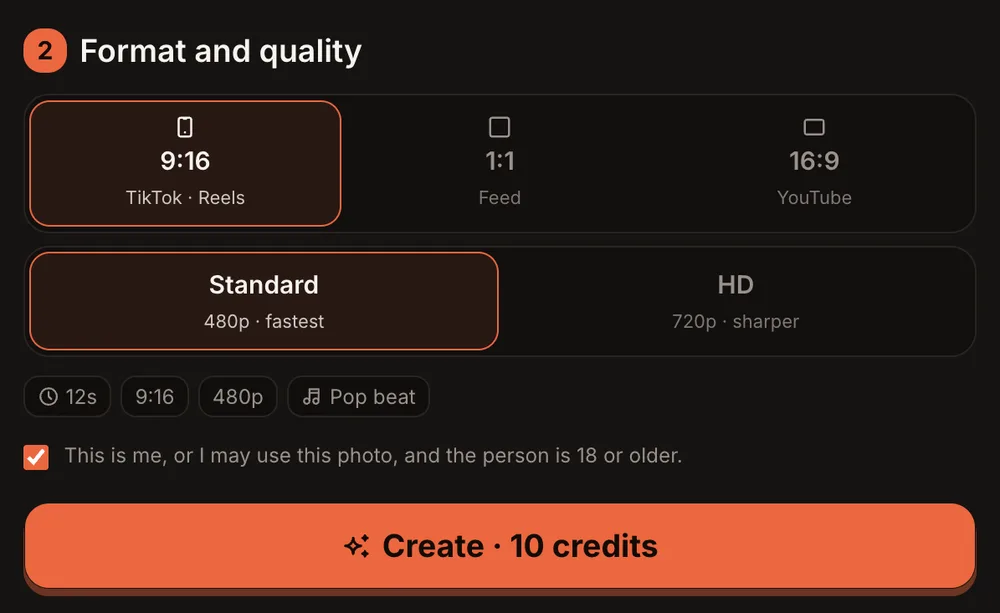
Format and quality: the clip is 12 seconds with a pop beat either way.
Step 4: Press Create and Wait for the Email
Check the consent checkbox, then press the orange Create button. Rendering usually takes 3 to 12 minutes. You can close the tab—AI Trend Video will email you when the video is ready. The finished video lands in My videos as an MP4 with no watermark.
If a render fails, the credits come back to your account automatically.
Step 5: Check the Dance and Post It
Open the video in My videos and look at three things:
- The face — Does it match the photo? Same features, same expression style.
- The spin — The spin with hair flip is the trickiest move. Make sure it flows naturally and does not distort the face or hair.
- The outfit — Colors and fit should match what the person is wearing in the photo.
If everything looks right, press "Download MP4." To post on TikTok or Instagram, add the "Nicole Kidman" sound in the app's editor—the video uses an original instrumental, not the song.
If the video clearly did not work, press "Report a problem" in My videos within 7 days. Every report is reviewed, and the credits are returned or the payment for that video is refunded.
Nicole Kidman Dance AI Video Ideas
- You in your best outfit. Wear something you would never wear to the office, take a full-body photo, and see yourself do the routine on a rooftop at sunset.
- A friend's birthday. Snap a full-body photo of the birthday person and drop the finished Nicole Kidman dance AI video into the group chat.
- Your dance class. Everyone makes their own clip, then you post them as a series.
- A couple's photo swap. Each partner uploads a photo of the other, then you compare results side by side.
- Throwback photos. Dig up an old full-body photo from a few years ago and bring it into the trend.
Best Photos for the Nicole Kidman Dance AI Video
Getting a good result starts with the right photo. Here is what works best:
- Full body, head to feet. Cropped headshots do not give the AI enough information for the dance moves or the outfit.
- Face toward the camera. A side profile or a photo where the face is partly hidden can cause issues with the face transfer.
- Arms and legs visible. Crossed arms or hands in pockets hide what the routine needs, especially for the hand wave and the arms-raised part.
- Good lighting. A well-lit photo with even lighting produces a cleaner result than a dark or backlit shot.
Common Problems and What to Try
| Problem | What to Try |
|---|---|
| Face does not look right | Use a photo where the face is fully visible, facing the camera, with even lighting and no sunglasses |
| Body looks distorted | Make sure the full body is in the frame with arms and legs clearly visible; avoid heavy jackets or baggy layers |
| Video is blurry | Switch from Standard (480p) to HD (720p) for a sharper result |
| Render failed and credits are gone | Credits return automatically when a render fails; check your balance in your account |
| Finished video clearly did not work | Press "Report a problem" in My videos within 7 days; the team reviews every report and returns credits or refunds the payment for that video |
Nicole Kidman Dance AI Video FAQ
Is Nicole Kidman in the video?
No. The dance is named after the song "Nicole Kidman" by Adéla—the AI video features the person from your photo doing the choreography. AI Trend Video does not accept photos of celebrities or public figures, and it is not affiliated with Nicole Kidman, Adéla, or any artist, label, brand, or platform.
Does the video include the "Nicole Kidman" song?
No. The video uses an original upbeat pop instrumental with an afrobeats groove and a synth hook. To use the actual song, add the "Nicole Kidman" sound in TikTok or Instagram's editor after you download the MP4.
Can I pick a different background?
Not yet. The scene is a sunlit city rooftop at golden hour with the skyline softly blurred. The setting is fixed for now.
How long is the video, and how long does it take?
Each Nicole Kidman dance AI video is 12 seconds long. Rendering usually takes 3 to 12 minutes. You can close the browser tab and AI Trend Video will email you when the video is ready.
How much does it cost?
Every trend costs the same. A Standard video (480p) costs 10 credits and an HD video (720p) costs 20 credits. One-time credit packs start at $9.99 for 10 credits and never expire. Monthly plans start at $39.99 for 50 credits a month. There is no free trial.
Can two people dance together?
Not with this template. The Nicole Kidman dance AI video uses one photo of one person, and it produces a solo dance. If you want both people to appear, make a separate video for each.
Make Your Own Nicole Kidman Dance AI Video
Pick a full-body photo, open the Nicole Kidman dance AI video generator, and you can have a finished MP4 in minutes. Your photos and videos stay private to your account and never appear in a public gallery.
If you liked this trend, try the Gangnam Style AI dance for another solo routine, or check out the Dime Dime Baby AI video for a different style.