

AI Diss Track Generator
Most diss track generators stop at lyrics. This AI diss track generator hands you the video: type who the diss is for and the one thing everyone roasts them for, add a photo of you and a friend, and the diss track generator writes four rhyming bars and puts you both on the mic, rapping them word for word.
- 1 or 2 photos
- Your topic, 4 bars
- 12 seconds
- 9:16 · 1:1 · 16:9
Quick answer: To use the AI diss track generator, add a photo of Rapper 1 (and Rapper 2 if you like), write who the diss is for and why in up to 120 characters, choose 9:16, 1:1 or 16:9, pick Standard (720p) or HD (1080p) and press Create. The diss track generator writes the lyrics for you, and the 12-second video lands in My videos a few minutes later.
What People Are Making
The diss track below came out of this diss track generator from the two photos in its corner and the topic "diss track on Dev, who eats everyone's leftovers from the fridge", with no editing afterwards. Both rappers are made up.
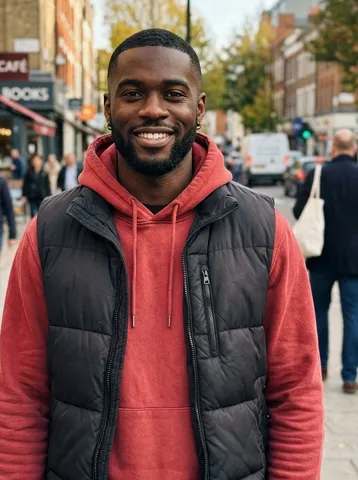
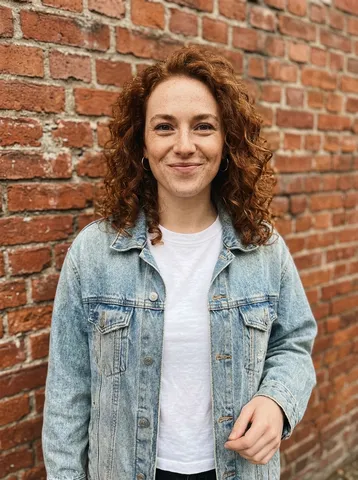
Diss track generator sample: the roommate who eats the leftovers
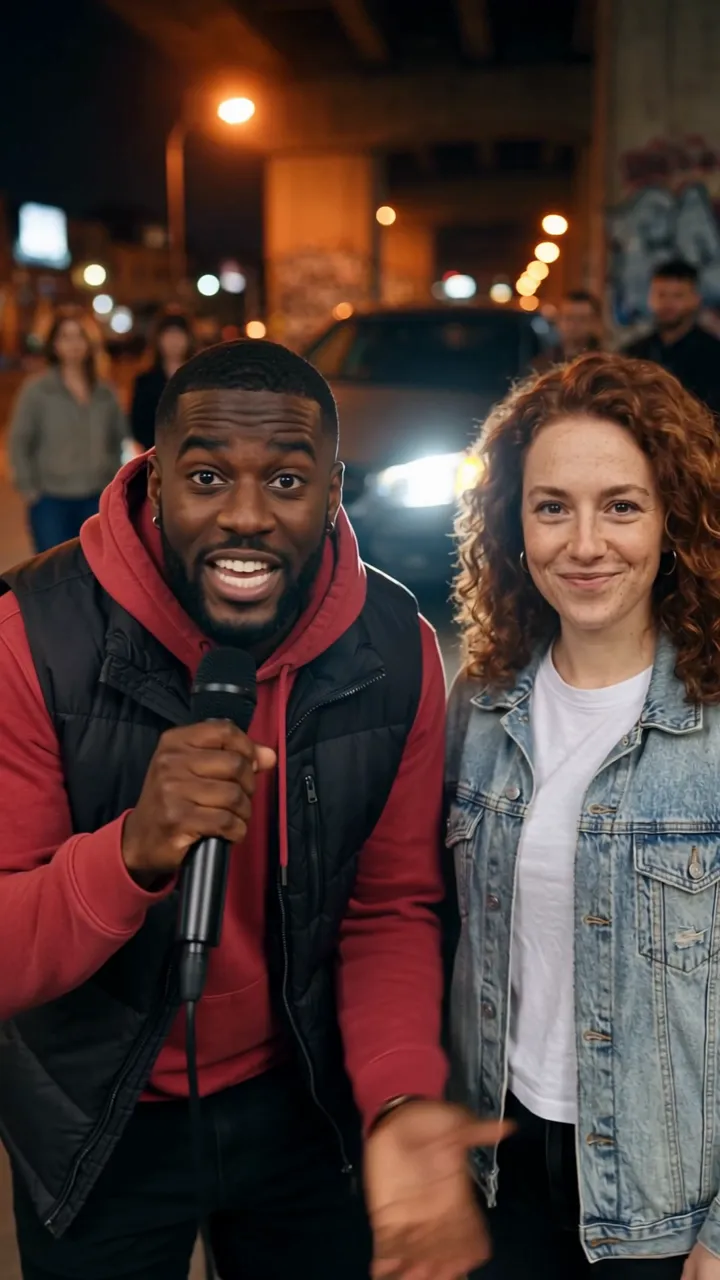
A man in a red hoodie and black puffer vest raps "Dev treats the fridge like a buffet he owns, no shame, leaves us empty shelves and takes zero blame." A woman in a denim jacket steps up: "Dev's fork knows our Tupperware better than we do, leftovers vanish fast when Dev comes through." Both point at the camera to finish. 12 seconds in 9:16, about three minutes at 720p.
How to Use the AI Diss Track Generator
- 1
Add the rappers
Rapper 1 needs a photo. Add Rapper 2, or leave it empty and the diss track generator gives the second half to a made-up friend.
- 2
Write the diss
Name the target and the one detail everyone knows, in up to 120 characters. The diss track generator turns it into four rhyming lines.
- 3
Pick the format and create
Choose 9:16, 1:1 or 16:9, then Standard 720p for 10 credits or HD 1080p for 20. The video lands in My videos and we email you when it is ready.
How to Write a Topic for the Diss Track Generator
A name and one detail
"Dev, who eats everyone's leftovers" beats "my annoying roommate". A name and one specific habit give the diss track generator something to rhyme on.
Roast habits, not people
Lateness, cooking, driving, fantasy football: aim at what they do. Topics about race, religion, looks or anything sexual are refused by the diss track generator, and nothing is charged.
Faces in the light
Both rappers stay on screen for all 12 seconds of a diss track generator video, so use sharp, front-facing photos without sunglasses.
Friends who are in on it
Only use photos of adults who agreed to be in your diss track generator video, and aim at someone who will laugh and fire back. No celebrities or public figures.
The 12 Seconds, Bar by Bar
Every video from the diss track generator plays out the same way under the city overpass; only the words change with your topic.
0–1 s
The beat drops
Both rappers nod in under the orange street lights, mics in hand.
1–5 s
Bars 1 and 2
Rapper 1 raps the first two lines straight at the camera.
5–10 s
Bars 3 and 4
Rapper 2 steps up for the last two lines while Rapper 1 hypes them up.
10–12 s
Point and finish
Both point at the camera as the crowd behind them reacts.
What Is a Diss Track?
A diss track is a song that verbally attacks someone, usually another artist. Hip-hop made it a genre: the Roxanne Wars of 1984 count as the first known rap feud, followed by Tupac's "Hit 'Em Up" (1996), Jay-Z's "Takeover" and Nas's "Ether" (both 2001), and Kendrick Lamar's "Not Like Us" (May 4, 2024).
An AI diss track generator writes the bars for you. Most stop at lyrics or an audio file; this one writes four lines from your topic and renders a video of the people in your photos rapping them, lip-synced, over an original beat.
Our diss track generator writes the lyrics fresh for every topic and the voices come from the video model, so nothing copies a real song, artist or voice. AI Trend Video is independent and not affiliated with any artist named here.
AI Diss Track Generator FAQ
How do I use the AI diss track generator?
Add a photo of each rapper, or just one, write who the diss is for and why, and press Create. The diss track generator writes four rhyming lines and renders you rapping them in a 12-second video.
Is the diss track generator just lyrics?
No. You get an MP4: the people from your photos on the mic, rapping the lines word for word over an original beat.
Can I write my own lyrics in the diss track generator?
Not yet. You write the topic, up to 120 characters, and the AI diss track generator writes the four lines from it, so put the name and the detail you want in the topic.
Do I need two photos for the diss track generator?
No. With one photo you rap the first half and a made-up friend raps the second. Two photos put both of you on the mic.
What topics does the diss track generator refuse?
Anything hateful, threatening or sexual, jokes about race, religion, gender, sexuality, disability or looks, and made-up accusations against real public figures. A refused topic costs nothing; change it and try again.
Can the diss track generator copy a famous diss track or a rapper's voice?
No. Every diss track is written fresh from your topic, the beat is original, and the voices are generated, not cloned from an artist.
How much does the AI diss track generator cost?
Every trend costs the same: 10 credits for a Standard video and 20 for HD. One-time packs start at $9.99 for 10 credits and never expire; monthly plans start at $39.99 for 50 credits a month. There is no free trial.
What if my diss track generator video looks wrong?
A failed render returns its credits automatically. If a finished video clearly did not work, report it from My videos within 7 days and we return the credits or refund the payment.
Who can see my photos and videos?
Only you. Photos and videos stay private in your account, and your photo goes to our video provider only to make the video.
Still have a question? support@aitrendvideo.io