

Bicep Heart AI Video Generator
Do the bicep heart without a single rep: push up a sleeve, flex one arm and curl the other hand against the bicep until the two make a heart. Upload one photo of yourself, a friend or your pet, and Bicep Heart AI turns it into an 8-second clip in sharp 720p.
- 1 photo
- 8 seconds
- 9:16 · 1:1 · 16:9
- 720p · Original beat
What People Are Making
Every Bicep Heart AI video below came out of this studio from the photo in its corner, with no editing afterwards. The man and the cat are made up.
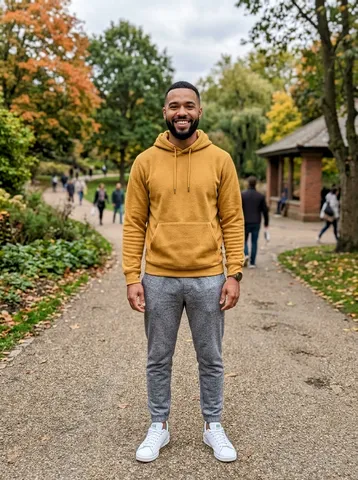
Bicep Heart AI video of a man in a hoodie
A man in a mustard hoodie smiles, pushes one sleeve up, flexes and curls his other hand against the bicep into a heart, then winks at the camera. 8 seconds in 9:16, about two minutes at 720p.
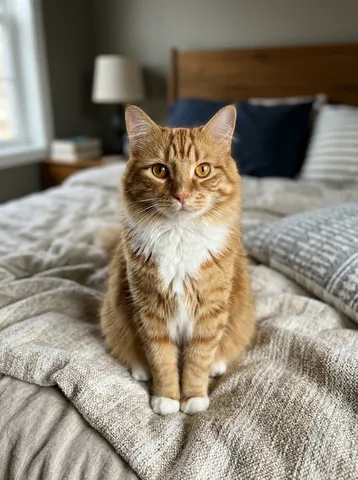
Bicep Heart AI video of an orange cat
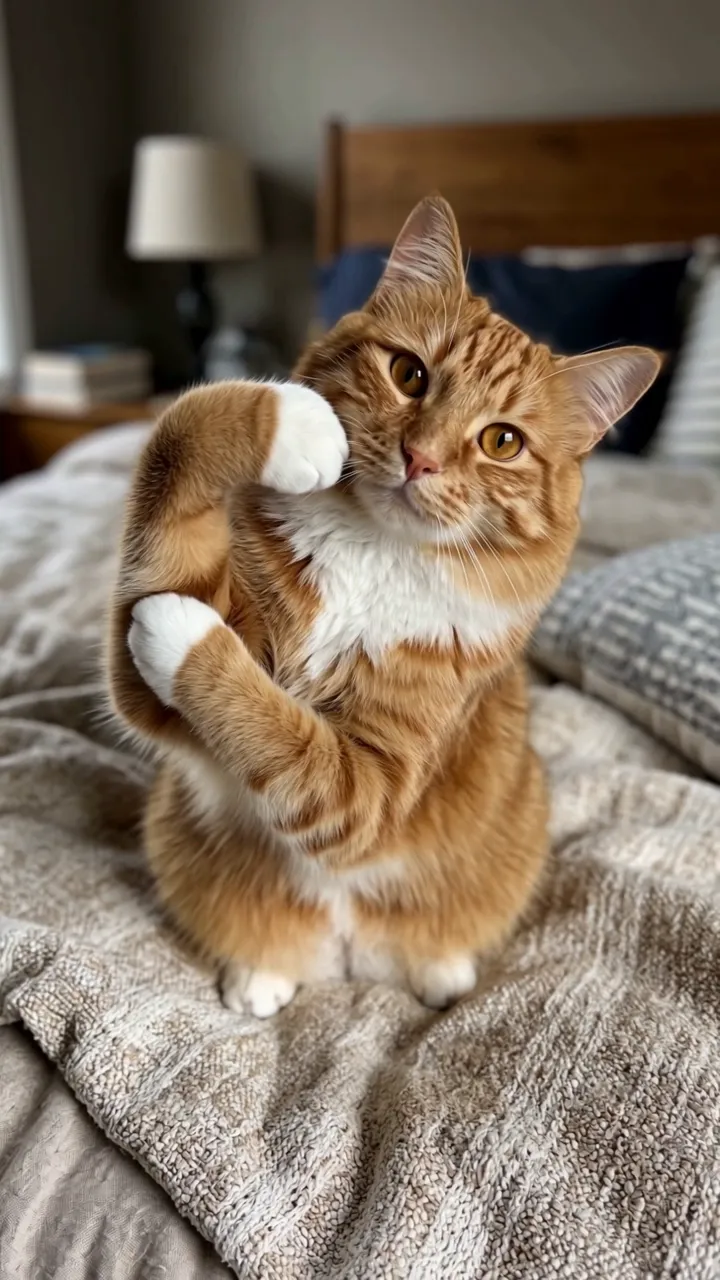
Pet mode: an orange tabby sits up on the bed, bends one front leg like a flexed bicep and tucks the other paw against the elbow, so the two outline a heart. 8 seconds in 9:16, about two minutes at 720p.
How to Make a Bicep Heart AI Video
- 1
Pick who flexes
The star of your Bicep Heart AI video can be you, a friend who agreed, or your dog or cat. Person and Pet each take one photo.
- 2
Choose the format
Pick the format of your Bicep Heart AI video: 9:16 for TikTok and Reels, 1:1 for the feed, 16:9 for YouTube. Standard is 720p for 10 credits, HD is 1080p for 20.
- 3
Download and post
Your Bicep Heart AI video lands in My videos as an MP4, and we email you when it is ready. Add the trend sound in TikTok when you post.
Best Photos for a Bicep Heart AI Video
Arms in view
A waist-up photo with both arms visible gives Bicep Heart AI the most to work with for the flex.
Face the camera
The heart is held toward the lens in every Bicep Heart AI video, so a sharp, front-facing face keeps the likeness through the grin.
Sleeves are fine
Long sleeves get pushed up before the flex, like the hoodie in our Bicep Heart AI sample.
Pets sitting up
A photo of your pet sitting up and looking at the camera gives the cleanest Bicep Heart AI paw pose.
The Bicep Heart, Second by Second
Every Bicep Heart AI video follows the same 8-second beat, so the heart lands in the middle of the clip.
0–2 s
The shy smile
A small smile at the camera while one sleeve goes up.
2–5 s
The flex
One arm flexes, and the other hand curls against the bicep into a heart.
5–8 s
The hold
The heart held toward the lens, a head tilt and a grin.
What Is the Bicep Heart Trend?
The bicep heart is a TikTok trend from late October 2026: you flex one arm and curl the other hand against the bicep, so the hand and the curve of the muscle make a heart. It turns a gym flex into a small message of affection.
On October 30, 2026 @hunnybakes posted his take, and the next two days @mckennacrisp and @kavithageorge followed with clips that each passed 4 million views by November 4. Searches for "bicep heart trend" took off at the same time.
Bicep Heart AI writes the scene around your photo, with an original beat instead of the trend sound. AI Trend Video is independent and not affiliated with the creators named or with TikTok.
Bicep Heart AI FAQ
Can my dog or cat do the Bicep Heart AI video?
Yes. Pick Pet and upload one photo: your pet sits up, bends one front leg like a flexed bicep and tucks the other paw against the elbow, so the two outline a heart.
Why is a Bicep Heart AI video 720p?
This template runs on a sharper video engine, so Standard is 720p and HD is 1080p for the same 10 and 20 credits as every other trend.
How long is a Bicep Heart AI video?
Eight seconds, in 9:16, 1:1 or 16:9, at 720p in Standard or 1080p in HD, as an MP4 with no watermark.
Does the Bicep Heart AI video include the trend sound?
No. It comes with an original beat. Add the bicep heart sound in TikTok when you post.
How much does a Bicep Heart AI video cost?
Every trend costs the same: 10 credits for a Standard video and 20 for HD. One-time packs start at $9.99 for 10 credits and never expire; monthly plans start at $39.99 for 50 credits a month. There is no free trial.
What if my Bicep Heart AI video looks wrong?
A failed render returns its credits automatically. If a finished video clearly did not work, report it from My videos within 7 days and we return the credits or refund the payment.
Who can see my photos and videos?
Only you. Photos and videos stay private in your account, and your photo goes to our video provider only to make the video.
Still have a question? support@aitrendvideo.io