

How to Make the 24K Magic AI Video (2026)
How to Make the 24K Magic AI Video: Turn One Photo Into a 10-Second Cruise-Deck Dance With a Collar Tug and Footwork
The 24K Magic AI video puts the person from your photo on a sunny cruise-ship deck for a 10-second solo dance — collar tug, footwork, knee swivels and all. Open the 24K Magic AI video generator, add one photo, pick a format and quality, and press Create. The finished MP4 lands in My videos with no watermark, and we email you when it is ready. This guide walks you through what the trend is, what the video looks like shot by shot, how to make one, and how to get the best result from your photo.
What Is the 24K Magic AI Trend?
The scene comes from Hotel Transylvania 3: Summer Vacation (2018), where Dracula dances on the deck of a cruise ship to Bruno Mars' 2016 song "24K Magic." On October 11, 2026, a TikTok clip of that animated scene posted by @jst.daf took off, reaching 6.7 million views by November 4.
The next day, AI creator @theraguler posted a live-action AI remake — shot for shot, with a real-looking young man on a real cruise deck: a collar tug in a cabin doorway, then a solo dance in the sun. That video hit 5.1 million views and 959,000 likes by November 4. More AI remakes and CapCut tutorials for the "24K Magic AI dance" followed through late October. One by @niquito89 on October 31 picked up about 960,000 views.
Our template recreates that live-action remake. You upload one photo, and the 24K Magic AI video puts your person through the same sequence: doorway grin, collar tug, deck dance.
Made on AI Trend Video from one photo of a made-up man: the collar tug, then the deck dance. 10 seconds, 16:9, Standard 720p.
The 24K Magic Deck Dance, Shot by Shot
The video runs 10 seconds and follows the same shots as the viral live-action remake.
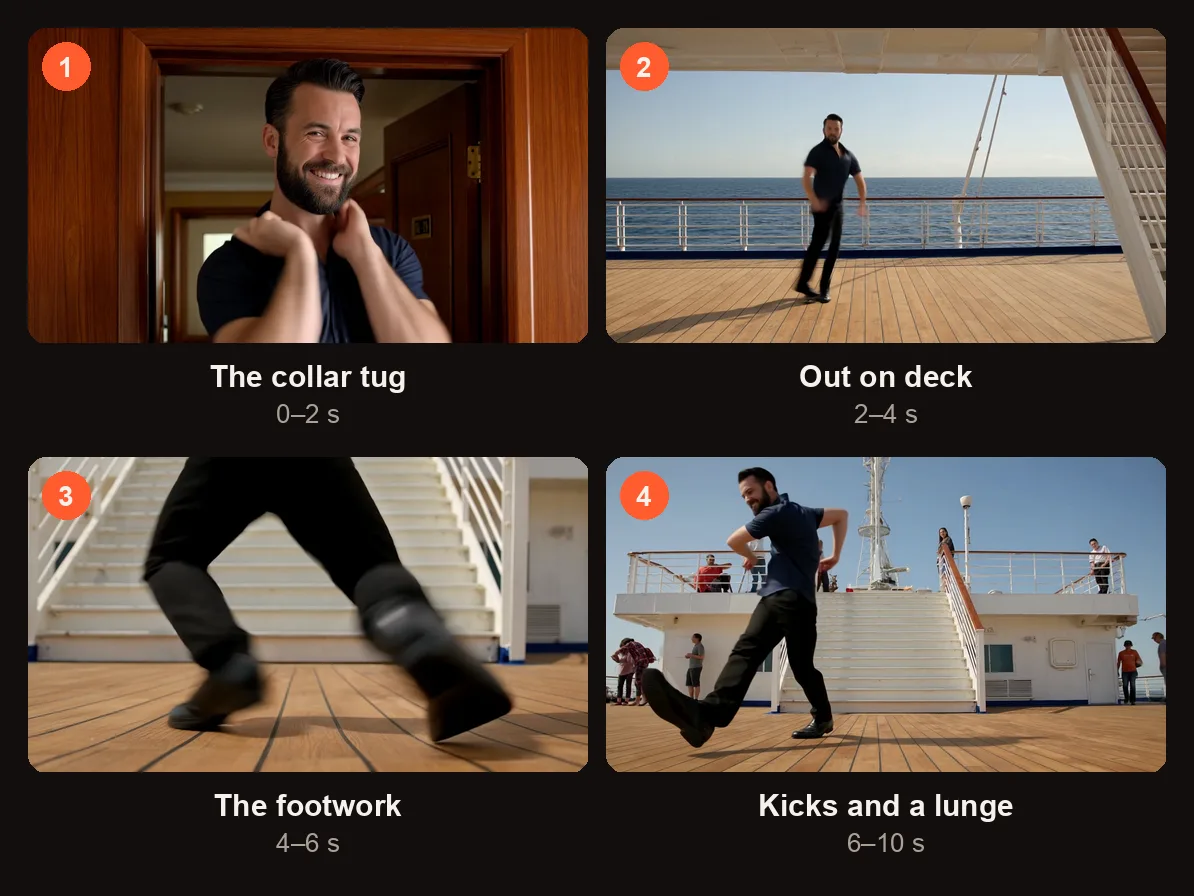
The four shots of the 10-second clip, from the sample on this page.
| Time | Shot | What happens |
|---|---|---|
| 0–2 s | Close-up in cabin doorway | A warm, wood-panelled doorway. The dancer grins and tugs the collar with both hands. |
| 2–4 s | Wide shot of the open deck | Hard cut to the full wooden deck with a white railing, blue sea and sky. The dance starts. |
| 4–6 s | Low close-up of feet | Feet sliding, kicking and stepping on the deck boards. |
| 6–10 s | Medium-wide in front of deck stairs | Knee swivels, loose kicks, a deep lunge and a slide. Other passengers stay small in the background. |
What the 24K Magic AI Video Keeps From Your Photo
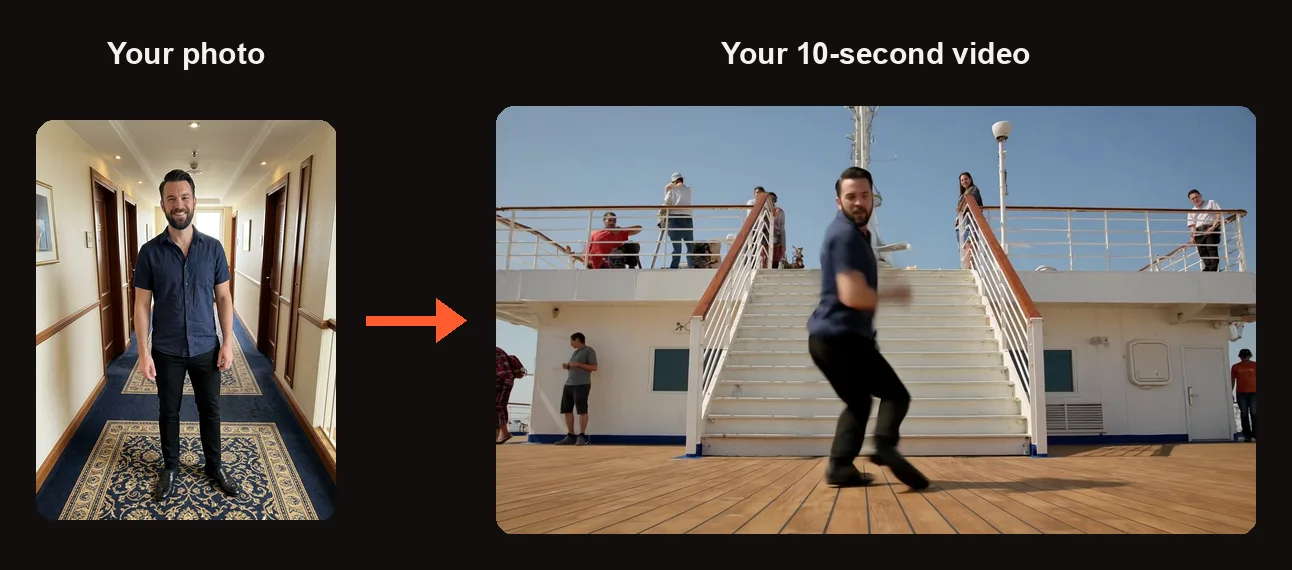
One photo in, one deck dance out, 16:9 like the original remake.
The dancer keeps the face, hairstyle, skin tone and body shape from your photo. The outfit carries over too — a shirt with a collar makes the collar-tug shot at the start look its best, but a T-shirt works fine.
If your photo only shows you from the waist up, the video fills in the rest with dark trousers and dark shoes. That combination fits the cruise-deck setting, so a waist-up shot is still a good choice.
Only one person dances per video. If you want to put a friend in the trend too, make a second 24K Magic AI video with their photo and post both.
How to Make a 24K Magic AI Video
Step 1: Pick One Full-Body Photo
Choose one photo of one adult (18 and older, with their permission). The face should be sharp, clearly visible and looking toward the camera. A full-body shot gives the video the most to work with, but waist-up works too.
If you own a shirt with a collar — button-up, polo, camp collar — wear it. The opening shot is a collar tug, and a visible collar sells the move. A crew-neck or T-shirt still works; the hands go to the neckline either way.
Step 2: Add It to the Studio
Go to the 24K Magic AI video generator. When you press Create, you sign in with Google if you are not signed in yet.
In the studio you will see one photo slot labeled "Your photo" with the text "Tap to add a photo." Tap it and upload your photo.
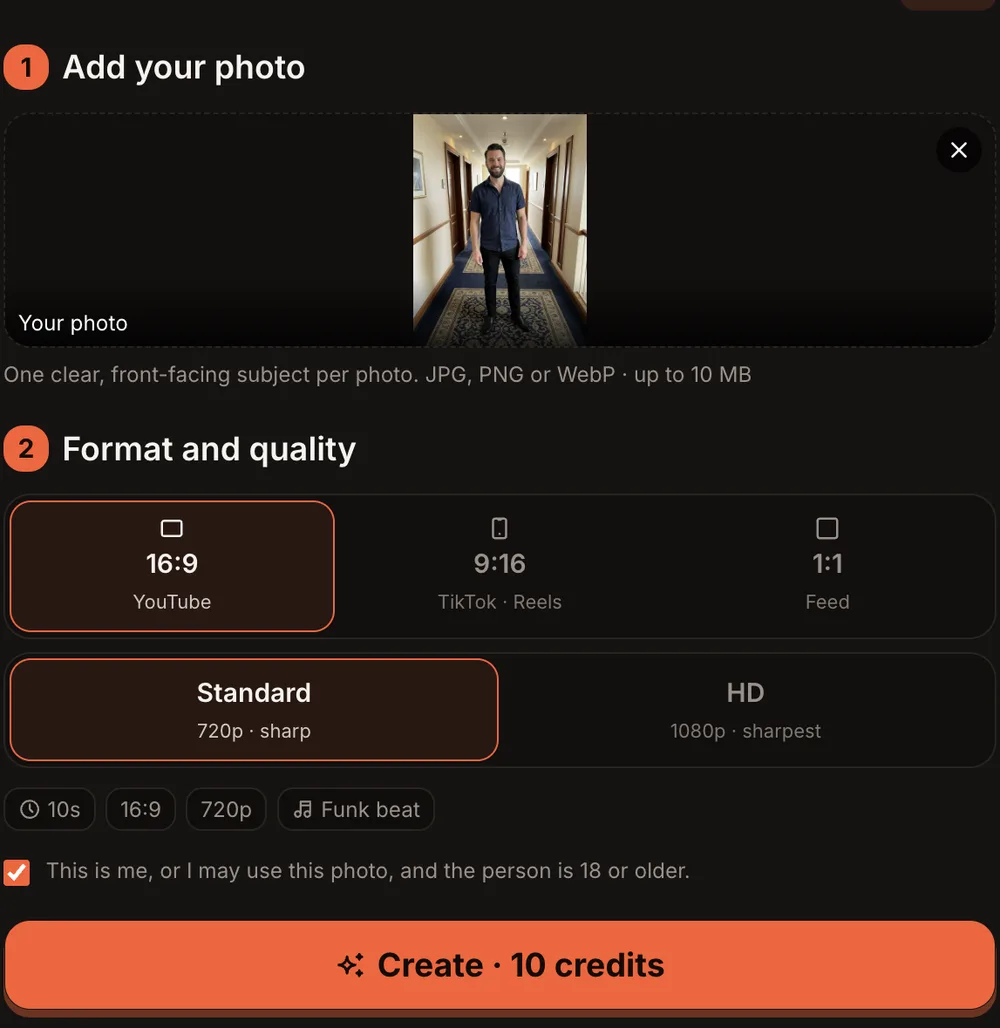
16:9 is the first option; Standard is 720p and the button reads Create · 10 credits.
Step 3: Choose the Format and Quality
Below your photo, under "Format and quality," pick the aspect ratio and the resolution.
| Option | What you get |
|---|---|
| 16:9 (YouTube) | Wide landscape, the default — matches the original remake's framing |
| 9:16 (TikTok · Reels) | Vertical, fills a phone screen |
| 1:1 (Feed) | Square, for Instagram feed posts |
| Standard | 720p · sharp, 10 credits |
| HD | 1080p · sharpest, 20 credits |
| Length | 10 seconds |
| Sound | An original upbeat retro funk groove with slap bass, synth stabs and handclaps — no vocals, not the song |
16:9 is the first option and the default because the wide deck shot looks great in landscape. Pick 9:16 if you are posting straight to TikTok or Reels and want the video to fill the screen without cropping.
Step 4: Press Create and Wait for the Email
Check the consent box, then press the orange button. It reads "Create · 10 credits" for Standard or "Create · 20 credits" for HD.
Rendering usually takes 3 to 12 minutes. You can close the tab — we email you when the video is ready. The finished MP4 lands in My videos with no watermark.
A failed render returns its credits automatically. If the video finishes but something clearly went wrong, press "Report a problem" in My videos within 7 days. We review every report and either return the credits or refund the payment for that video.
Step 5: Check the Dance and Post It
Watch the video and look at a few things before you post:
- The close-up — Does the face in the cabin doorway match the photo?
- The collar tug — Both hands should reach for the collar or neckline in the opening shot.
- The footwork — The feet should slide and kick on the deck boards in the low shot.
- The outfit — Colors and style should match what the person wears in the photo.
If something clearly did not work, see the common problems below.
When you post to TikTok, add the 24K Magic sound from the app's sound library. The video's built-in audio is an original instrumental groove, not the Bruno Mars track.
24K Magic AI Video Ideas
- Vacation countdown. Make your 24K Magic AI video the week before a cruise or beach trip and post it with a caption like "me in 5 days."
- Birthday post. Put the birthday person on the deck for a quick celebration clip. A collared shirt from the party works well.
- Matching pair with a friend. Each of you makes a separate video, then stitch or post them side by side. Same deck, two dancers.
- Weekend flex. Drop it on a Friday afternoon — short, upbeat, no explanation needed.
- Reply to a comment. Someone says you can't dance? Reply with your 24K Magic AI video.
Best Photos for the 24K Magic AI Video
- Face forward and in focus. The cabin-doorway shot is a close-up, so a blurry or side-angle face will not look right.
- Collared shirt if you have one. The tug at second one is the signature move. A polo, button-up or camp-collar shirt gives the hands something to grab.
- Full body when possible. A head-to-toe photo lets the video match your actual shoes and trousers. A waist-up photo works — the video fills in dark trousers and dark shoes.
- Good lighting on the face. Even, front-facing light. Avoid deep shadows across one side of the face.
- One person only. The template is built for a single dancer. If the photo has two people, crop it down to one.
Common Problems and What to Try
| Problem | What to try |
|---|---|
| The face does not look like the person in the photo | Use a photo with sharper focus on the face, even lighting and a direct angle toward the camera. |
| The collar tug looks off or the hands grab at nothing | Upload a photo where the person wears a shirt with a visible collar. A crew neck still works but the move is less obvious. |
| The outfit colors are wrong or the clothes change mid-video | Use a photo where the whole outfit is clearly visible and evenly lit. |
| The video failed to render | Credits are returned automatically for a failed render. Try again with the same or a different photo. |
| The video rendered but the dance is clearly broken | Press "Report a problem" in My videos within 7 days. We review every report and either return the credits or refund the payment for that video. |
24K Magic AI Video FAQ
Can a friend dance with me in the same video?
No. Each video has one dancer. To put a friend in the trend, make a second 24K Magic AI video with their photo and post both clips together — as a stitch, a carousel or side by side.
Which format should I pick?
16:9 is the default and matches the wide framing of the original remake. Pick 9:16 if you are posting to TikTok or Reels and want the video to fill the phone screen. Pick 1:1 for an Instagram feed post.
Does the video include the Bruno Mars song?
No. The audio is an original upbeat retro funk instrumental — slap bass, synth stabs and handclaps, no vocals. Add the 24K Magic sound from TikTok's sound library when you post so your clip joins the trend.
Why is Standard 720p instead of 480p?
On this trend, Standard is 720p and HD is 1080p. Most other trends on the site are 480p for Standard and 720p for HD. This template runs on a sharper video engine, so the 24K Magic AI video starts at a higher resolution for the same credits.
How long is the video and how long does it take to make?
The video is 10 seconds. Rendering usually takes 3 to 12 minutes. You can close the tab and we will email you when it is done. The MP4 appears in My videos with no watermark.
How much does a 24K Magic AI video cost?
Standard (720p) costs 10 credits. HD (1080p) costs 20 credits. One-time credit packs start at $9.99 for 10 credits and never expire. Monthly plans start at $39.99 for 50 credits a month. There is no free trial. Every trend on the site costs the same — 10 or 20 credits.
Make Your Own 24K Magic AI Video
Pick a photo, open the 24K Magic AI video generator, choose your format and hit Create. Ten seconds later — well, 3 to 12 minutes later — you have a cruise-deck dance video ready for TikTok.
If you like solo dance trends, check out our guide on how to make the Nicole Kidman dance AI video for another one-person dance template. And for a one-photo trend that also works with your pet, see how to make the Bicep Heart AI video.
AI Trend Video is independent and not affiliated with any artist, label, brand or platform named in this post.