

How to Make an AI Belly Dance Video From One Photo (2026)
Turn a Single Photo Into an AI Belly Dance Video With Hip Shimmies, Spinning Skirts and a Blue-and-Gold Costume in a Grand Arabian Palace at Night
You can make an AI belly dance video from one photo using the AI belly dance video generator on AI Trend Video. Upload a photo of yourself or a friend, and the tool puts that person into a 10-second belly dance performance set in a grand Arabian palace hall — no dance experience needed, no video editing and no prompt to write. You just pick a photo, choose a format and press a button. This tutorial walks through every step, from picking the right photo to downloading the finished MP4.
What Is an AI Belly Dance Video?
Belly dance, known as raqs sharqi in Arabic ("oriental dance"), is a Middle Eastern dance form that began in Egypt. It centers on the hips and torso: shimmies, hip circles, figures of eight and undulations, often matched to a tablah drum, with finger cymbals called sagat or zills. The classic costume, the bedlah, is a fitted top, a fitted hip belt decorated with beads, sequins, crystals or coins, and a full-length skirt or harem pants.
AI video apps now offer belly dance as a one-photo template — sometimes listed as an "AI Dubai dance" or a belly dance filter — built for posting on TikTok and Reels. You upload a photo, and the AI generates a short clip of that person performing a belly dance routine in a preset scene.
The AI belly dance template on AI Trend Video places one person inside a grand Arabian palace hall at night. The scene has carved golden arches, glowing brass lanterns, a polished mosaic floor and warm candlelight. Two backup dancers in emerald green costumes move far behind, out of focus. The person from your photo keeps their face, hairstyle, skin tone and body shape, but always wears our costume: a sparkling royal-blue and gold belly dance outfit with a jewelled top, a gold coin hip belt, a long flowing chiffon skirt and a sheer blue veil. The soundtrack is an original drum-led belly dance rhythm generated along with the video — no vocals and no existing song.
In our sample clip, a woman with long dark wavy hair — originally photographed in a cream sweater, light jeans and white sneakers in a bright living room — appears as the belly dancer in the blue and gold costume inside the palace hall. She glides in with the veil spread wide, shimmies with her hands framing her face, spins, and ends close to the camera smiling. The clip was made in the studio from one photo with no editing afterwards. The woman shown in the sample is not a real person. It rendered at 720p in about two and a half minutes.
Made on AI Trend Video from one photo of a made-up woman: the entrance, the shimmies, the veil spin and the pose. 10 seconds, 9:16, Standard 720p.
The 10 Seconds, Move by Move
Every AI belly dance video from this template runs exactly 10 seconds and follows the same four-beat choreography, moving gradually from a wide shot to a close-up.
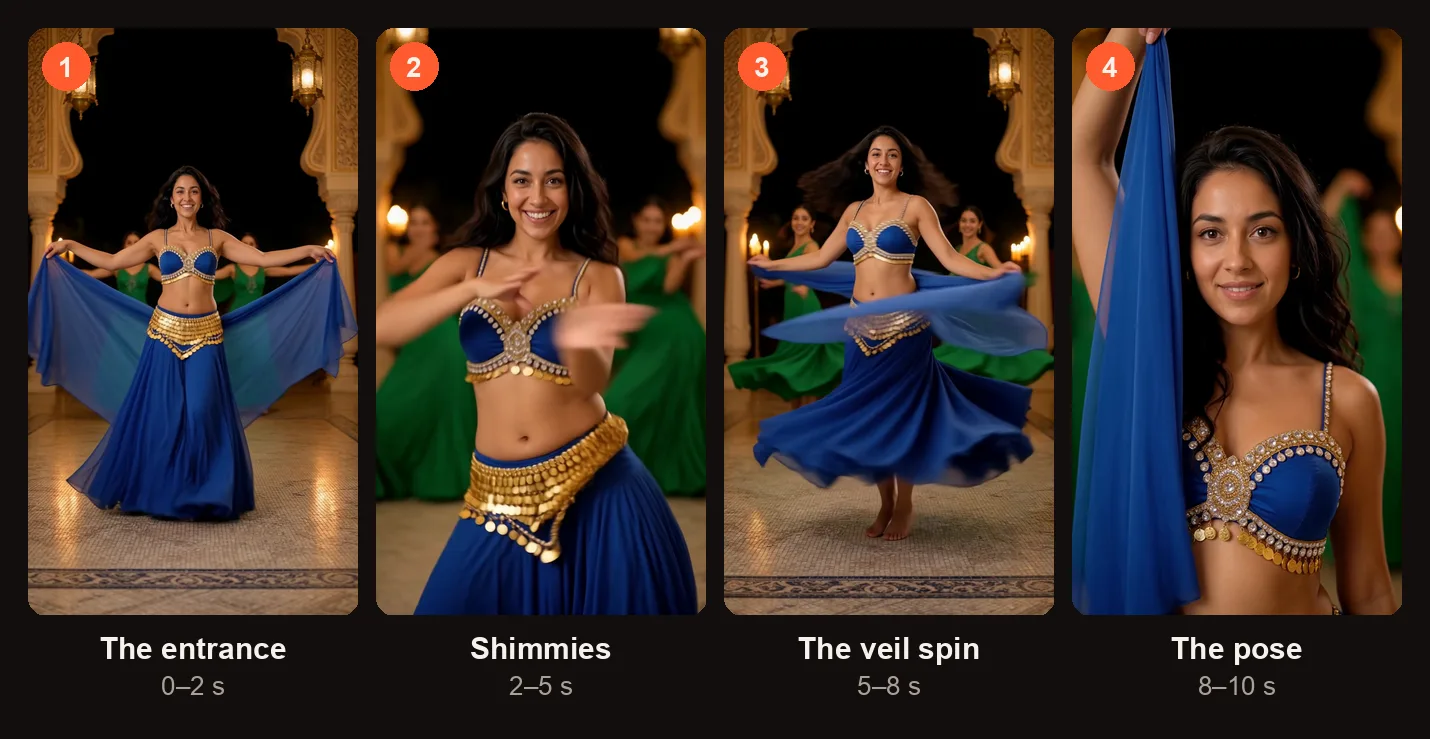
The four beats of the 10-second dance, from the sample on this page.
| Time | What happens |
|---|---|
| 0–2 s | Wide shot. They glide forward with the veil spread wide like wings. |
| 2–5 s | Medium shot. Quick hip shimmies and slow hip circles, the coin belt shaking, hands rippling around the face. |
| 5–8 s | Two spins with the skirt and veil swirling, then a playful shoulder shimmy aimed at the camera. |
| 8–10 s | Close to the camera, one arm raised, the veil falling, a confident smile. |
Because the video moves from wide to close, the full body is visible for most of the clip. That is one reason a full-body photo gives better results — the AI already has the shape of the whole person to work with instead of guessing.
What the AI Belly Dance Video Keeps From Your Photo
The AI carries certain details from your original photo into the video and replaces everything else with the preset scene and costume.
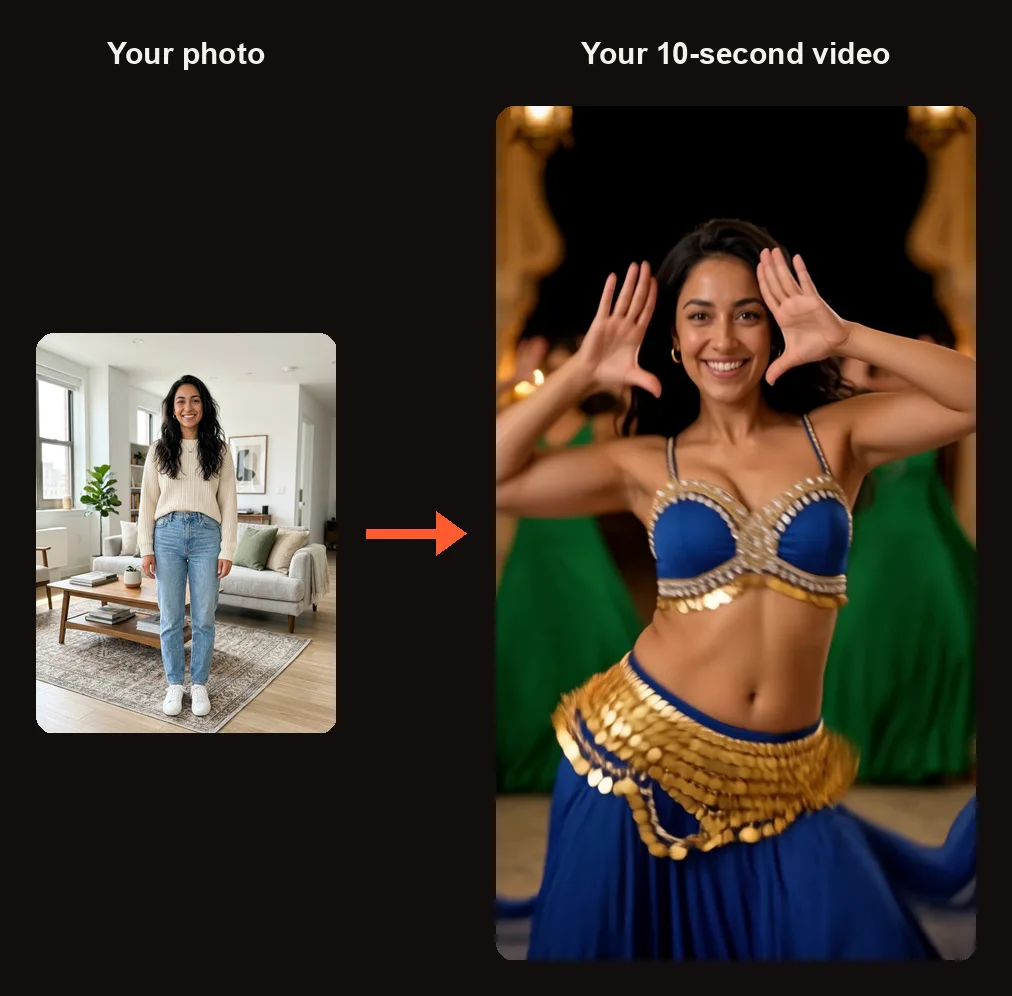
One photo in, one belly dancer out. The face stays yours; the costume and the palace come from the template.
| From your photo | From us |
|---|---|
| Face, hairstyle, skin tone, body shape | The palace hall scene with golden arches, lanterns and candlelight |
| Sparkling royal-blue and gold costume with jewelled top, coin hip belt, chiffon skirt and veil | |
| Two backup dancers in emerald green | |
| The 10-second choreography | |
| An original drum-led belly dance rhythm |
A full-body photo gives the AI the most information to work with. A waist-up photo also works — when only the upper body is visible, the model draws the rest of the body to complete the dance. Either way, the person's face is the anchor: it stays recognizable throughout the video.
How to Make an AI Belly Dance Video
Open the AI belly dance video generator in your browser. There is no app to download and no prompt to write. When you press Create for the first time, you sign in with Google.
Step 1: Pick a Full-Body Photo
Choose a clear, well-lit photo of one person. A full-body shot standing upright works best because the choreography includes spins and a forward glide that use the whole body. A waist-up photo also works — the AI will fill in the lower body on its own. The photo must be of an adult (18+) who agreed to appear. No children, celebrities or public figures. This template is for people only, not pets.
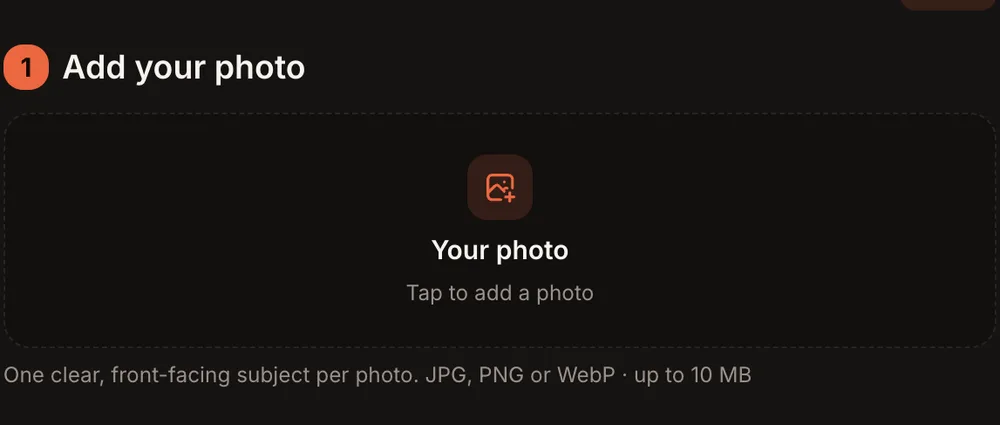
One slot: tap it to add your photo.
Step 2: Add the Photo
In the studio, you will see one photo slot labeled "Your photo." Tap "Tap to add a photo" and select your image from your device. A preview of the photo appears in the slot.
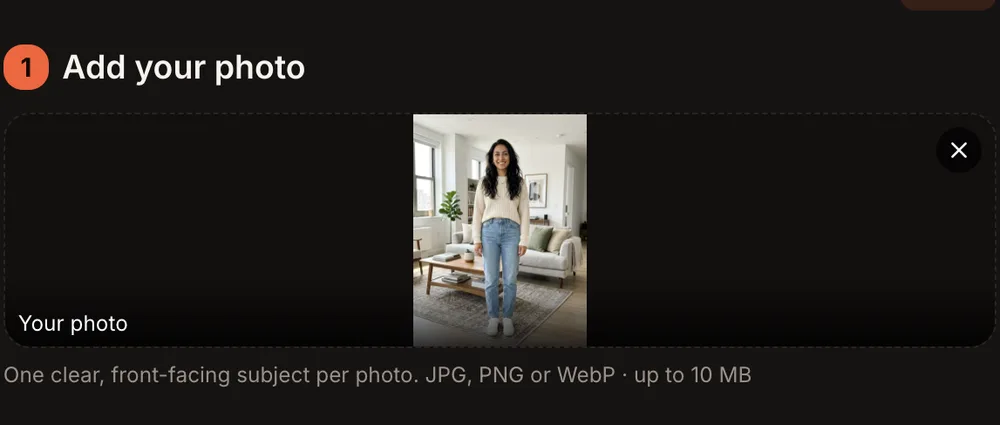
The photo shows in the slot; it is only uploaded when you press Create.
Step 3: Choose the Format and Quality
Below the photo, under "Format and quality," pick the aspect ratio and resolution that match where you plan to post.
| Option | What you get |
|---|---|
| 9:16 (TikTok · Reels) | Vertical video for TikTok and Instagram Reels |
| 1:1 (Feed) | Square video for Instagram or Facebook feed posts |
| 16:9 (YouTube) | Horizontal video for YouTube |
| Standard | 720p · sharp — 10 credits |
| HD | 1080p · sharpest — 20 credits |
| Length | 10 seconds |
| Sound | Original drum-led belly dance rhythm, no vocals |
This template outputs 720p for Standard and 1080p for HD, which is sharper than most other trends on the site (those are typically 480p and 720p).
Step 4: Press Create and Wait for the Email
Check the consent checkbox, then tap the orange button. It reads "Create · 10 credits" for Standard or "Create · 20 credits" for HD. Rendering usually takes 3 to 12 minutes. You do not need to keep the tab open — the site sends you an email when the video is ready. The finished video appears in My videos as an MP4 with no watermark.
If the render fails for any reason, the credits come back to your account automatically.
Step 5: Check the Dance and Post It
Open the video in My videos and look for these things before you post it:
- The face — Does it match the photo? The eyes, nose, mouth and hairstyle should be clearly recognizable.
- The costume — The blue and gold outfit should sit naturally on the body, with the coin belt visible during the shimmies.
- The spin — At the 5–8 second mark, the skirt and veil should swirl smoothly during the two spins.
- The ending — The close-up at the end should show a clear face and a natural smile.
If something clearly did not work, press "Report a problem" in My videos within 7 days. Every report is reviewed, and either the credits are returned or the payment for that video is refunded.
When you are happy with the result, tap "Download MP4" to save the file, or tap "Make another" to start a new video.
AI Belly Dance Video Ideas
Here are a few ways to use your AI belly dance video once it is ready:
- A birthday surprise for a friend who swears they cannot dance. Send the video in a text or post it to their feed.
- A group chat reply. Drop the belly dance clip into a group chat as a reaction instead of a GIF.
- A before-and-after post. Put the original photo next to a screenshot from the video, or stitch them into a short TikTok or Reel.
- A dance-class or holiday party invite. Use the clip as the first slide of a story and add the event details on the next slide.
- A video of your partner who would never belly dance in real life. Get their permission first and make sure they are OK with you posting it.
Best Photos for an AI Belly Dance Video
- Full-body, standing upright. The choreography includes spins and a forward glide, so a photo showing the entire body from head to feet gives the AI the most to work with.
- Clear, well-lit face. The face is the main thing the AI carries into the video. Avoid photos where the face is in shadow, partially covered or turned far to one side.
- One person only. This template is built for a single dancer. If the photo has two or more people in it, the AI may not pick the right one.
- A recent photo. Use a photo that looks like the person does now, so the result is recognizable to anyone who sees it.
Common Problems and What to Try
| Problem | What to try |
|---|---|
| The face does not look right | Use a photo where the face is larger, well lit and facing forward. Avoid sunglasses or hats that cover the forehead. |
| The body looks stretched or awkward | Switch to a full-body photo taken straight on, not from a high or low angle. |
| The video is blurry | Choose HD (1080p) instead of Standard (720p). This template produces 720p for Standard and 1080p for HD. |
| The render failed | Credits are returned automatically for a failed render. Try again with the same photo or a different one. |
| The video finished but something is clearly wrong | Press "Report a problem" in My videos within 7 days. We review every report and either return the credits or refund the payment for that video. |
AI Belly Dance Video FAQ
Do I need dance experience?
No. The choreography is built into the template. The AI handles every move — the shimmies, the hip circles, the spins and the veil work. You only upload a photo.
Can a man make one?
Yes, anyone 18 or older can. When the photo shows a man, we ask for a jewelled vest over a shirt and loose harem trousers with the same coin belt. We have not published a sample of that version yet.
Does it change my clothes?
Yes. Whatever the person is wearing in the original photo is replaced by the preset costume — a sparkling royal-blue and gold belly dance outfit with a jewelled top, a gold coin hip belt, a long flowing chiffon skirt and a sheer blue veil.
Does it use a real song?
No. The soundtrack is an original drum-led belly dance rhythm generated along with the video. There are no vocals and no existing song is used. The template does not contain footage of a real dancer or an existing piece of music.
How long is the video, and how long does it take to render?
The video is 10 seconds long. Rendering usually takes 3 to 12 minutes. You can close the browser tab while you wait — the site emails you when the video is ready, and it appears in My videos as a downloadable MP4.
How much does it cost?
Every video costs 10 credits for Standard (720p) or 20 credits for HD (1080p). One-time credit packs start at $9.99 for 10 credits and never expire. Monthly plans start at $39.99 for 50 credits a month. There is no free trial.
Make Your Own AI Belly Dance Video
Pick a photo, open the AI belly dance video generator and tap Create. A few minutes later you have an AI belly dance video set in a golden palace hall, ready to download and post. Your photos and videos are private to your account and never shown in a public gallery.
If you liked this template, try the 24K Magic solo dance trend, which turns one photo into a different dance performance, or the Nicole Kidman dance trend for another one-photo dance video.