

Elf Dance AI Video Generator
Turn yourself, your friends or your dog into dancing elves. Elf Dance AI dresses up to three people from your photos, or one pet, in green elf costumes with striped tights and curly shoes, puts them in Santa's workshop on Christmas Eve and dances a goofy 10-second routine: heel-toe kicks, a heel click, jazz hands, a freeze and a spin. One photo per elf is enough.
- 1 to 3 photos or a pet
- 10 seconds
- 9:16 · 1:1 · 16:9
- Christmas swing band
What People Are Making
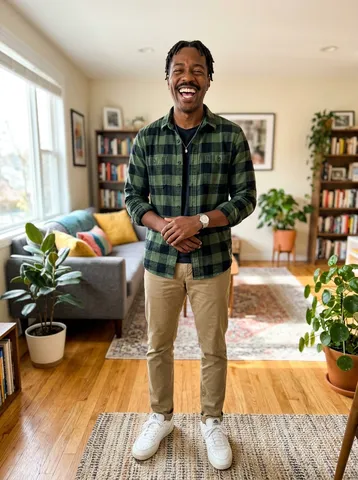
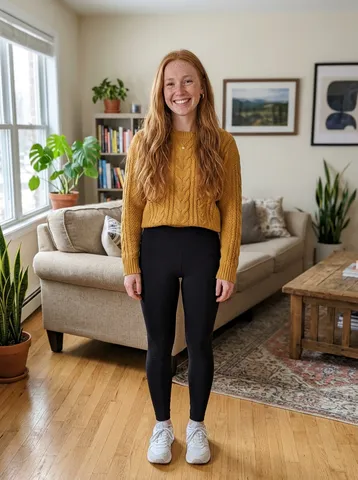
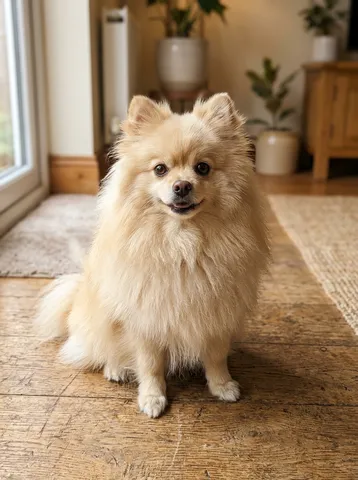
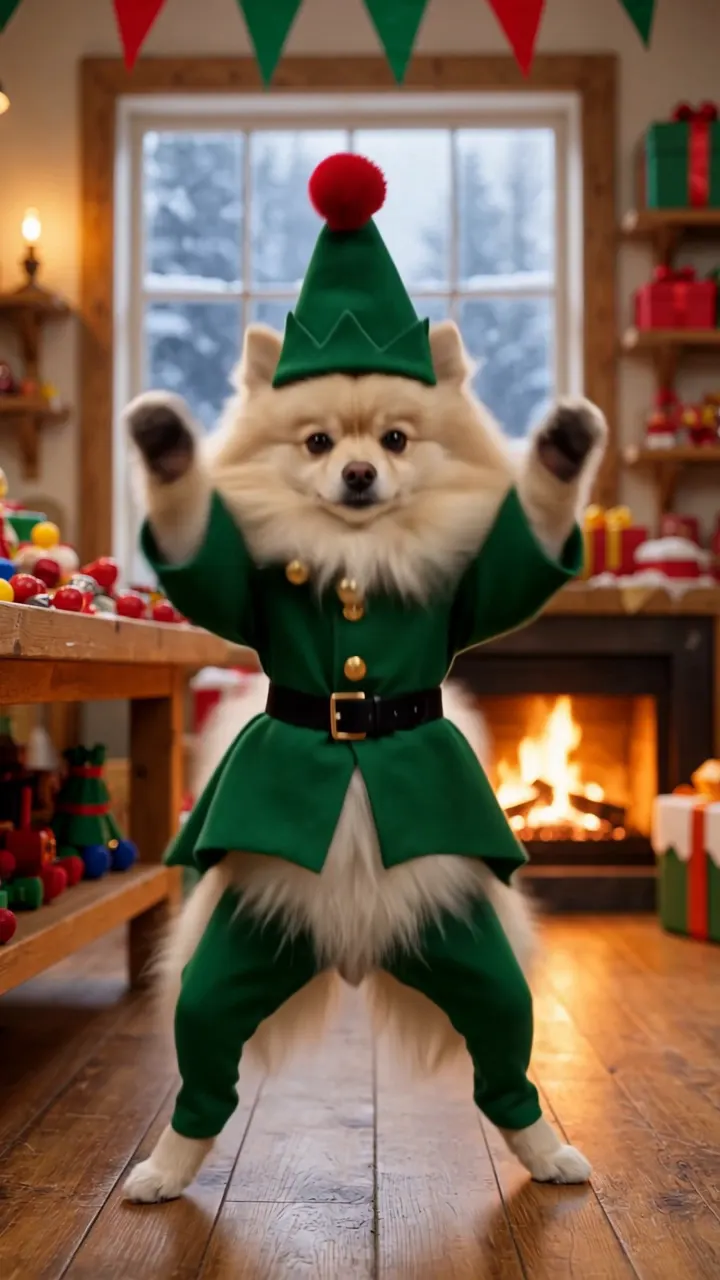
These elf dance AI clips came from the photos next to them, with no editing afterwards. The three adults and the Pomeranian are made up. Your own elf dance video keeps the faces and builds from your photos, and every render dances the routine a little differently.

Elf dance AI sample: three elves in the workshop
Three photos, three elves: a woman with a silver pixie cut in the middle, a man with short twists on the left and a woman with long ginger hair on the right. The video puts all three in green elf tunics, striped tights, curly shoes and pointy hats, and they dance in sync in Santa's workshop: hands on hips, heel-toe kicks, a heel click with jazz hands, a freeze, a spin and a jump that ends pointing at the camera. 10 seconds in 9:16, made in under three minutes at 720p.
Elf dance AI sample: the Pomeranian elf
One photo of a fluffy cream Pomeranian, Pet tab. The Pomeranian stands up on its back legs in a green elf tunic, little green leggings, a pointy hat and a jingle-bell collar, kicks its back paws, waves its front paws, freezes, spins and finishes pointing a paw at the camera. 10 seconds in 9:16, made in about two minutes at 720p.
How to Make an Elf Dance AI Video
- 1
Choose who becomes an elf
People takes one to three photos, one per elf; Elf 2 and Elf 3 can stay empty for a solo elf dance. Pet takes one photo of your cat or dog for a pet elf dance video.
- 2
Choose the format
Pick 9:16 for TikTok and Reels, 1:1 for the feed or a card, or 16:9 for YouTube, then Standard 720p for 10 credits or HD 1080p for 20.
- 3
Download and send
Your elf dance AI video lands in My videos as an MP4 with no watermark, and we email you when it is ready. Send it to the family chat or post it with a holiday caption.
Best Photos for Elf Dance AI
The face matters most
Elf Dance AI adds the costume for you, so a sharp, front-facing photo in good light is what makes the elf look like you.
Full body helps
The routine is kicks, hops and a spin. Photos that show the whole person give each elf the right height and build.
One face per photo
Have a family photo from last year? Tap "Cast from a group photo" in the studio and tap each face to cut it out for an elf.
Pets at eye level
For the Pet tab, take the photo at your pet’s eye level with the whole cat or dog in frame, looking at the camera.
The Elf Dance, Second by Second
Every elf dance AI video plays the same 10-second routine in Santa's workshop on Christmas Eve, with the camera at full-body distance and a slow push-in.
0–1.5 s
Frozen in the workshop
Hands on hips and big grins while a music box tinkles and the fire crackles.
1.5–4 s
Heel-toe kicks
The swing band kicks in and the elves kick one foot, then the other, bells jingling on their shoes.
4–6 s
The heel click
A hop with a heel click in the air, then a hip wiggle with jazz hands by the face.
6–7 s
The freeze
The band stops dead and everyone freezes mid-pose, one leg up, eyes wide.
7–10 s
Spin and point
A spin with hat pompoms flying, a jump, and a landing that points at the camera while snow sparkles fall.
Elf Dance Video Ideas
An elf dance video is the holiday greeting nobody skips. A few ways to use yours:
A card that dances
Post the 1:1 version with "Happy holidays from our elves" instead of a photo card, or text it to everyone on your card list.
The grown-up siblings
Cast your brothers and sisters as three elves and drop the elf dance video in the family chat on December 1.
Office party elves
Three coworkers, three elves: play the elf dance AI video on the screen before the team party, with their OK.
Dog’s first Christmas
Turn the new puppy into an elf with the Pet tab and post its first elf dance video for the holidays.
Advent countdown
Make one elf dance AI clip a week with a different friend each time and post them through December.
What Is an Elf Dance Video?
An elf dance video puts real faces on dancing Christmas elves. The idea goes back to December 2006, when OfficeMax launched Elf Yourself, a holiday website where you pasted a face onto a dancing elf. It returned every season, added more elves and dances, and Wikipedia counts more than two billion elves made since.
Every November, searches for "elf dance" climb and peak in December: in the US, Google Keyword Planner shows about 2,400 searches for "elf dance" in November 2025 and 6,600 in December. AI video now makes the elves move like real people, with your face and build, a costume and a workshop around you.
Elf dance AI gives you that in 10 seconds: no green screen, no costume and no app. The people from your photos, or your pet, become elves in Santa's workshop and dance in sync to an original Christmas swing band, from a music-box intro to a final trumpet flourish.
AI Trend Video is independent and not affiliated with Elf Yourself, OfficeMax, Office Depot or JibJab. Our elves, workshop and music are our own.
Source: Elf Yourself on Wikipedia
Elf Dance AI FAQ
What is elf dance AI?
Elf dance AI turns one to three photos, or a photo of your pet, into a 10-second video of dancing elves: green costumes, Santa's workshop and a goofy routine in sync, with the faces from your photos.
How do I make an elf dance video?
Choose People or Pet, add your photos, pick a format and press Create. The elf dance video is ready in a few minutes as an MP4 in My videos.
How many people can be in one elf dance video?
Up to three, one photo each. With one photo you get a solo elf; with two or three, the elves dance side by side in sync.
Can my dog or cat be an elf?
Yes. Choose the Pet tab in Elf Dance AI and add one photo of your cat or dog. It stands up in a little elf costume, dances the routine and barks or meows at the end.
Do I need a costume or a Christmas photo?
No. Elf Dance AI adds the tunic, striped tights, curly shoes, pointy hat and elf ears. Any everyday photo works, as long as the face is clear.
Is this Elf Yourself?
No. Elf Yourself is a separate holiday app. Elf Dance AI makes its own elf dance video: the elves move like real people with your face and build, in our own workshop with our own music.
Does the elf dance video have music?
Yes, an original Christmas swing band: a music-box intro, brass, upright bass and sleigh bells, a stop on the freeze and a big finish. There is no singing.
Can I put my kids in it?
Not in this video: every person must be an adult who agreed to be in it. For the kids, make the family dog an elf, or try our Santa video, where Santa visits your home and says their name.
How much does it cost?
Every trend costs the same: 10 credits for a Standard video and 20 for HD. One-time packs start at $9.99 for 10 credits and never expire; monthly plans start at $39.99 for 50 credits a month. There is no free trial.
What if my video looks wrong?
A failed render returns its credits automatically. If a finished video clearly did not work, report it from My videos within 7 days and we return the credits or refund the payment.
Who can see my photos and videos?
Only you. Photos and videos stay private in your account, and your photo goes to our video provider only to make the video.
Do I need an app?
No. It runs in your phone or computer browser, and the MP4 is ready to post on TikTok, Reels or Shorts.
Still have a question? support@aitrendvideo.io