

GTA 6 Loading Screen AI
GTA 6 Loading Screen AI turns your photo into a 10-second video that ends as painted loading-screen art. You lean on a red muscle car on a sunny, palm-lined boulevard, turn to the camera, and the moment freezes: ink outlines and halftone dots sweep across, the sky goes hot pink, and you become the key art of a crime game. Go solo, or take your partner for a convertible ride as an outlaw duo. It is the gta 6 cover art ai look, in motion, from one or two photos.
- 1 or 2 photos
- Original synthwave
- 10 seconds
- 9:16 · 1:1 · 16:9
What People Are Making
These GTA 6 Loading Screen AI clips came from the photos next to them, with no editing afterwards. All three are made-up people. Your own video keeps the faces, hair and outfits from your photos; the boulevard, the car, the freeze and the painted art are made by the AI.
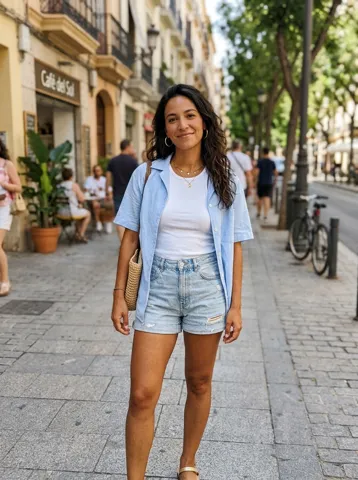
GTA 6 Loading Screen AI sample: solo on the boulevard
Her photo becomes the star: a woman with long dark waves, in a pale blue shirt and denim shorts, leans on a red muscle car by the sea, turns to the camera with a half smile, freezes, and is repainted with black linework, flat colour and a pink and orange sunset. 10 seconds in 9:16, made in under three minutes at 720p.
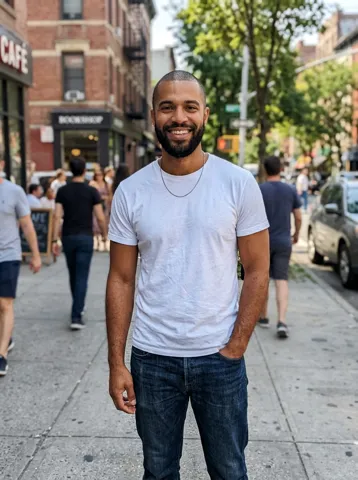
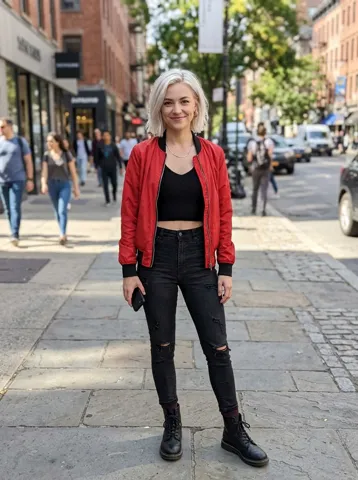
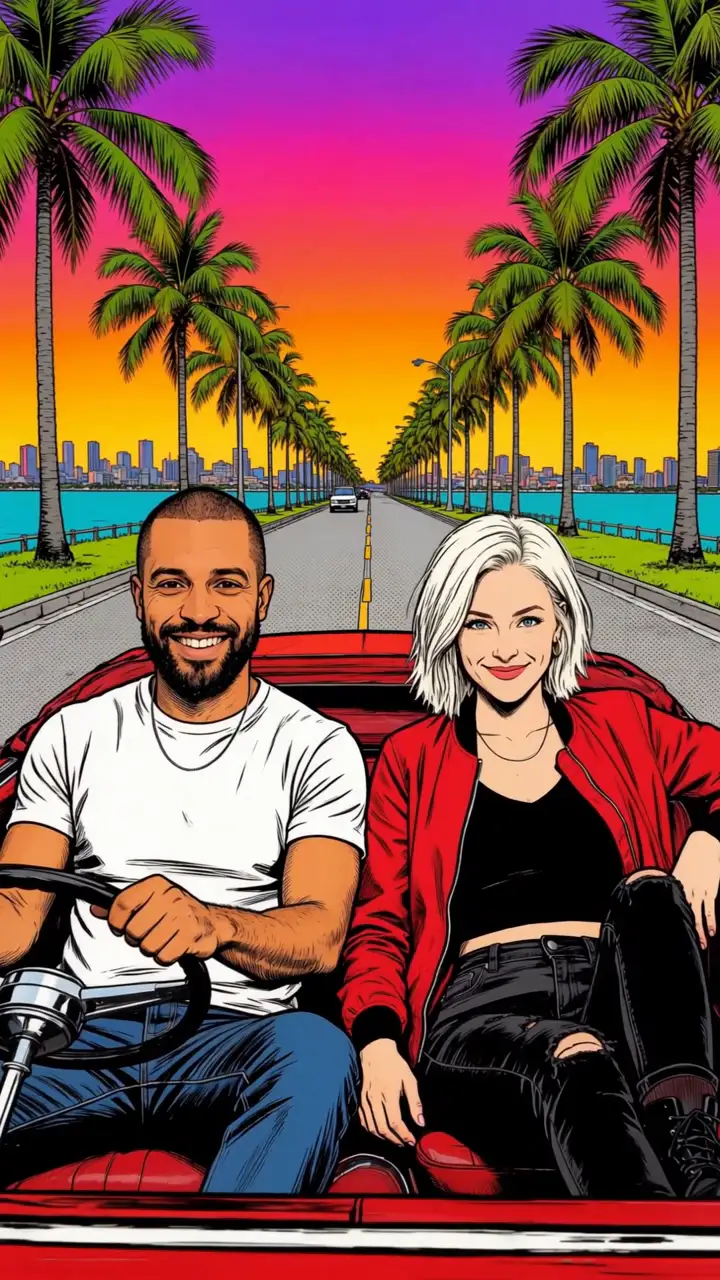
GTA 6 Loading Screen AI sample: the convertible duo
His photo is the driver and hers the passenger: a man with a buzz cut and a beard and a woman with a platinum bob cruise a red convertible down a palm-lined causeway, stop, grin into the lens and turn into one painted panel together. 10 seconds in 9:16, made in under three minutes at 720p.
How to Make a GTA 6 Loading Screen AI Video
- 1
Choose Solo or Duo
Solo puts you by the red car on the boulevard. Duo puts two of you in a convertible on the causeway: one photo for the driver, one for the passenger, or tap Cast from a group photo.
- 2
Pick the format and quality
Choose 9:16 for TikTok, Reels and Shorts, 1:1 or 16:9, then Standard 720p for 10 credits or HD 1080p for 20.
- 3
Create
Press Create. Your GTA 6 Loading Screen AI video lands in My videos a few minutes later, and we email you when it is ready.
Best Photos for GTA 6 Loading Screen AI
Head to knees
The painted panel shows you from head to knees next to the car, so a photo that shows your outfit keeps the art right. The face still needs to be sharp.
Bring your look
Your outfit comes from your photo. Bright shirts, chains, sunglasses on the head and bold colours look great once the ink and paint go on.
Face the camera
A front-facing photo keeps your face recognisable through the freeze and the repaint, the part people share.
Adults who said yes
Only use photos of adults who agreed to be in the video. No children, celebrities, public figures or photos of actors from the game.
The GTA 6 Loading Screen AI Video, Second by Second
Every GTA 6 Loading Screen AI video follows the same four beats, from a live moment to a finished painted panel.
0–4 s
The moment
Solo: you lean on the red car and turn to the camera. Duo: the convertible cruises in with police lights far behind and stops.
4–5 s
Freeze
The picture freezes mid-moment with a soft shutter click.
5–8 s
Ink and halftone
Black outlines, halftone dots and flat colour sweep across the frame, and the sky turns hot pink, orange and violet.
8–10 s
Your loading screen
The finished panel holds still with a slow push-in, ready to screenshot as gta 6 cover art ai.
GTA 6 Loading Screen AI Ideas
The painted panel works as a launch-week post, a couple poster or a new profile picture. A few ideas:
Launch day post
Post your GTA 6 Loading Screen AI video on release week while everyone is talking about the game.
Couple poster
Pick Duo with your partner and post it as your outlaw-duo gta 6 cover art ai poster.
Gaming group chat
Make one for each friend in your squad and drop them in the chat before your first session.
Profile picture
The last two seconds hold still, so a screenshot of the final frame makes a gta 6 cover art ai style avatar or banner.
Your own caption
The video comes without text, so add your own title or "loading…" line when you post it.
What Is the GTA 6 Loading Screen Trend?
GTA games show painted artwork while the world loads: bold ink outlines, flat bright colours and one character striking a pose, often next to a car and palm trees. Fans have recreated that gta loading screen look for years, and with Grand Theft Auto VI out on November 19, 2026, AI versions of the gta 6 loading screen and gta 6 cover art ai portraits are everywhere: a photo goes in, a painted panel comes out.
On TikTok the trend goes one step further: a normal clip of someone on a sunny street freezes and repaints itself into a loading screen, and couples do it as an outlaw duo, like the two leads of the new game. Most tutorials use one AI tool for the painted art and another to animate it.
GTA 6 Loading Screen AI does both in one go: the live moment and the painted art come out of one clip, with your face, hair and outfit from your photo, and a synthwave soundtrack made for your video. Think of it as gta 6 cover art ai with you and your car in the frame, brought to life.
AI Trend Video is independent and not affiliated with, endorsed by or connected to Rockstar Games or Take-Two Interactive. GTA and Grand Theft Auto are trademarks of their owners and are used here only to describe the art style; the videos contain no game footage, logos, characters, music or text.
GTA 6 Loading Screen AI FAQ
How do I make a GTA 6 Loading Screen AI video?
Choose Solo or Duo, add your photo or both photos and press Create. The video is ready in a few minutes.
Is this the real game art?
No. The AI paints a new illustration of you and your car in the style fans know from the loading screens. It works like gta 6 cover art ai, with no game footage, logo or character in it.
Can I do it with my partner?
Yes. Pick Duo and add one photo for the driver and one for the passenger; you both end up in the same painted panel.
Does it have sound?
Yes. Each video gets its own synthwave soundtrack with a freeze click and a bass drop as the art paints in. No game music is used.
Can I get a gta 6 cover art ai picture?
Download the video and screenshot the last two seconds, which hold still: that frame is your painted cover-art picture.
Which formats can I pick?
9:16 for TikTok, Reels and Shorts, 1:1 for the feed or 16:9 for YouTube and banners, in Standard 720p or HD 1080p, with no watermark.
How much does it cost?
Every trend costs the same: 10 credits for a Standard video and 20 for HD. One-time packs start at $9.99 for 10 credits and never expire; monthly plans start at $39.99 for 50 credits a month. There is no free trial.
What if my video looks wrong?
A failed render returns its credits automatically. If a finished video clearly did not work, report it from My videos within 7 days and we return the credits or refund the payment.
Who can see my photos and videos?
Only you. Photos and videos stay private in your account, and your photo goes to our video provider only to make the video.
Do I need an app?
No. It runs in your phone or computer browser, and the MP4 is ready to post on TikTok, Reels or Shorts.
Still have a question? support@aitrendvideo.io