

Oh You Can Make It Cap AI
Oh You Can Make It Cap AI puts you and a friend in the meme everyone is remaking: they ask for a 360, you spin once and look back with a straight face, they burst out laughing with "Oh, you can make it cap?", and you answer deadpan. Use two photos, or just yours, and the 10-second clip comes with both voices and the laugh.
- 1 or 2 photos
- Spoken lines and a laugh
- 10 seconds
- 9:16 · 1:1 · 16:9
What People Are Making
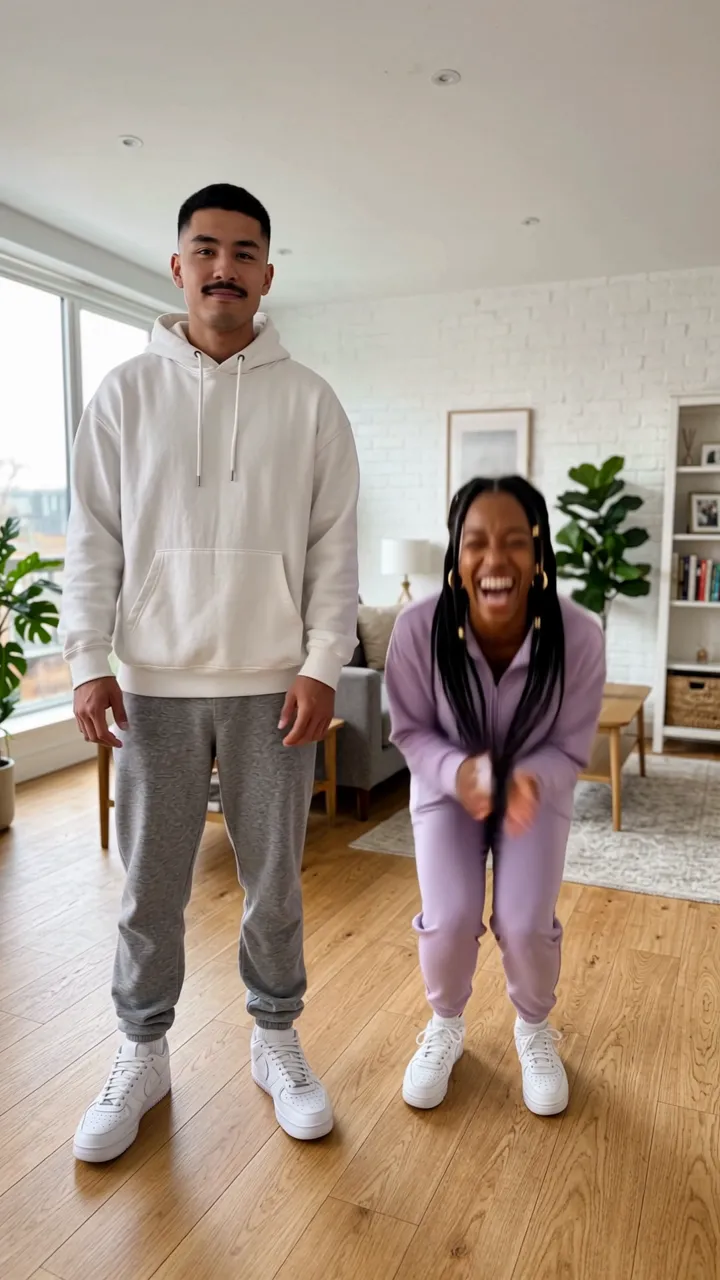
This make it cap meme clip came from the two photos next to it, with no editing afterwards. Both friends are made-up people. Your own video keeps the faces, hair and outfits from your photos, and every render times the laugh a little differently.
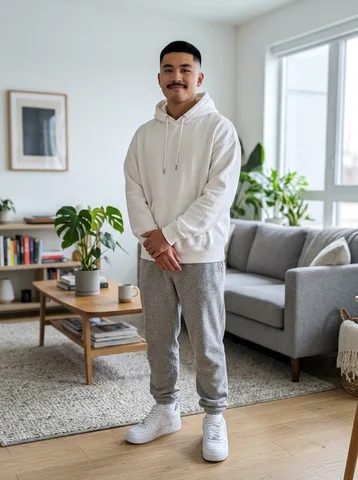
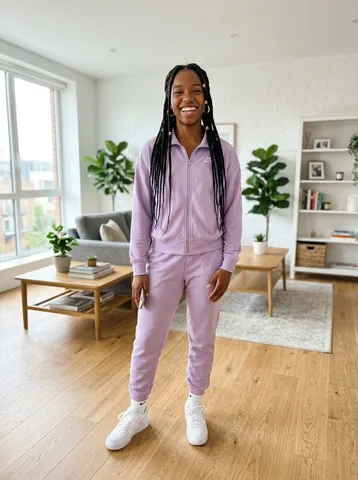
Make it cap meme sample: the 360 and the laugh
A man in a white hoodie and a woman with long braids in a lilac tracksuit stand side by side in a bright living room. She says "Do a 360", he spins once and looks back, she doubles over laughing and gets out "Oh, you can make it cap?", and he answers "Oh, you tweakin’" with a straight face. 10 seconds in 9:16, made in about three minutes at 720p.
How to Make an Oh You Can Make It Cap Video
- 1
Cast who spins
Put a clear, full-body photo of the person who does the 360 in Who spins. That is usually you.
- 2
Cast who laughs, or skip it
Add the friend who cracks up to Who laughs. Leave it empty and a made-up friend in a black hoodie laughs instead.
- 3
Pick the format and create
Choose 9:16 for TikTok and Reels, 1:1 or 16:9, then Standard 720p for 10 credits or HD 1080p for 20. The make it cap meme lands in My videos a few minutes later.
Best Photos for the Make It Cap Meme
Full body for the spin
The 360 is the whole joke, so a head-to-toe photo gives the cleanest turn and the best look back over the shoulder.
Cast the loudest laugh
Put the friend who always laughs first in Who laughs. The make it cap meme lives on that laugh.
Both from one photo
Have a photo of the two of you? Tap "Cast from a group photo" in the studio and tap each face.
Adults who said yes
Only use photos of adults who agreed to be in the video. No children, celebrities or public figures.
The Make It Cap Meme, Second by Second
Every Oh You Can Make It Cap video plays the same 10 seconds in a bright living room, with the phone propped up and still.
0–2 s
"Do a three-sixty."
Your friend on the right grins and asks for the spin.
2–4 s
The 360
You spin all the way round once and look back over your shoulder with a straight face.
4–7 s
"Oh, you can make it cap?"
Your friend cracks up, bends over and says the line through the laugh.
7–10 s
The deadpan reply
You turn to them, completely deadpan: "Oh, you tweakin’."
Make It Cap Meme Ideas
The make it cap meme works with anyone who laughs at you a little too hard. A few ideas:
Roast your best friend
Cast them as the one who laughs and post it with "every single time".
The couple version
Put your partner in Who laughs and tag them. The deadpan reply does the rest.
Gym or dance crew
Make one for each friend in the crew, each one taking a turn to spin.
The reaction clip
Send the clip to the friend who laughs at everything you do, with "this is you". Their laugh is the whole point.
Post it with the trend sound
Your clip has its own voices, so you can post it as is or put it under the trending sound on TikTok.
What Is the "Oh You Can Make It Cap" Meme?
"Oh you can make it cap" is a two-person clip that spread on TikTok in late October 2026. One person asks the other to "do a 360", the other spins once and looks back over the shoulder with a straight face, and the first one bursts out laughing: "Oh, you can make it cap?" The spinner then turns to the camera and calls them out, which is where the other name, "oh he tweakin", comes from.
The spoken line is usually heard as "make it clap", slang for making a move land, but captions spelled it "cap" and that spelling stuck. Cap is also slang for a lie, as in "no cap", which gives the caption a second joke. The clip travels with the tag 20vs1, and nobody has explained where that comes from.
By the end of October, TikTok was full of remakes, many of them made with AI. Oh You Can Make It Cap AI gives you the format with your own faces: an original scene in a bright living room, both lines spoken, a real laugh after the spin and the deadpan reply. We use "you tweakin’" so the reply fits any friend.
The voices and scene are new; the original clip and sound are not used. AI Trend Video is independent and not affiliated with the people in the original clip, TikTok or CapCut.
Oh You Can Make It Cap AI FAQ
How do I make an Oh You Can Make It Cap video?
Add a photo for Who spins, and one for Who laughs if you like, pick a format and create. The 10-second make it cap meme video is ready in a few minutes as an MP4.
Is it "make it cap" or "make it clap"?
Both. The line sounds like "make it clap", but captions wrote "cap" and that is how most people search for it. Our clip says "cap", like the captions.
What does "you tweakin" mean?
Tweaking means acting wild or overreacting. In the meme it is the spinner’s deadpan answer to the friend who cannot stop laughing.
Do I need two photos?
No. With only your photo, you spin and a made-up friend in a black hoodie does the laughing.
Does the video use the original sound?
No. The voices and the laugh are made for your clip. If you want the trending sound, add it in TikTok when you post.
Can we swap who spins and who laughs?
Yes. Swap the photos between Who spins and Who laughs and make it again.
Who says which line?
The friend who laughs says "Do a three-sixty" and "Oh, you can make it cap?". The one who spins says "Oh, you tweakin’". Lines and laughter can land a little differently in each render.
Why is the make it cap meme so funny?
It is all timing: a perfectly normal spin, a laugh that is far too big for it and a straight-faced reply. The bigger the laugh, the better the meme works, so cast the friend with the loudest laugh.
Can the spin be a different move?
Not yet. The clip always plays the same 360 spin, the laugh and the deadpan reply, because that order is the joke.
How long is the clip?
Ten seconds, in 9:16 for TikTok, Reels and Shorts, 1:1 for the feed or 16:9 for YouTube. Standard is 720p and HD is 1080p, with no watermark.
How much does it cost?
Every trend costs the same: 10 credits for a Standard video and 20 for HD. One-time packs start at $9.99 for 10 credits and never expire; monthly plans start at $39.99 for 50 credits a month. There is no free trial.
What if my video looks wrong?
A failed render returns its credits automatically. If a finished video clearly did not work, report it from My videos within 7 days and we return the credits or refund the payment.
Who can see my photos and videos?
Only you. Photos and videos stay private in your account, and your photo goes to our video provider only to make the video.
Do I need an app?
No. It runs in your phone or computer browser, and the MP4 is ready to post on TikTok, Reels or Shorts.
Still have a question? support@aitrendvideo.io