

How to Do the Stormzy Shut Up AI Trend
A step-by-step guide to the Stormzy Shut Up AI trend: your face at the front of the park freestyle, from one photo, with the crowd and the sound of the original.
The Stormzy Shut Up AI trend took off on TikTok in the second week of November 2026. A new face raps at the front of Stormzy's 2015 park freestyle while the crowd behind shouts "SHUT UP!" on every chorus. With Stormzy Shut Up AI you can take the lead yourself from one photo, with no CapCut template and no editing.
What Is a Stormzy Shut Up AI Video?
It is a 10-second take on the Shut Up freestyle: a handheld camera in a London park, a crowd of young men packed in behind the lead, and the lead rapping the chorus straight to the lens with big hand gestures. In your version the lead has your face, hair and outfit. Everything else stays: the park, the crowd, the camera moves, the lip movement and the original sound, so the crowd's "SHUT UP!" lands exactly where people expect it.
Our Stormzy Shut Up AI trend sample was made from a photo of an AI-made woman.
Our sample: she leads the chorus with one hand out and the other on her chest, the crowd shouts "SHUT UP!" behind her, and the sound is the original. Ten seconds, 9:16, Standard 720p, made in about three minutes.
Where the Shut Up Freestyle Came From
The original Shut Up freestyle went up on Stormzy's YouTube channel on May 17, 2015. It is the South London MC rapping into a camera in a park, his friends packed in behind him as supporters and backing voices. The beat is "Functions on the Low", a 2004 grime instrumental by XTC. The video has been watched more than 140 million times, a studio version came out that September, and a fan campaign took it to number 8 in the UK at Christmas 2015.
Eleven years later the Shut Up freestyle became an AI trend. Early edits in October 2026 swapped characters into the lead, and in November a CapCut template turned it into a one-photo effect. Template posts took off on November 8, most of them with TV characters at the front, and tutorials followed within two days.
| Date | What happened |
|---|---|
| May 17, 2015 | Stormzy posts the Shut Up freestyle on YouTube |
| December 2015 | A Christmas number one campaign takes it to number 8 in the UK |
| October 3, 2026 | An early AI edit by @topfruit_official puts a character in a blond wig in the lead (246K plays) |
| November 8, 2026 | A CapCut template post by @trendingcapcutz reaches 885K plays |
| November 10, 2026 | Tutorials such as @speed05864's spread the template (98.7K plays) |
Play counts as of November 11, 2026. Posts are listed under Sources.
The Shut Up Freestyle, Second by Second
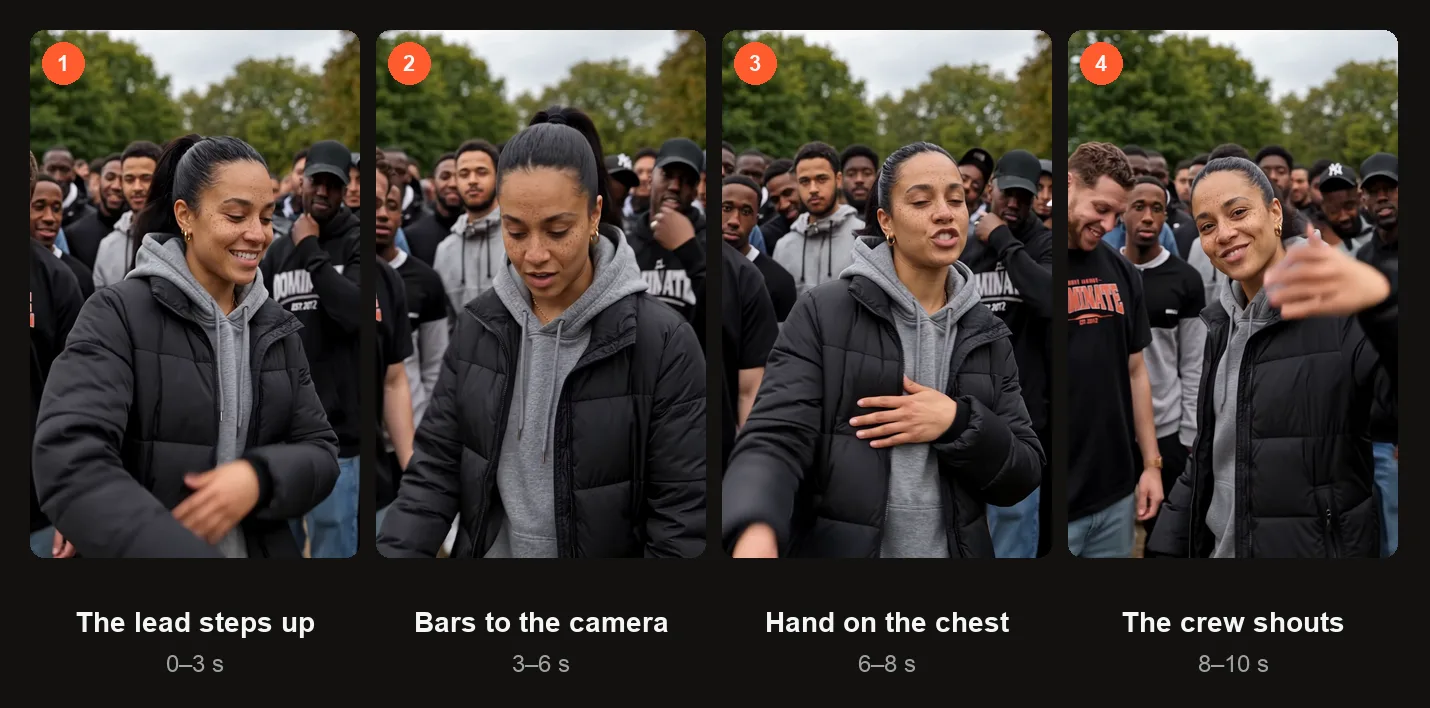
Four frames from the sample: the lead steps up, bars to the camera, a hand on the chest and the crowd's shout.
| Time | What happens |
|---|---|
| 0–3 s | The lead turns to the camera mid-bar, one hand out, the crowd packed in behind |
| 3–6 s | The first chorus line, then the whole crowd shouts "SHUT UP!" |
| 6–8 s | The next line with a hand on the chest, and the crowd shouts it again |
| 8–10 s | One more line, the loudest shout from the crowd and a grin at the lens |
The sound is the original Shut Up freestyle: the lead's voice, the grime beat and the crowd's shouts. That is what makes a Stormzy Shut Up AI trend clip recognisable in the first second, so the clip keeps it instead of adding a new track.
What the Video Keeps From Your Photo
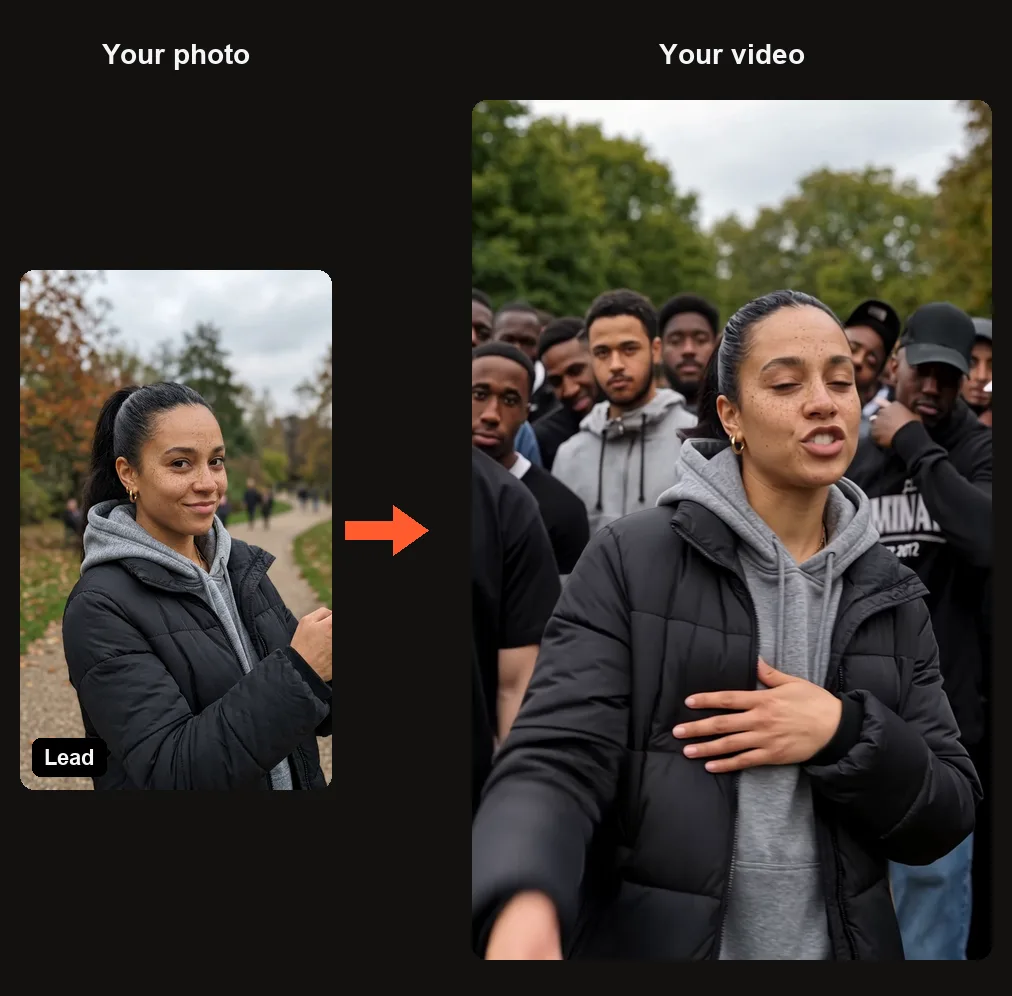
Left: the photo in Lead. Right: the same woman six seconds in, hand on her chest.
| From your photo | From the clip |
|---|---|
| Face, hair and skin tone | The London park and the handheld camera |
| Body shape | The crowd behind the lead |
| Outfit | The lip movement, gestures, timing and sound |
Only the lead changes; the crowd behind stays as it is in the clip. AI Trend Video is not affiliated with Stormzy, his label, XTC, TikTok or CapCut.
How to Do the Stormzy Shut Up AI Trend
Open Stormzy Shut Up AI. The studio runs in your phone or computer browser, with no app, no template and no prompt to write.
Step 1: Add your photo
The first step is "Add your photo". Tap "Lead" and add a clear, chest-up photo of the one who should lead the Shut Up freestyle, facing the camera.
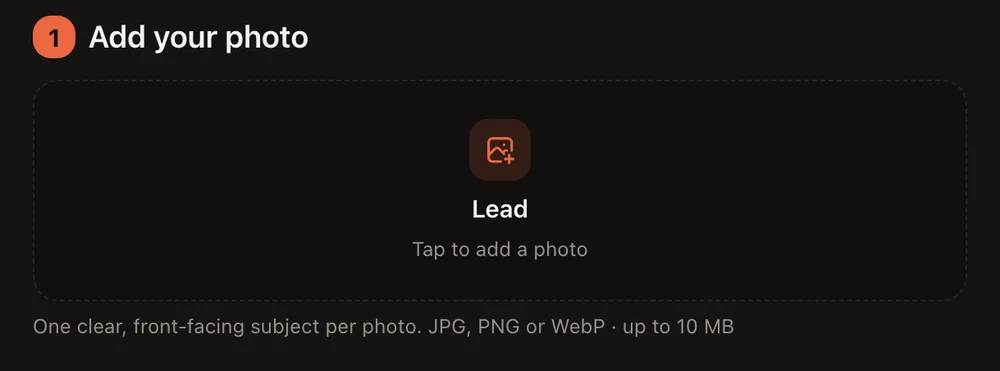
The empty step: "Lead".
Step 2: Check the photo
The photo appears in the slot. The studio asks for "One clear, front-facing subject per photo. JPG, PNG or WebP · up to 10 MB". If the face is small or turned away, swap it for a closer one.
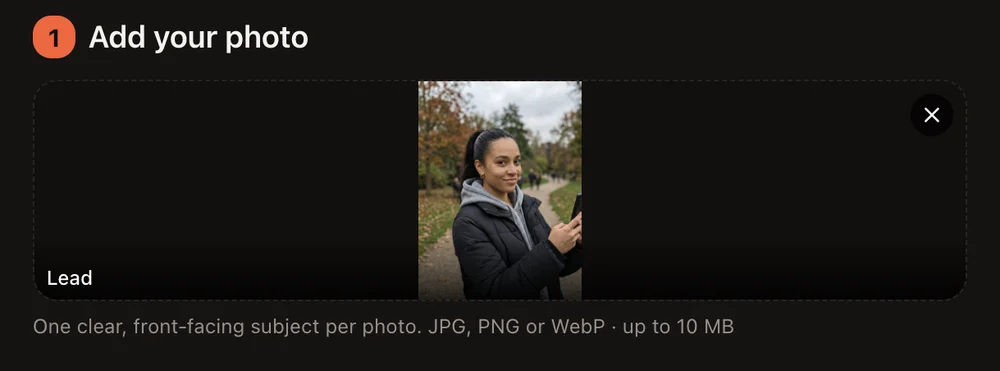
The same step with the photo added.
Step 3: Pick the quality
Under "Format and quality", the clip is 9:16 (TikTok · Reels). Choose Standard (720p, 10 credits) or HD (1080p, 20 credits).
Step 4: Create
Tick "This is me, or I may use this photo, and the person is 18 or older." and press the orange Create button. Sign in with Google if asked. You can close the tab; we email you when your Stormzy Shut Up AI trend video is ready.
Step 5: Download and post
Open My videos and press "Download MP4". The file has no watermark and already has the template's sound, so you can post your Shut Up freestyle straight to TikTok.
Stormzy Shut Up AI Trend Ideas
- The friend with the last word. Make one of the friend who always has an answer and send it back to them.
- Birthday hype. Put the birthday person in the lead and post it on the day.
- A whole series. Make one Shut Up freestyle for each friend in the group chat and post them back to back.
- The reply clip. Save it for the next time someone says they are better than you at anything.
- Your caption. The clip has the sound, so all you add is a caption.
Best Photos for the Shut Up Freestyle
- Chest up and clear. The lead raps right into the lens, so the face should be sharp and easy to read.
- Front-facing. Look at the camera in the photo; side angles make the face drift during the head turns.
- Park clothes. Your outfit replaces the lead's, so a hoodie or puffer jacket fits the crowd.
- Adults who said yes. Only a photo of an adult who agreed to be in the video. No children, celebrities, public figures or photos of Stormzy.
Common Problems and What to Try
| Problem | What to try |
|---|---|
| The face looks soft in the head turns | Use a sharper, front-facing photo in even light |
| The outfit looks off | Use a photo where the top is clearly in view |
| Something from the original lead shows through | Make it again; the template clip renders a little differently each time |
| You want a friend in the crowd | Only the lead changes; make a separate clip for each friend |
| The video clearly did not work | Press "Report a problem" in My videos within 7 days. Every report is reviewed and the credits or payment for that video are returned |
Stormzy Shut Up AI Trend FAQ
Do I need CapCut for the Stormzy Shut Up AI trend?
No. Stormzy Shut Up AI makes the Shut Up freestyle in your browser from one photo, with no template app and no editing.
Does it have the real sound?
Yes. The clip keeps the sound of the Shut Up freestyle, with the crowd shouting "SHUT UP!", so you do not need to add the trend sound.
Can my friends be in it?
Not in the same clip: only the lead changes. Make one for each friend and post them as a series.
Can I put a celebrity in the lead?
No. Use only a photo of an adult who agreed to be in your video. Celebrities, public figures and photos of Stormzy are not allowed.
How much does a Stormzy Shut Up AI video cost?
A Standard video costs 10 credits and HD costs 20. One-time packs start at $9.99 for 10 credits and never expire; monthly plans start at $39.99 for 50 credits a month. There is no free trial, and a failed render is refunded automatically.
Are my photos private?
Yes. Photos and videos stay private to your account and never appear in a public gallery.
Make Your Own
Open the Stormzy Shut Up AI video maker, add one photo and press Create. Your take on the Stormzy Shut Up AI trend is ready in a few minutes.
For more rap and crew trends, see the Vossi Bop guide or the AI Diss Track guide.
Sources
- YouTube: Stormzy, "Shut Up" (the original freestyle)
- Wikipedia: Shut Up (Stormzy song)
- TikTok: @topfruit_official, early AI edit
- TikTok: @trendingcapcutz, CapCut template post
- TikTok: @speed05864, template how-to
Updated November 11, 2026.