

Make a Goodbye 2026 Welcome 2027 Video
A step-by-step guide to a New Year video where you stand on the old year as it turns into the new one.
Every December the same line comes back with new numbers: goodbye 2026, welcome 2027. Most people post it as a caption or a card. With Goodbye 2026 Welcome 2027 AI you can be in the moment itself: upload one or two photos and you climb a giant stone 2026 on a snowy summit as the 6 crumbles and a golden 7 rises.
What Is a Goodbye 2026 Welcome 2027 Video?
It is a 10-second clip set on a mountain summit at dawn, above a sea of clouds. You stand on giant carved stone numbers reading 2026 and wave goodbye. The 6 cracks into dust and snow, a shining golden 7 rises in its place, the sun breaks through and fireworks go off. You finish on the golden 7 with your arms up. It works for one person or two, and the whole clip is ready in a few minutes.
Our goodbye 2026 welcome 2027 sample was made from photos of two AI-made people.
Our sample: a woman in a mustard puffer jacket and a man in a navy coat stand on the stone 2026, the 6 bursts into rubble, a golden 7 takes its place and they finish on it under the fireworks. Ten seconds, 9:16, Standard 720p, made in about three minutes.
Where Goodbye 2026 Welcome 2027 Came From
"Goodbye 2026, welcome 2027" is the line people post as the year turns: in Instagram and TikTok stories, captions, cards and family group chats. It is not one viral clip but a yearly habit, and the searches show it. These are US monthly searches from Google Keyword Planner:
| Search (US) | Searches |
|---|---|
| goodbye 2025, December 2025 | 33,100 |
| welcome 2026, December 2025 | 12,100 |
| goodbye 2025 welcome 2026, December 2025 | 9,900 |
| goodbye 2025, January 2026 | 6,600 |
| goodbye 2026 welcome 2027, September 2026 | 480 |
The searches peak in the last days of December and the first days of January. The same pattern repeats every year with new numbers, which is why the best time to make your goodbye 2026 welcome 2027 video is early in December. A goodbye 2026 video with you in it stands out in a feed full of the same fireworks clips.
Goodbye 2026 Welcome 2027, Second by Second
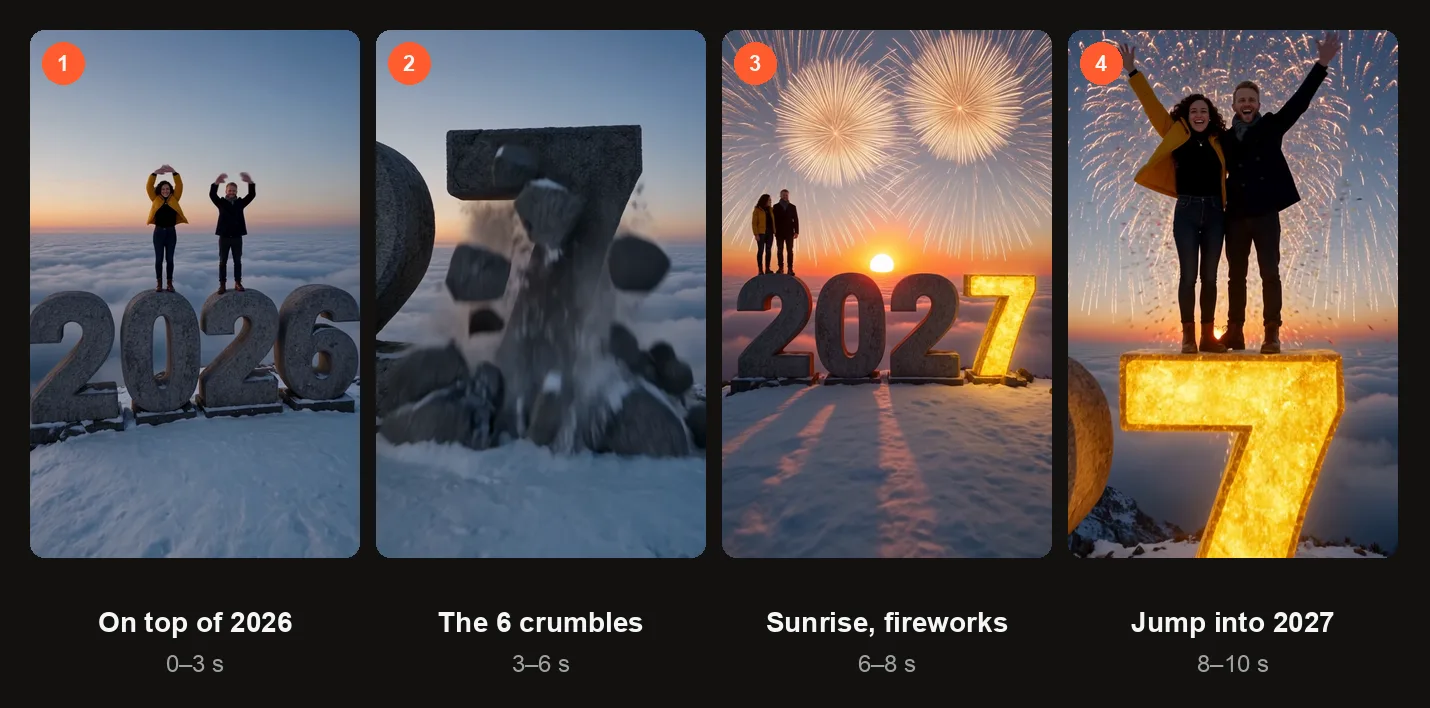
Four frames from the sample: on top of 2026, the 6 crumbles, sunrise and fireworks, and the jump into 2027.
| Time | What happens |
|---|---|
| 0–3 s | You climb onto the giant stone 2026 and wave goodbye |
| 3–6 s | The stone 6 crumbles and a golden 7 rises: 2027 |
| 6–8 s | The sun breaks over the clouds and golden fireworks burst |
| 8–10 s | You jump onto the golden 7 with your arms up; a pair hugs. Confetti falls |
The sound is wind, cracking stone, bursting fireworks and an original orchestral pop beat that builds to a big drop, with no vocals. The camera slowly pushes in and rises, so the golden 7 and the fireworks fill the end of the clip. The numbers are the only writing in the video, so write your own caption when you share it.
What the Video Keeps From Your Photos
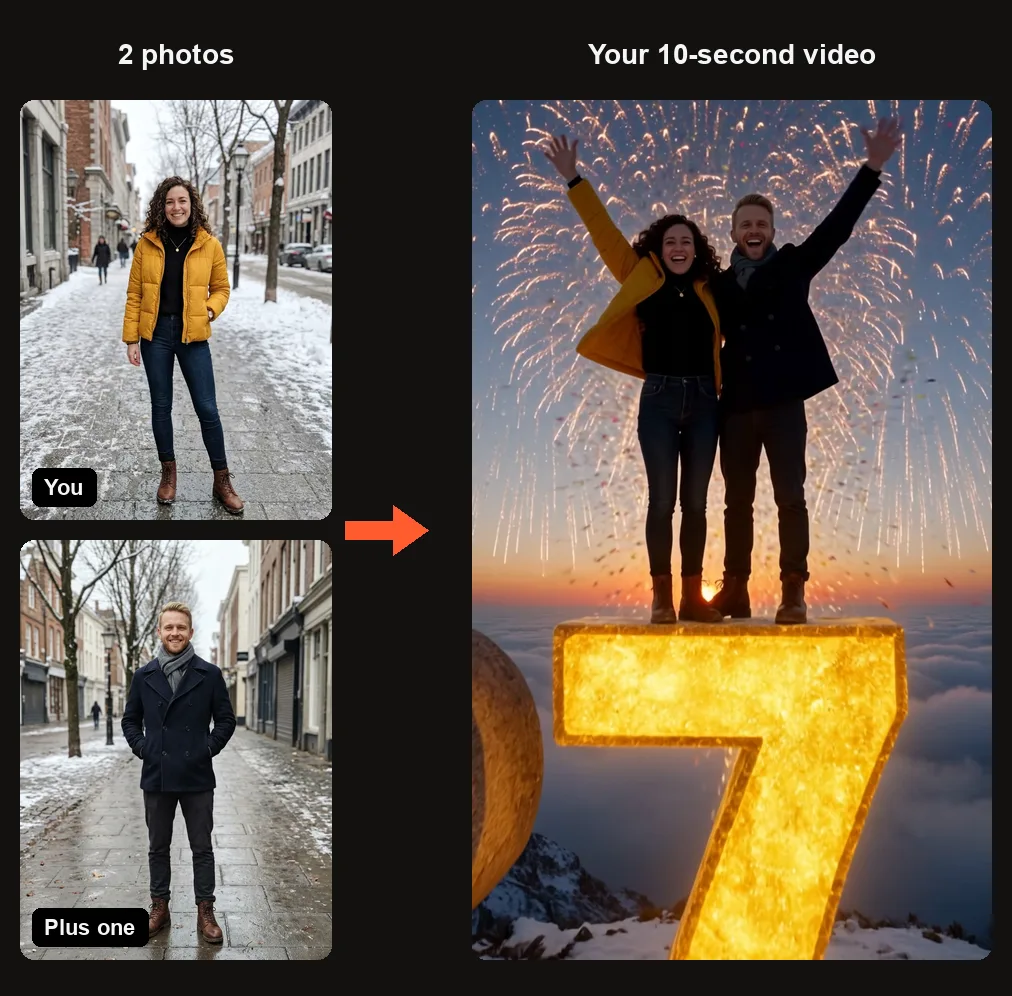
Left: the two photos in You and Plus one. Right: the final frame on the golden 7.
| From your photos | From the template |
|---|---|
| Faces, hair and skin tones | The snowy summit at dawn |
| Body shapes | The giant stone numbers and the golden 7 |
| Outfits | Sunrise, fireworks and confetti |
| One person or two | The music and the timing |
If one photo is a close-up and the other is full body, the two of you can look different in size, so use similar photos.
How to Make a Goodbye 2026 Welcome 2027 Video
Open Goodbye 2026 Welcome 2027 AI. The studio runs in your phone or computer browser, with no app and no prompt.
Step 1: Upload your photo
The first step is "Add 1 to 2 photos". Tap "You" and choose a clear, full-body photo of yourself. JPG, PNG or WebP, up to 10 MB.
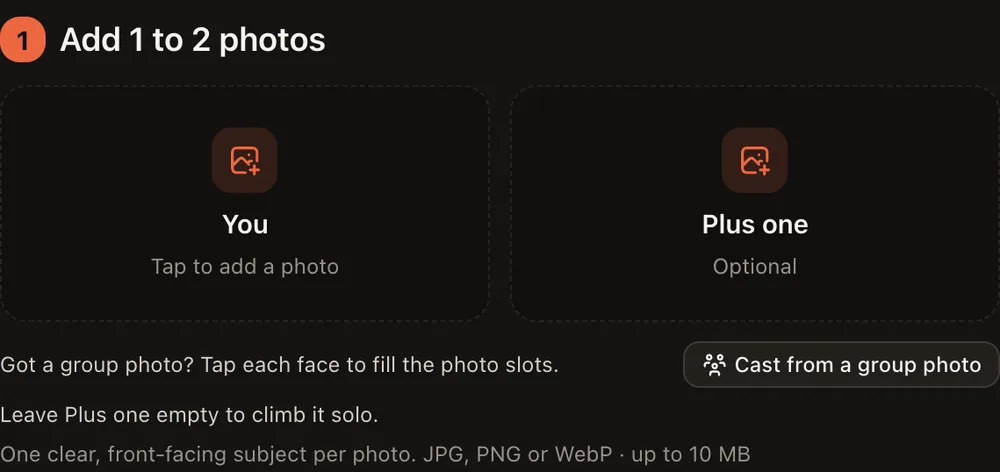
The empty step: "You" and the optional "Plus one".
Step 2: Add a plus one, or skip it
Put a partner, friend or family member in "Plus one", or leave it empty: "Leave Plus one empty to climb it solo." Have one photo of the two of you? "Got a group photo? Tap each face to fill the photo slots."
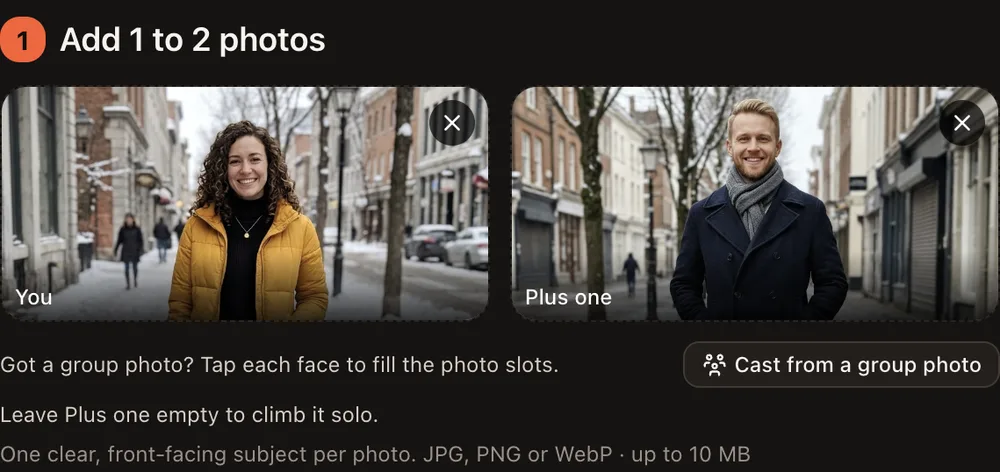
The same step with both photos added.
Step 3: Pick a format and quality
Under "Format and quality", choose 9:16 (TikTok · Reels) for stories, 1:1 (Feed) or 16:9 (YouTube), then Standard (720p, 10 credits) or HD (1080p, 20 credits).
Step 4: Create
Tick "I may use these photos, and everyone in them is 18 or older." and press the orange "Create · 10 credits" button. Sign in with Google if asked. You can close the tab; we email you when the video is ready.
Step 5: Save it for midnight
Open My videos and press "Download MP4". The file has no watermark. Save it to your phone so it is ready on December 31.
Goodbye 2026 Welcome 2027 Ideas
- The midnight story. Put the 9:16 version in your story at midnight.
- The couple countdown. You and your partner on the numbers, sent before the countdown starts.
- The year in photos. Share your best photos of 2026 and end the carousel with the goodbye 2026 clip.
- A New Year card that moves. Send the 1:1 version to the family chat instead of a card.
- The group chat countdown. Send it at 11:59 pm so it lands right before midnight.
- The office goodbye. Two coworkers on the numbers make a good last post before the holiday break.
- Fireworks without the cold. Skip the crowds: your own fireworks over the clouds, made from your sofa.
Best Photos for a Goodbye 2026 Video
- Head to toe. You climb and jump, so a full-body photo of you standing works best.
- Winter clothes. Your outfit comes from the photo, and a coat fits the snowy summit.
- One face per slot. Use a separate photo for each person, or tap the faces in a group photo.
- Good light on the faces. Daylight or a bright room keeps faces sharp on the summit at dawn.
- Adults who said yes. Only photos of adults who agreed to be in the video.
Common Problems and What to Try
| Problem | What to try |
|---|---|
| A digit on the numbers looks odd | AI draws the numbers; if one comes out wrong, report the video |
| The faces look different from the photos | Use sharp, front-facing photos with good light |
| A render failed | It is refunded automatically; press Create again |
| You want a different year | The template always shows 2026 turning into 2027 |
| The video clearly did not work | Press "Report a problem" in My videos within 7 days. Every report is reviewed and the credits or payment for that video are returned |
Goodbye 2026 Welcome 2027 FAQ
Can I make it on my own?
Yes. "You" is the only required slot. Leave "Plus one" empty and you climb the numbers solo.
Do the numbers really say 2026 and 2027?
Yes. They read 2026 at first and 2027 once the 6 turns into the golden 7.
Can I put my own text in it?
Not in the video: the numbers are the only writing. Write your caption in TikTok or Instagram when you share it.
How much does a goodbye 2026 welcome 2027 video cost?
A Standard video costs 10 credits and HD costs 20. One-time packs start at $9.99 for 10 credits and never expire; monthly plans start at $39.99 for 50 credits a month. There is no free trial, and a failed render is refunded automatically.
Why giant stone numbers on a mountain?
The grey stone numbers are the old year, heavy and solid. When the 6 cracks and the golden 7 rises at sunrise, the New Year arrives in one moment, with fireworks over the clouds. It turns "goodbye 2026, welcome 2027" into a scene you can watch.
Can I use it after New Year's Day?
Yes. It also works as a New Year's Day story, a New Year card for the family chat or the last slide of your year in photos. The golden numbers and the fireworks say it all.
Will my outfit change?
No. Each person keeps the clothes from their photo, so a coat or jacket looks most natural on the snowy summit. Faces, hair and skin tones come from the photos too.
When should I make it?
Any time in December. Make your goodbye 2026 video early, download it and post it at midnight without waiting on the day.
Make Your Own
Open the Goodbye 2026 Welcome 2027 video maker, upload your photo, and a plus one if you like, and press Create. Your goodbye 2026 welcome 2027 clip is ready in a few minutes.
For more seasonal videos, see the Santa video call guide or the First Time in a Fancy Cafe AI guide.
Sources
Updated November 7, 2026.