

How to Do the Never Let Her Pay Trend
A step-by-step guide to the never let her pay trend: you in the dinner jacket, a sponge in your pouch and a sink full of plates, from one photo, with the sound of the original skit.
The never let her pay trend took over TikTok in the second week of November 2026. A man at a fancy restaurant stops his date from paying, opens a small black pouch, shows the waiter a kitchen sponge, and the next shot is him at the sink. Most people make it with a never let her pay template in CapCut. With Never Let Her Pay AI you can do it from one photo in your browser, with no template app and no editing.
What Is the Never Let Her Pay Trend?
It is a 10-second date night skit at a dim restaurant table. The date reaches out with her card, the man in a cream dinner jacket pushes her hand back ("I got this"), unzips a pouch to reveal a yellow-and-green sponge, and the waiter walks him off to a kitchen stacked with dirty plates. The joke takes the old rule that a gentleman never lets her pay literally: he pays, just not with money.
In your version the man who pays has your face and hair. Everything else stays as it is in the clip: the restaurant, the date's hand, the waiter, the sponge close-up, the kitchen and the original sound.
Our never let her pay trend sample was made from a photo of an AI-made man.
Our sample: he pushes the card back, shows the sponge, looks up proudly while the waiter laughs, and ends up in the kitchen. Ten seconds, 9:16, Standard 720p, made in about two and a half minutes.
Where the Never Let Her Pay Trend Came From
The first clip went up on November 8, 2026, posted by the creator @s.nemz with the caption "I got this !". It is an AI video made with his own face, and the post carries an AI-generated label. Within a day other people put their own faces into the same clip, and on November 10 one remake took off far beyond the original. From November 12, template posts and tutorials turned it into a one-photo effect.
| Date | What happened |
|---|---|
| November 8, 2026 | @s.nemz posts the original skit, labelled as AI (3.7M plays) |
| November 9, 2026 | @eduardtok posts one of the first remakes with another face (925K plays) |
| November 10, 2026 | A remake by @boby.biggsjohnson takes off (20.5M plays, 268K shares) |
| November 12, 2026 | @team_capcut_fr posts it as a CapCut template, in French |
| November 13, 2026 | Tutorials such as @jessx809's explain the never let her pay template |
Play counts as of November 15, 2026. Posts are listed under Sources.
The Never Let Her Pay Trend, Second by Second
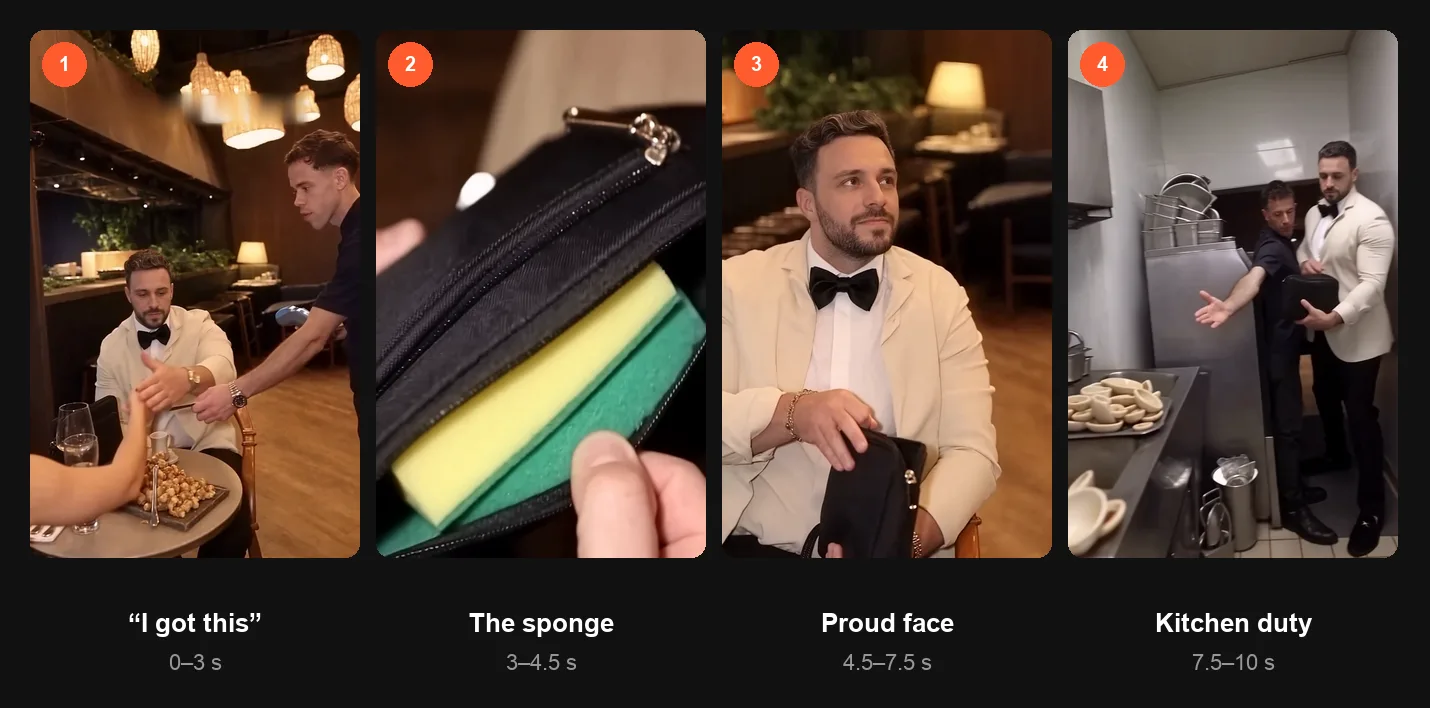
Four frames from the sample: "I got this", the sponge, the proud face and kitchen duty.
| Time | What happens |
|---|---|
| 0–3 s | The date reaches out with her card, the waiter holds the card reader, and you push her hand back with a thumbs-up |
| 3–4.5 s | A close-up: the pouch unzips and the sponge peeks out |
| 4.5–7.5 s | You look up as if the sponge just paid for dinner, and the waiter breaks out laughing |
| 7.5–10 s | He walks you off with a hand on your back, straight to the dirty plates |
The sound is the sound of the original skit, so a never let her pay trend clip is recognisable from the first second. The clip keeps it instead of adding a new track.
Never Let Her Pay Template or AI?
A never let her pay template lives inside CapCut: you open the template link from a TikTok post in the app, add a photo and export the video there. Never Let Her Pay AI works without a template app.
| CapCut template | Never Let Her Pay AI | |
|---|---|---|
| Where it runs | The CapCut app | Any phone or computer browser |
| What you add | A photo, inside the template | One photo |
| What you get | The edit built into the never let her pay template | The 10-second skit with your face, 720p or 1080p, no watermark |
| Sound | The template's audio | The original skit's sound |
Either way the result is the same joke. If you do not use CapCut, or want the clip without editing steps, the AI version is the quicker route.
What the Video Keeps From Your Photo
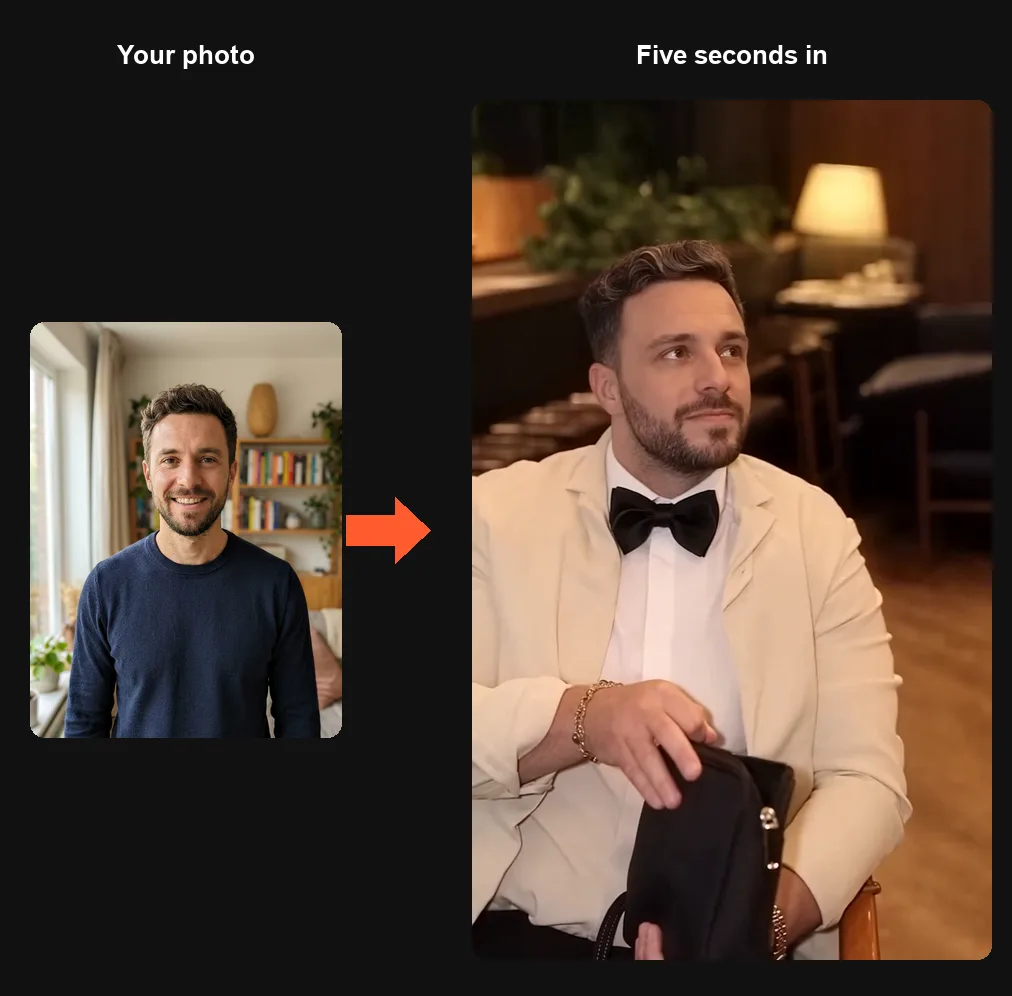
Left: the photo in Who pays. Right: the same man five seconds into the skit, after the sponge reveal.
| From your photo | From the clip |
|---|---|
| Face, hair, beard and skin tone | The cream dinner jacket, white shirt and bow tie |
| Body shape | The restaurant, the date's hand and the waiter |
| The pouch, the sponge, the kitchen, the timing and the sound |
Only the one who pays changes. AI Trend Video is not affiliated with @s.nemz, TikTok or CapCut.
How to Do the Never Let Her Pay Trend
Open Never Let Her Pay AI. The studio runs in your phone or computer browser, with no app, no template and no prompt to write.
Step 1: Add your photo
The first step is "Add your photo". Tap "Who pays" and add a clear, chest-up photo of the one who should stop the bill, facing the camera.
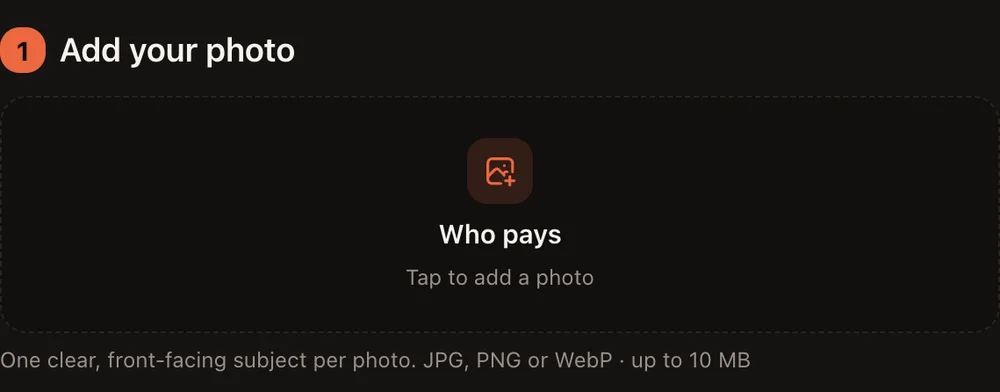
The empty step: "Who pays".
Step 2: Check the photo
The photo appears in the slot. The studio asks for "One clear, front-facing subject per photo. JPG, PNG or WebP · up to 10 MB". If the face is small or turned away, swap it for a closer one.
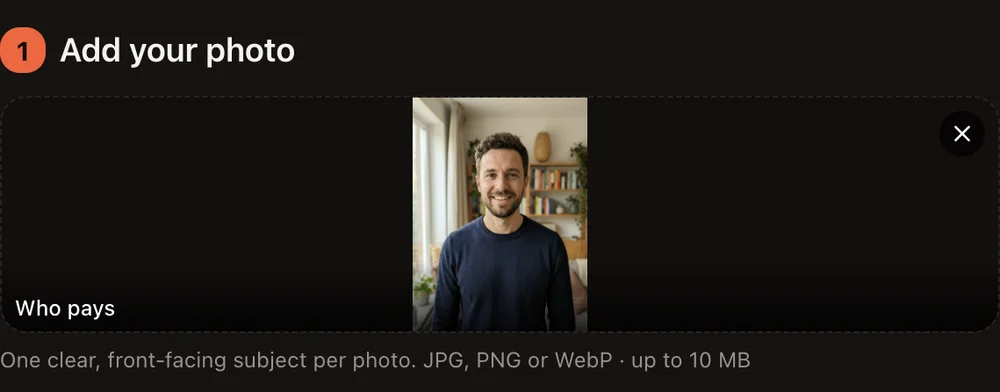
The same step with the photo added.
Step 3: Pick the quality
Under "Quality", choose Standard (720p, 10 credits) or HD (1080p, 20 credits). The clip is 9:16 for TikTok, Reels and Shorts.
Step 4: Create
Tick "This is me, or I may use this photo, and the person is 18 or older." and press the orange Create button. Sign in with Google if asked. You can close the tab; we email you when your never let her pay trend video is ready.
Step 5: Download and post
Open My videos and press "Download MP4". The clip has no watermark and already has the skit's sound. There is no caption on it, so add "POV: you never let her pay" or your own line when you post.
Never Let Her Pay Trend Ideas
- Tag your partner. Make one of yourself and send it to the one you take to dinner.
- The friend who never pays. Put the friend who always forgets their wallet in the jacket.
- Date night teaser. Post it before an anniversary dinner as a warning about who is paying.
- A his-and-hers pair. Make one skit for each of you; the sponge joke works for anyone.
- A caption twist. Swap "her" for "him" or "my mom" in your caption and keep the clip as it is.
Best Photos for the Never Let Her Pay Trend
- Chest up and clear. The sponge reveal ends on a close-up of your face, so it should be sharp.
- Front-facing. Look at the camera in the photo; side angles make the face drift between cuts.
- Any outfit. The skit dresses you in the dinner jacket and bow tie, so your clothes do not matter.
- Adults who said yes. Only a photo of an adult who agreed to be in the video. No children, celebrities, public figures or photos of the creator of the original.
Common Problems and What to Try
| Problem | What to try |
|---|---|
| The face looks soft in the kitchen shot of the clip | Use a sharper, front-facing photo in even light |
| A watch or bracelet from the original shows up | Make it again; the clip renders a little differently each time |
| Glasses appear that you do not wear | Use a photo without glasses and make it again |
| You want your partner in it too | Only the one who pays changes; make one for each of you |
| The video clearly did not work | Press "Report a problem" in My videos within 7 days. Every report is reviewed and the credits or payment for that video are returned |
Never Let Her Pay Trend FAQ
Do I need a never let her pay template?
No. Never Let Her Pay AI makes the skit in your browser from one photo, so you do not need the CapCut never let her pay template or any editing.
Does it have the original sound?
Yes. The clip keeps the sound of the 10-second skit, so you do not need to add the trend sound.
Do I keep my own clothes?
No. You wear the cream dinner jacket, white shirt and black bow tie of the skit; your face, hair and beard come from your photo.
Can a woman do the never let her pay trend?
Yes. Anyone 18 or older can be in the photo, and the sponge joke works the same way.
How much does a Never Let Her Pay AI video cost?
A Standard video costs 10 credits and HD costs 20. One-time packs start at $9.99 for 10 credits and never expire; monthly plans start at $39.99 for 50 credits a month. There is no free trial, and a failed render is refunded automatically.
Are my photos private?
Yes. Photos and videos stay private to your account and never appear in a public gallery.
Make Your Own
Open the Never Let Her Pay AI video maker, add one photo and press Create. Your take on the never let her pay trend is ready in a few minutes, no never let her pay template needed.
For more dinner and swap trends, see the Cardo Dinner guide or the Stormzy Shut Up guide.
Sources
- TikTok: @s.nemz, the original skit
- TikTok: @eduardtok, an early remake
- TikTok: @boby.biggsjohnson, the remake that took off
- TikTok: @team_capcut_fr, CapCut template post
- TikTok: @jessx809, template tutorial
Updated November 15, 2026.