

How to Make an Apartment Dance AI Video
Turn one photo into the caught-dancing-in-the-window clip everyone is sharing.
The apartment dance trend is one of TikTok's most shared clips from late October 2026: someone dances alone in a lit apartment window, notices the camera and pulls the curtain shut. With Apartment Dance AI, you can put yourself in that window using a single photo — no filming, no editing, no app. This guide walks through every step of making your own apartment dance video.
What Is the Apartment Dance Trend?
The apartment dance trend is a short night clip filmed as if from across the street. A phone camera creeps toward the one lit window of an apartment block, where someone is dancing alone next to a small speaker. They notice the camera, freeze, break into a guilty grin and pull the curtain shut. No dialogue. The punchline is someone having a good time when they thought nobody was watching.
This is not the APT. dance. Many searches for "apartment dance" are about the choreography to the Rosé and Bruno Mars song "APT." This guide is about the caught-dancing window clip, sometimes called the window dance trend.
With Apartment Dance AI, the same scene is re-created from one photo of you. Below is an apartment dance video made in our studio.
Our Apartment Dance AI sample: from one photo, the studio built this 10-second clip in about two minutes. 9:16, Standard 720p, no editing.
Where the Apartment Dance Trend Came From
The apartment dance trend grew out of the window peeper meme that appeared on TikTok around October 20, 2026. Window peeper is about being caught mid-bite doing nothing; the apartment dance twist is being caught dancing.
The trend spread as a CapCut template almost from the start. Creators posted the clip with "Try it here" so viewers could drop their own photo into the window. No single first post has been confirmed, but the most-played early post we could find is by @dancevault14 on October 22, 2026. TikTok has a tag page, #dancingthroughthewindow.
| Date | What happened |
|---|---|
| ~2026-10-20 | The window peeper meme takes off on TikTok: someone caught mid-bite in a lit window. |
| 2026-10-22 | @dancevault14 posts "Try it here," reaching 1.2M plays. |
| 2026-10-24 | @letsayhey posts a tutorial on the "peeking-through-the-window dance" effect. |
| Late October 2026 | The trend spreads widely under #dancingthroughthewindow. |
Play counts as of November 6, 2026.
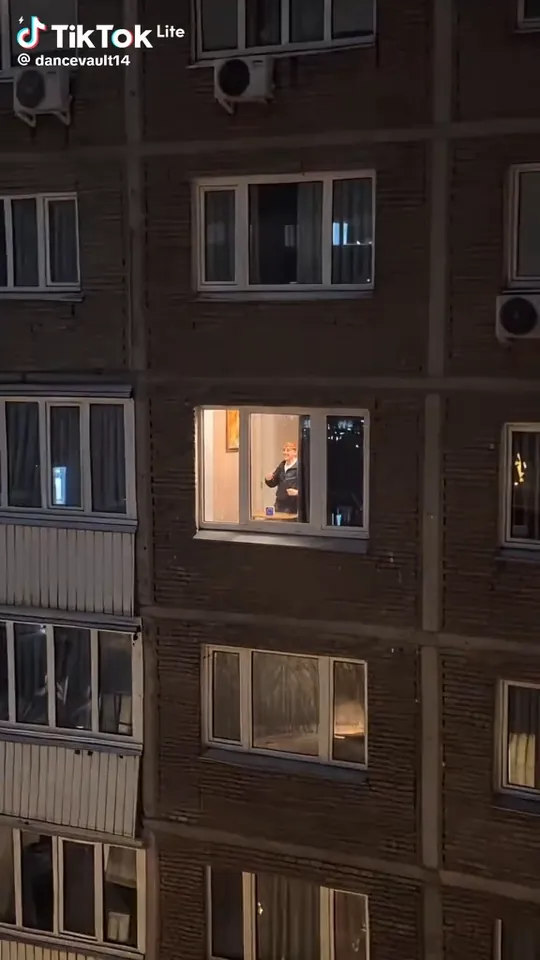
A frame from the @dancevault14 post on TikTok, October 22, 2026: an apartment block at night with one lit window. Tap it to open the post.
The 10 Seconds, Second by Second
Every Apartment Dance AI video follows the same four-part structure.
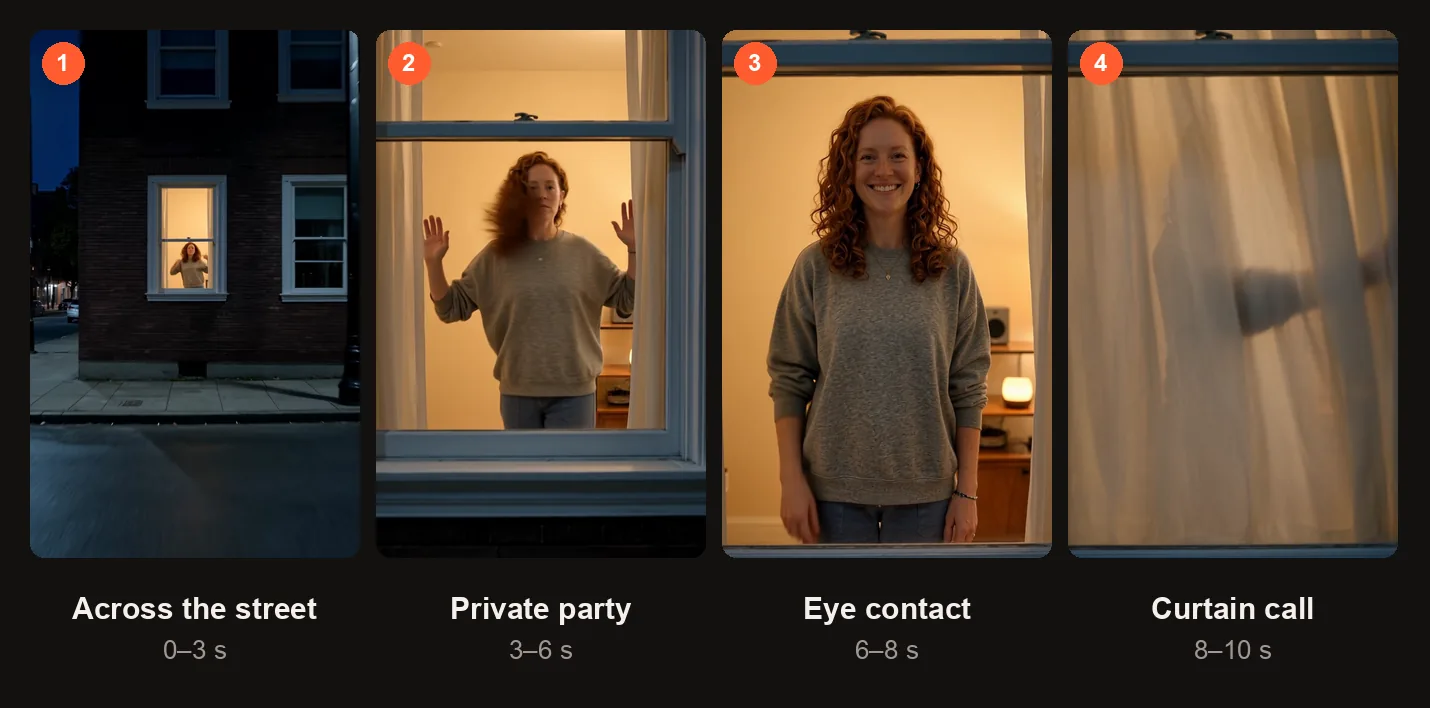
Four frames from our sample apartment dance video: across the street, your private party, eye contact and curtain call.
| Seconds | Scene | What you see |
|---|---|---|
| 0–3 | Across the street | The camera rolls past a street lamp toward an apartment building and settles on the lit window. |
| 3–6 | Your private party | You dance alone next to a small speaker, arms up. The shot is from the waist up. |
| 6–8 | Eye contact | You stop mid-move, stare straight at the camera, then break into a guilty grin. |
| 8–10 | Curtain call | You pull the curtain across and the window glows behind it. |
The whole apartment dance video plays in 10 seconds, whether you pick 9:16, 1:1 or 16:9.
What Apartment Dance AI Keeps From Your Photo
Apartment Dance AI preserves your appearance so the dancer in the window looks like you, not a generic character.
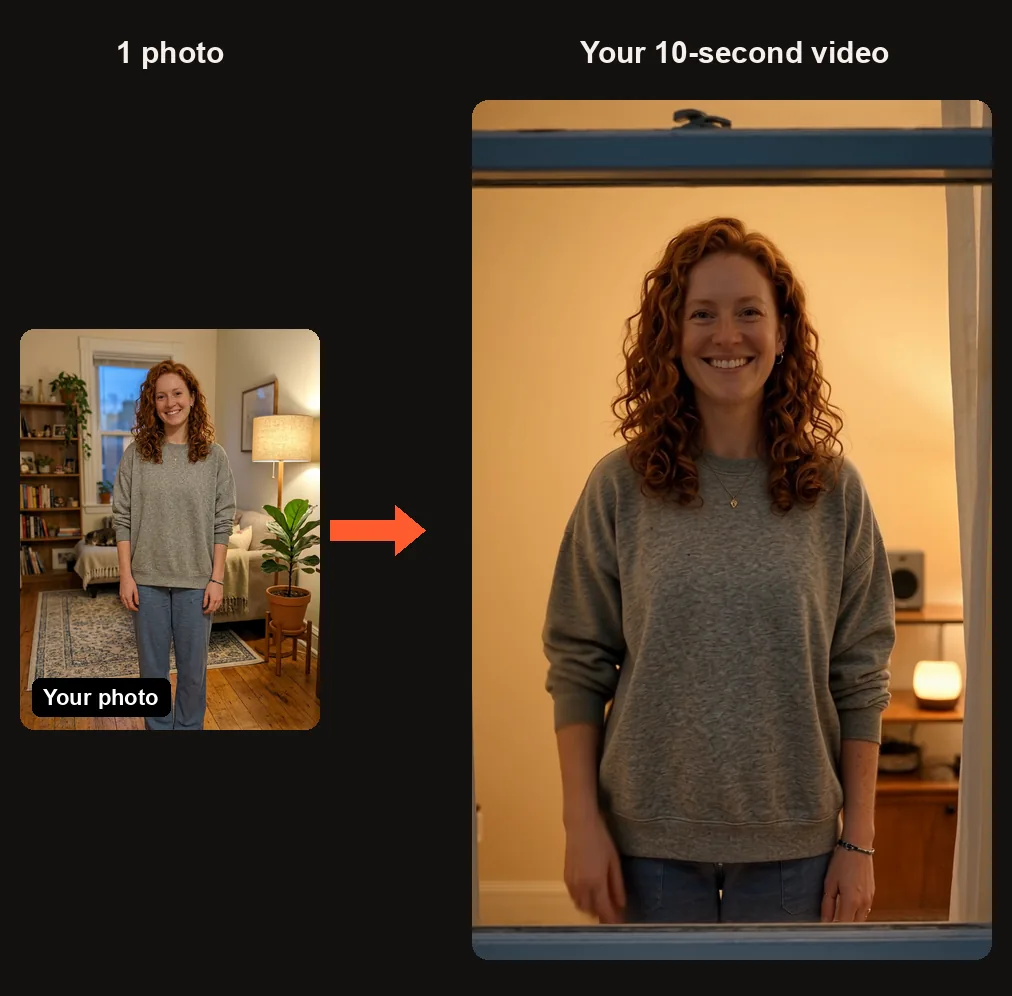
The input photo on the left, a frame of the apartment dance video on the right: same face, hairstyle, skin tone, body shape and outfit.
In our sample, the curly red hair, grey sweatshirt and blue pyjama trousers all carried over from the input photo to the dancer in the window.
You are seen from the waist up once the camera reaches the glass. A full-body photo works too — Apartment Dance AI frames the shot around the window.
How to Make an Apartment Dance AI Video
The studio runs in the browser on your phone or computer.
Step 1: Add Your Photo
Open the Apartment Dance AI trend page and scroll to the studio. You will see one slot labelled "Your photo" with a "Tap to add a photo" prompt.
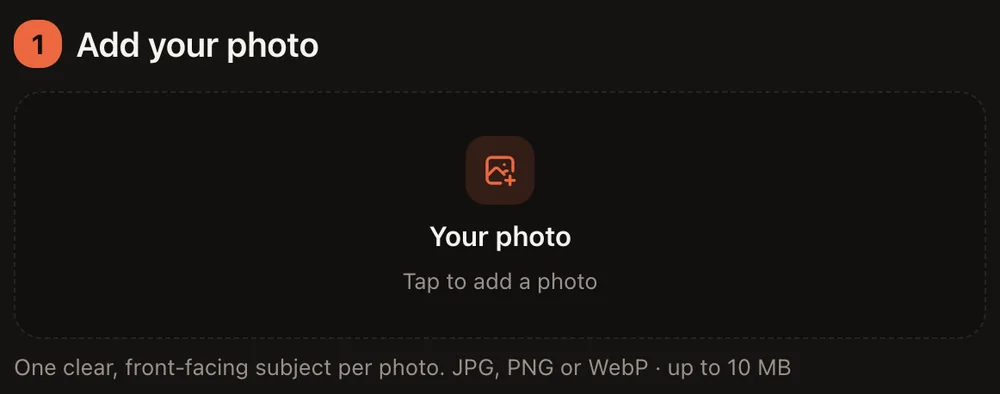
The empty "Add your photo" step with one photo slot.
Tap the slot and choose a photo of one adult. Use a clear, front-facing shot. JPG, PNG or WebP, up to 10 MB.
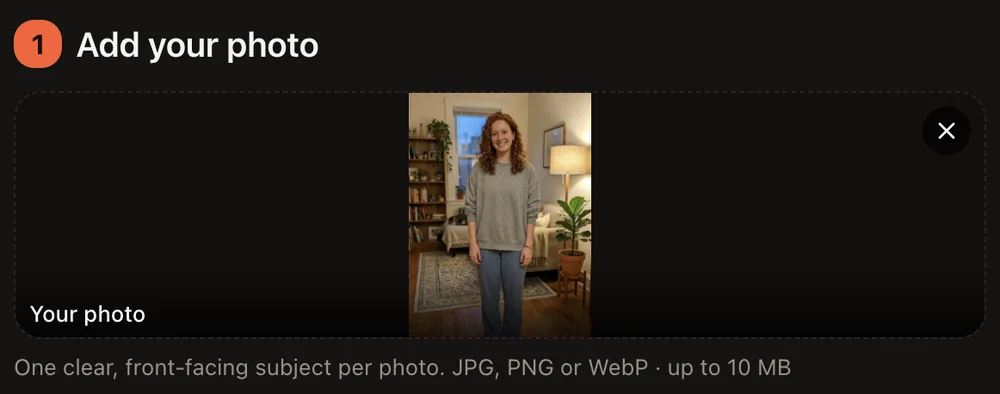
The same step with the photo added, ready for the next step.
Step 2: Pick a Format and Quality
Choose 9:16 (TikTok · Reels), 1:1 (Feed) or 16:9 (YouTube). Standard 720p costs 10 credits; HD 1080p costs 20. Every apartment dance video is 10 seconds.
Step 3: Create and Wait
Tick the consent checkbox ("This is me, or I may use this photo, and the person is 18 or older"), then press the orange "Create · 10 credits" button and sign in with Google if asked.
The Apartment Dance AI video usually takes a few minutes. You can close the tab — we email you when it is ready.
Step 4: Check and Post Your Apartment Dance Video
Open My videos. Your apartment dance video appears as an MP4 with no watermark. Press "Download MP4" to save it, or press "Make another" to start a new one.
The sound is an original upbeat dance track heard muffled through the glass, with street ambience. It is not a trending song. To post your Apartment Dance AI video with a popular sound, pick it in the TikTok or Instagram sound library when you upload the clip.
Apartment Dance Video Ideas
Need a caption for your apartment dance video? Here are four starting points.
- First night in a new apartment. Boxes everywhere, and you are already dancing.
- "To whoever lives across the street, I know you saw that."
- The roommate files. Use your roommate's photo (with their permission) and tag them.
- The Sunday cleaning playlist. The one song that turns chores into a solo concert.
Each idea works with Apartment Dance AI — just swap the caption and photo.
Best Photos for an Apartment Dance Video
A good photo makes a better Apartment Dance AI result. Keep these tips in mind:
- One person, front-facing. The scene has one dancer in the window. Group photos will not work.
- Clear lighting on the face. Indoor light is fine. Avoid heavy shadows or strong backlighting. Phone photos work; no need for a studio shot.
- Casual clothes. Pyjamas, sweatshirts and loungewear look natural for a late-night apartment dance video. A suit works too if that is the joke.
- Waist-up or full-body. Either works. The camera frames you from the waist up once it reaches the window.
Common Problems and What to Try
| Problem | What to try |
|---|---|
| Face does not look right | Use a clearer, front-facing photo with even lighting. |
| Render failed | Credits come back automatically. Try again with the same or a different photo. |
| Finished video did not work | Press "Report a problem" in My videos within 7 days. We review every report and either return the credits or refund the payment for that video. |
| Want a trending sound | Apartment Dance AI uses an original soundtrack. Pick a trending sound in the TikTok or Instagram sound library when you upload. |
Apartment Dance AI FAQ
Is it the same as the window dance trend?
Yes. The apartment dance trend and the window dance trend are two names for the same clip. Apartment Dance AI and Window Dance AI use the same studio and scene.
Is this the APT. dance?
No. The APT. dance is choreography to the Rosé and Bruno Mars song "APT." The Apartment Dance AI trend is the caught-dancing-in-the-window clip.
How much does an apartment dance video cost?
Standard (720p) is 10 credits. HD (1080p) is 20 credits. One-time credit packs start at $9.99 for 10 credits and never expire. Monthly plans start at $39.99 for 50 credits a month. There is no free trial.
How long does an Apartment Dance AI video take to generate?
Usually a few minutes. You can close the tab and we email you when your apartment dance video is ready.
Can I use someone else's photo?
Only if you have their permission and they are 18 or older. You tick a consent checkbox confirming this before every render.
Is my photo private?
Photos and videos are private to your account and never shown in a public gallery.
What format should I pick for TikTok?
Choose 9:16, labelled "TikTok · Reels." It fills the full screen on TikTok and Instagram Reels.
Can I add a pet to my apartment dance video?
Pets are not offered for this trend. The scene shows one human dancer in the window.
Make Your Own
The Apartment Dance AI trend page is ready whenever you are. Upload one photo, pick a format, press Create and your Apartment Dance AI video will be in My videos a few minutes later.
Looking for more? The Window Dance AI guide covers the same trend under its other name. For a different vibe, try the Quiet on the Creek AI guide.
Sources
- TikTok: @dancevault14, "Try it here" CapCut template (2026-10-22; 1.2M plays on 2026-11-06)
- TikTok: @letsayhey, how to make the peeking-through-the-window dance effect (2026-10-24)
- TikTok tag: #dancingthroughthewindow
Updated November 6, 2026.