

How to Make a Quiet on the Creek AI Video
Turn a photo into 10 seconds of tiptoeing, shushing and bouncing on a golden-hour fishing dock.
The Quiet on the Creek AI trend lets you drop yourself—or you and a friend—onto a calm dock to tiptoe, whisper and bounce through the viral dance. Upload one or two photos to the Quiet on the Creek AI video maker, pick a format, and get back a 10-second MP4 in a few minutes. No app to download, no prompt, no editing.
What Is the Quiet on the Creek Dance?
The Quiet on the Creek dance is built on four moves: a finger-to-the-lips shush, a dramatic tiptoe, a sly head tilt and a bounce on the beat. It started as a TikTok trend set to Saucy Santana's song "Quiet on the Creek," and the idea is simple—act out the feeling of keeping things on the low.
Our Quiet on the Creek AI template puts you on a wooden fishing dock over a green creek at golden hour, with a fishing rod leaning on the railing—a nod to the fishing tip that started it all. The video is 10 seconds, made from one photo (or two for a duo), with an original beat and a whispered line, not Saucy Santana's track.
Our sample: a woman in a lilac T-shirt and denim shorts tiptoes down the dock, whispers, bounces and finishes with a shush. Ten seconds, Standard 720p, no editing.
Where Quiet on the Creek Came From
The phrase is literal fishing advice. On an Instagram Live, Florida rapper Saucy Santana and Yung Miami ate fish together. Remembering childhood fishing trips, Santana said: "You gotta be real quiet on the creek." Noise scares the fish away.
About two years later, in early July 2026, someone reposted the clip on TikTok and it spread fast. Santana teased the song, released it as a single on July 17, 2026, and the Quiet on the Creek dance took over.
| Date | What happened |
|---|---|
| July 14, 2026 | Complex News posted a TikTok explaining what "quiet on the creek" means (708K plays). |
| July 15, 2026 | Saucy Santana teased the song on TikTok with the caption "QOTC! 7/17" (3.1M plays). |
| July 17, 2026 | Saucy Santana released "Quiet on the Creek" as a single. |
| July 19, 2026 | Santana posted "PLZZZZZ HUSHHHHH!!!!" with the song (5.5M plays). |
| August 12, 2026 | @angelaandchelsea posted a duo take at night (4.1M plays). |
| August 24, 2026 | The FADER reported #QuietontheCreek at No. 1 on TikTok music and the song debuting at No. 45 on Billboard's Hot R&B/Hip-Hop chart. |
Play counts as of November 6, 2026.
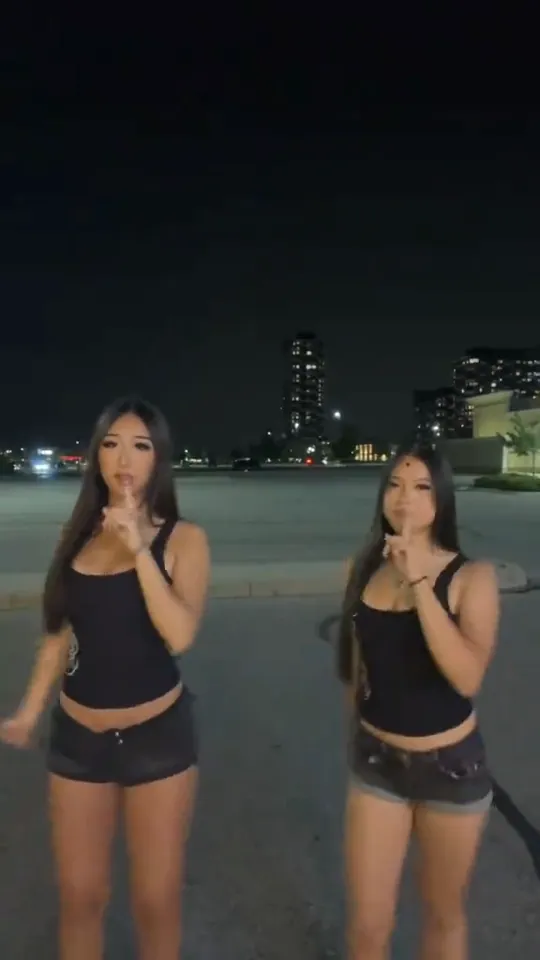
A frame from @angelaandchelsea on TikTok, August 12, 2026: two friends do the Quiet on the Creek dance at night. Tap it to open the post.
In a FADER interview, Santana says "quiet on the creek" can also mean not announcing good news until it happens, or switching off your location so friends can't see where you are—his favourite take.
The 10 Seconds, Move by Move
Here is what happens in a solo Quiet on the Creek AI video.
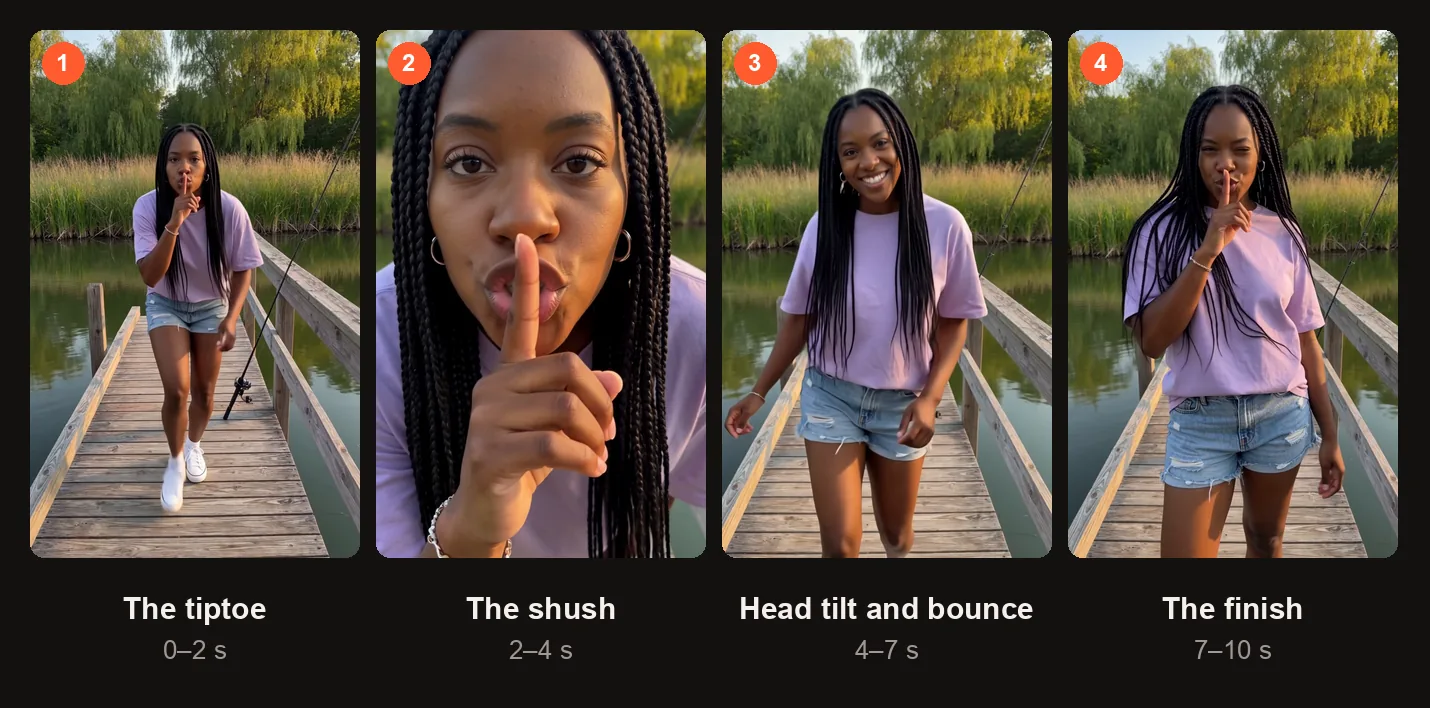
Four frames from our sample: the tiptoe, the shush, head tilt and bounce, the finish.
| Time | Move | What happens |
|---|---|---|
| 0–2 s | The tiptoe | Big sneaky steps down the dock toward the camera, finger to the lips. |
| 2–4 s | The shush | Lean into the lens and whisper "Shh... quiet on the creek." |
| 4–7 s | Head tilt and bounce | Sly head tilt, bent knees, shoulder shimmies on the beat. |
| 7–10 s | The finish | More bounce, a hair flip and a turn, ending on one last shush. |
In a duo, both dancers tiptoe in together, whisper, bounce in sync and finish with a finger to the lips. Dancer 1 appears on the left, Dancer 2 on the right.
What Quiet on the Creek AI Keeps From Your Photo
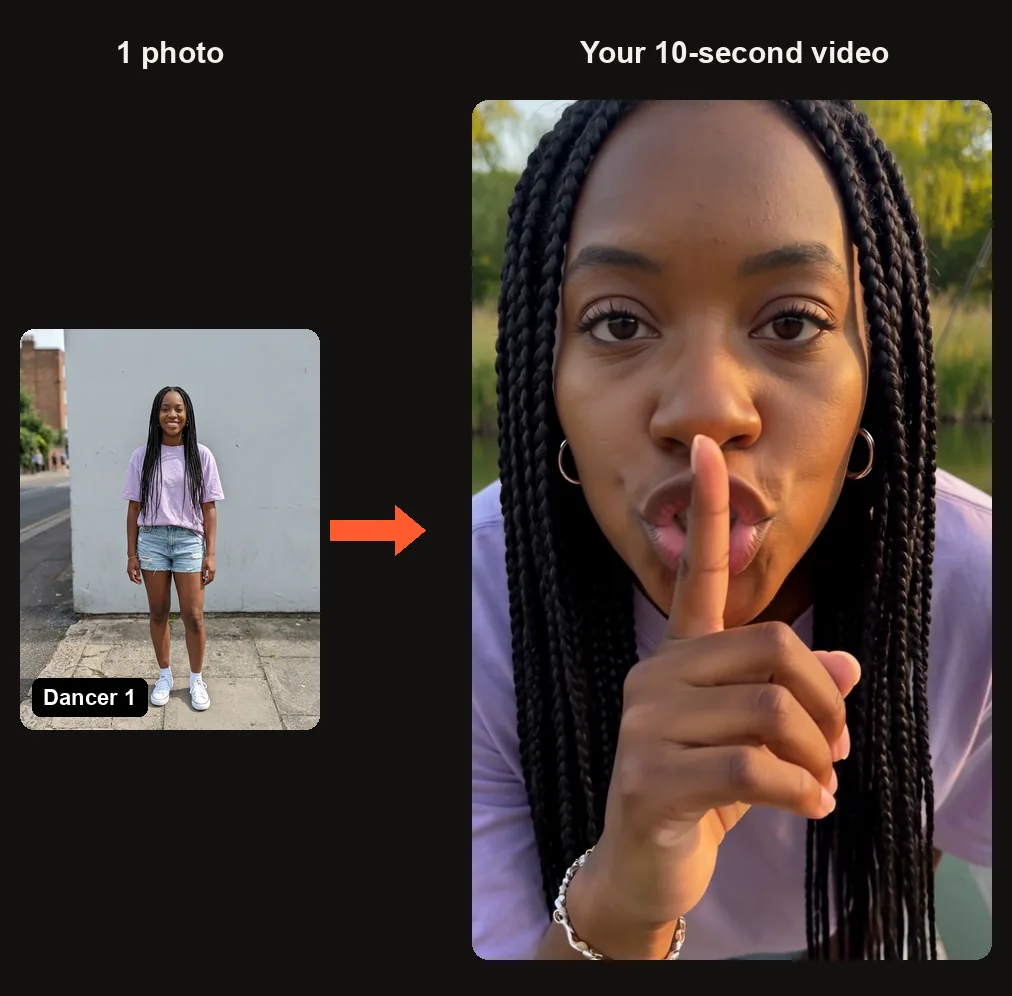
Left: the input photo (Dancer 1). Right: a frame from the finished video.
| From your photo | From the template |
|---|---|
| Face | Wooden fishing dock on a green creek |
| Hairstyle | Golden-hour lighting |
| Skin tone | Tall grass and willow trees |
| Body shape | Fishing rod on the railing |
| Exact outfit | All four dance moves |
A full-body photo works best because the template shows the full tiptoe. A waist-up photo also works.
How to Make a Quiet on the Creek AI Video
Open Quiet on the Creek AI in your browser on phone or computer. Nothing to download.
Step 1 — Add your photo
The studio step is titled "Add 1 to 2 photos." You will see two slots: Dancer 1 (required) and Dancer 2 (marked "Optional"). Tap Dancer 1 and pick a clear, front-facing photo of one person. JPG, PNG or WebP, up to 10 MB.
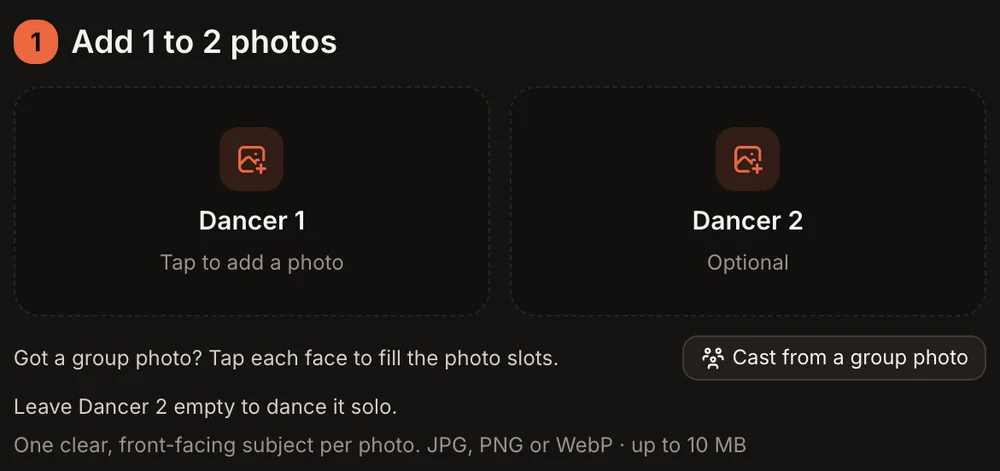
The empty studio step showing the Dancer 1 and Dancer 2 slots.
Step 2 — Choose solo or duo
Leave Dancer 2 empty to do the Quiet on the Creek dance solo. To make a duo, add another person's photo to the second slot, or tap "Cast from a group photo" and pick each face.
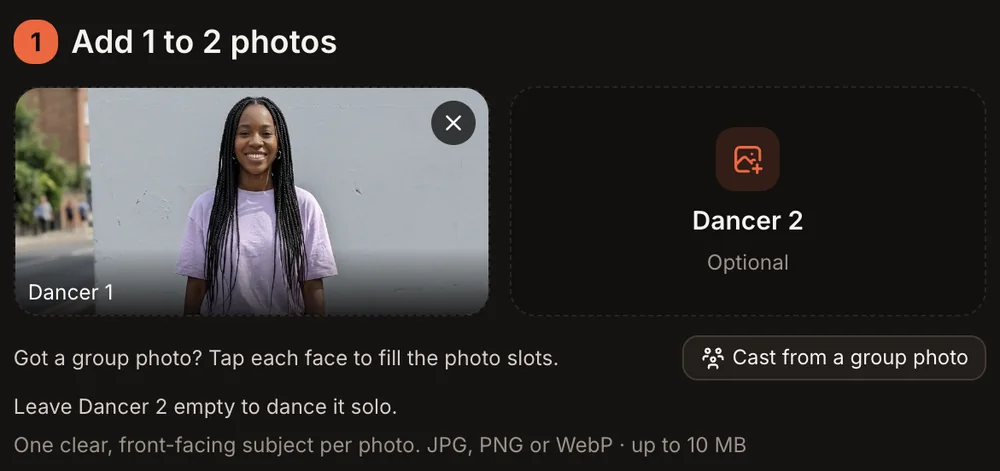
The studio with one photo in the Dancer 1 slot and Dancer 2 left empty for a solo video.
Step 3 — Pick a format and quality
| Format | Label | Best for |
|---|---|---|
| 9:16 | TikTok · Reels | TikTok, Instagram Reels, YouTube Shorts |
| 1:1 | Feed | Instagram feed, Facebook |
| 16:9 | YouTube | YouTube, desktop |
Standard (720p) costs 10 credits. HD (1080p) costs 20 credits. Every video is 10 seconds.
Step 4 — Create and wait
Tick the consent checkbox: "I may use these photos, and everyone in them is 18 or older." Press the orange Create · 10 credits button (or Create · 20 credits for HD) and sign in with Google if asked. The video usually takes a few minutes. You can close the tab—we email you when it is ready.
Step 5 — Check and post
Your finished Quiet on the Creek AI video appears in My videos as an MP4 with no watermark. Press Download MP4 to save it.
The sound is an original beat, not the song. To post with the real trending sound, pick "Quiet on the Creek" from the TikTok or Instagram sound library when you upload. The Quiet on the Creek dance hits hardest with the actual song underneath.
Quiet on the Creek Dance Ideas
Half the fun of the Quiet on the Creek dance is the caption. What are you keeping quiet?
- "Me sneaking to the kitchen at 2 a.m."
- "Got the raise but haven't told a soul"
- "Location: off. Quiet on the creek."
Best Photos for the Dance
- Full-body shot. The tiptoe shows the whole figure, so a head-to-toe photo gives the most natural motion.
- Front-facing and well-lit. The face should be clear so the dancer looks like you.
- Only adults. One person per photo, 18 or older, who agreed to appear. No children, celebrities or public figures.
Common Problems and What to Try
| Problem | What to try |
|---|---|
| The face doesn't look right | Use a clearer, better-lit, front-facing photo. |
| Render failed | Credits come back automatically. Try again with a different photo or format. |
| Video looks off | Press "Report a problem" in My videos within 7 days. We review every report and either return the credits or refund the payment for that video. |
Quiet on the Creek AI FAQ
How much does a Quiet on the Creek AI video cost?
Standard (720p) costs 10 credits. HD (1080p) costs 20 credits. One-time credit packs start at $9.99 for 10 credits and never expire. Monthly plans start at $39.99 for 50 credits a month. There is no free trial.
Can I make a Quiet on the Creek dance video with a friend?
Yes. Add a second photo to Dancer 2 and both of you will tiptoe, shush and bounce together—Dancer 1 on the left, Dancer 2 on the right.
Does the Quiet on the Creek dance video use the real song?
No. Every Quiet on the Creek AI video has its own beat and the whispered line. To post with the song, pick it from the TikTok sound library when uploading.
Are my photos private?
Yes. Photos and videos are private to your account and never shown in a public gallery.
What photo works best for the Quiet on the Creek dance?
A clear, front-facing, full-body photo of one person. The dancer keeps your face, hairstyle, skin tone, body shape and exact outfit.
Make Your Own
The Quiet on the Creek AI trend is still going strong. Pick a photo, open Quiet on the Creek AI, and have your 10-second Quiet on the Creek dance clip ready in minutes. Solo or duo—your call.
If you enjoy dance trends, see how to get caught dancing at a lit window, do the Babydoll two-step with friends or dance the Chipmunks trio routine.
AI Trend Video is independent and not affiliated with any artist, label, brand or platform named.
Sources
- The FADER: Saucy Santana is done being quiet on the creek (2026-08-24)
- XXL: Saucy Santana turns viral "Quiet on the Creek" moment into a song
- TikTok: @complex, what "quiet on the creek" means (2026-07-14; 708K plays on 2026-11-06)
- TikTok: @saucysantana, "QOTC! 7/17" (2026-07-15; 3.1M plays on 2026-11-06)
- TikTok: @saucysantana, "PLZZZZZ HUSHHHHH!!!!" (2026-07-19; 5.5M plays on 2026-11-06)
- TikTok: @angelaandchelsea, duo take (2026-08-12; 4.1M plays on 2026-11-06)
Updated November 6, 2026.