

How to Make a Window Dance AI Video (2026)
Turn one photo into a window dance AI video: someone catches you dancing through a lit apartment window at night.
The Window Dance AI studio takes a single photo and turns it into a 10-second window dance AI video. A phone camera creeps across a dark street, finds you dancing alone in a lit window, and catches you mid-spin. You freeze, grin, and yank the curtain shut. No app, no prompt, no editing.
What Is the Window Dance Trend?
The window dance trend is a short night-time clip with a simple punchline. A phone camera sneaks along a dark street toward the one lit window of an apartment block. Through the glass, someone is dancing alone next to a small speaker — totally carefree. They spot the camera, freeze with a guilty grin, and pull the curtain shut. No dialogue.
In the window dance trend, the slow, creepy approach sets you up for a horror clip. The punchline is someone having a good time in their living room. The guilty grin is the frame everyone screenshots. The curtain is the exit.
Our sample: a man in a mustard-yellow hoodie dances in a lit apartment window, spots the camera, grins, and yanks the curtain shut. 10 seconds, 9:16, Standard 720p.
Where the Window Dance Trend Came From
The window dance trend grew out of an earlier meme. Around October 20, 2026, the "window peeper" meme appeared on TikTok: a person in a lit window freezes mid-bite of a burger and stares into the lens.
Within days, the window dance trend spread as a CapCut template. Creators posted clips with "Try it here" captions so viewers could drop in their own photo. The most-played early post we could check is by @dancevault14 on October 22, 2026, captioned "Try it here." No single first post has been confirmed, so treat exact view counts with caution. Searches for the window dance trend rose from almost nothing in early October 2026 and were still climbing in early November.
| Date | What happened |
|---|---|
| ~2026-10-20 | The "window peeper" meme appears on TikTok — a person freezes mid-bite in a lit window and stares at the camera. |
| 2026-10-22 | @dancevault14 posts a "Try it here" CapCut template of the window dance (1.2M plays). |
| 2026-10-24 | @letsayhey posts a tutorial on making the peeking-through-the-window dance effect. |
| Days after | The window dance trend spreads under #dancingthroughthewindow and as CapCut templates. |
| 2026-11 | Searches for the trend are still rising. Play counts in this table are as of November 6, 2026. |
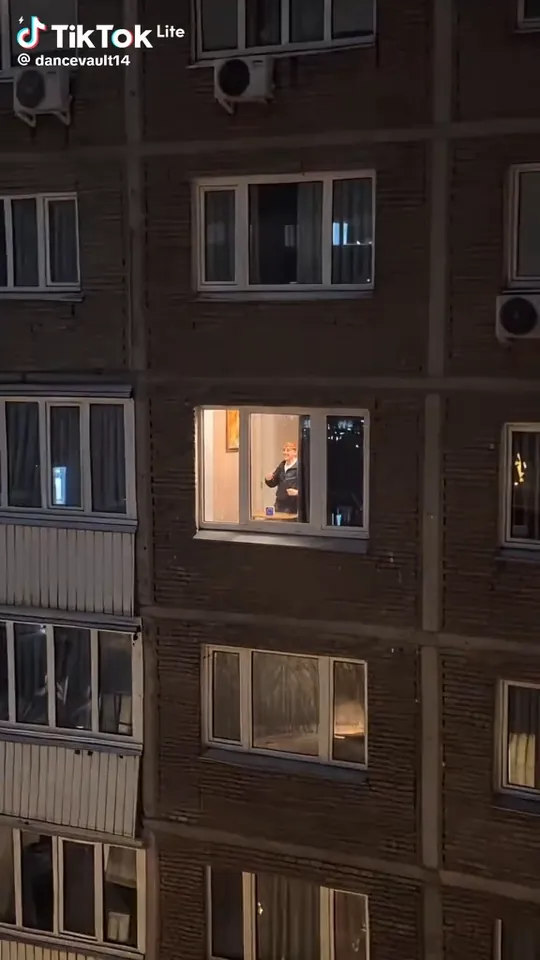
A frame from @dancevault14 on TikTok, October 22, 2026: an apartment block at night with one lit window. Tap it to open the post.
The 10 Seconds, Second by Second
Every window dance AI video follows the same four beats.
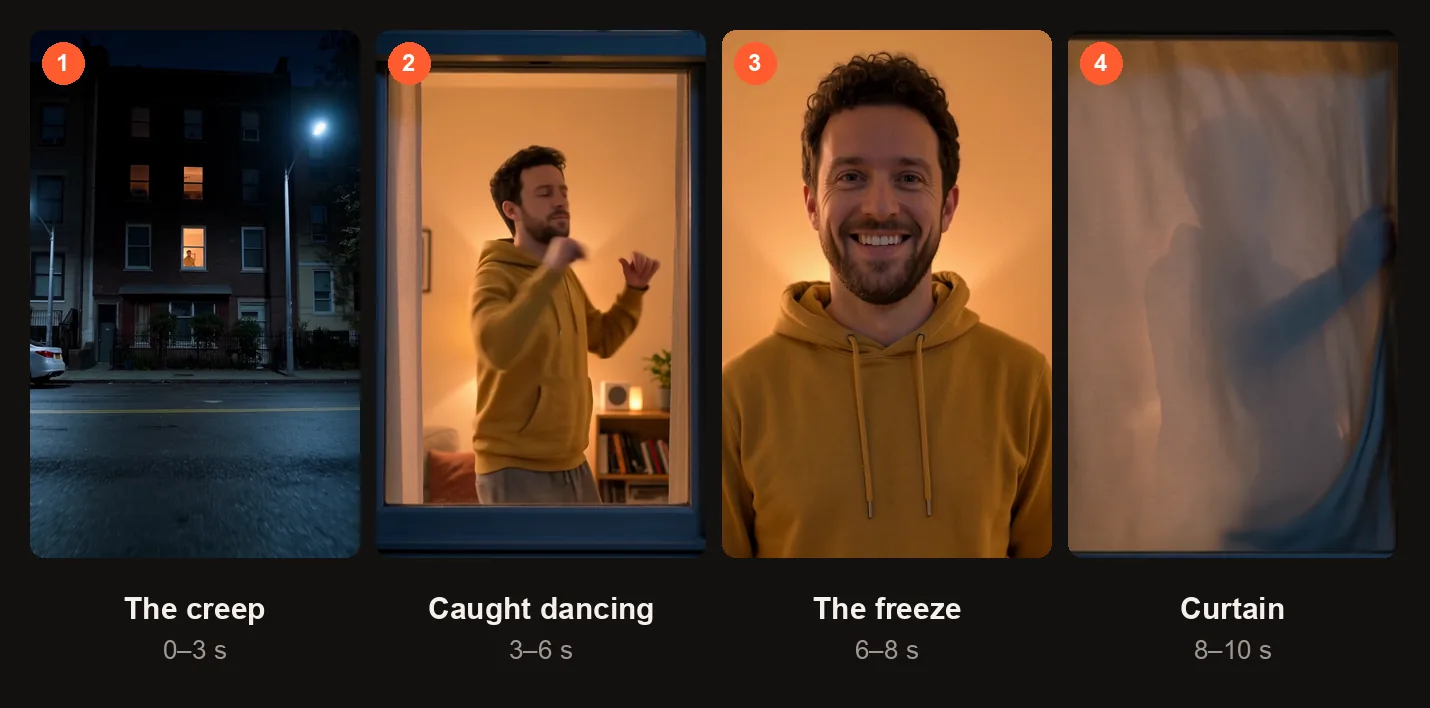
Four frames from our sample: the creep, caught dancing, the freeze, and the curtain.
| Seconds | Beat | What you see |
|---|---|---|
| 0–3 s | The creep | The camera sneaks along a dark street and zooms in on the lit window. |
| 3–6 s | Caught dancing | Through the glass, you dance alone next to a small glowing speaker — carefree, a bit goofy, with a little spin. |
| 6–8 s | The freeze | You spot the camera, stop mid-move, and break into a guilty grin. |
| 8–10 s | Curtain | You yank the curtain shut. The window glows behind the fabric. |
Warm light in the window sits against cool blue street light. The sound is an original dance track heard muffled through the glass.
What Window Dance AI Keeps From Your Photo
Window Dance AI keeps your face, hairstyle, skin tone, body shape, and the exact outfit from your photo. You appear from the waist up once the camera reaches the glass, so a waist-up photo is enough. Full body also works.
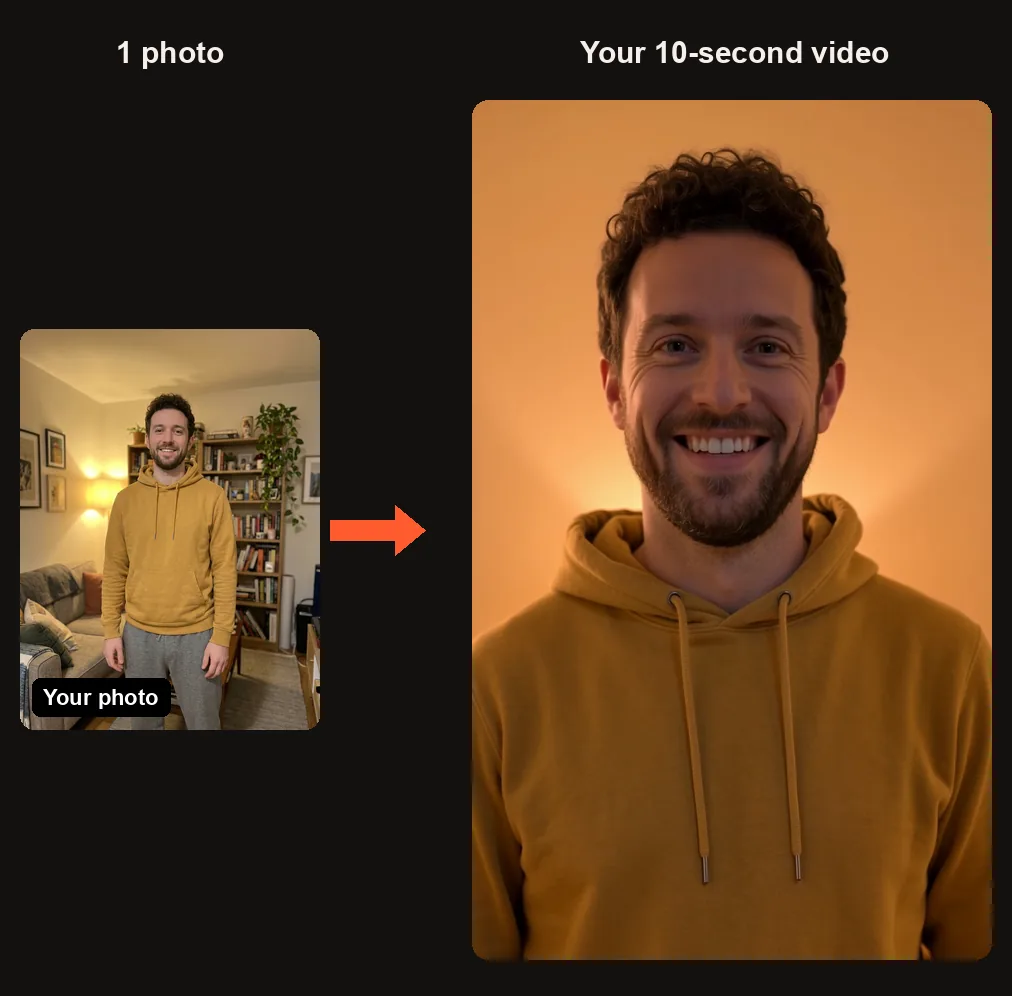
Left: the input photo of a man in a mustard-yellow hoodie and grey sweatpants. Right: a frame from the video showing him dancing in the lit window wearing the same outfit.
| Detail | Kept from your photo? |
|---|---|
| Face | Yes |
| Hairstyle | Yes |
| Skin tone | Yes |
| Body shape | Yes |
| Outfit | Yes, exact |
One dancer per window dance AI video. Pets are not offered for this trend.
How to Make a Window Dance AI Video
Open the window dance AI video maker page in your browser on phone or computer. Nothing to download.
Step 1 — Add Your Photo
The studio shows one slot labelled "Your photo" with the text "Tap to add a photo." Window Dance AI needs one clear, front-facing photo of one adult. JPG, PNG or WebP, up to 10 MB.
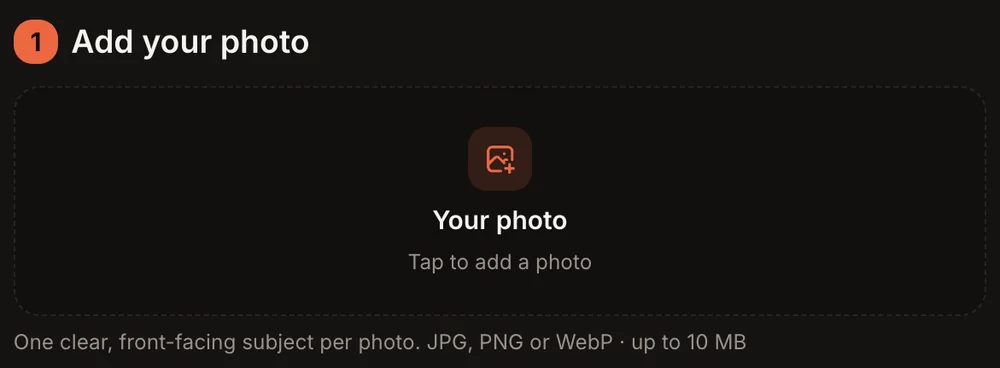
The empty "Add your photo" step with one photo slot.
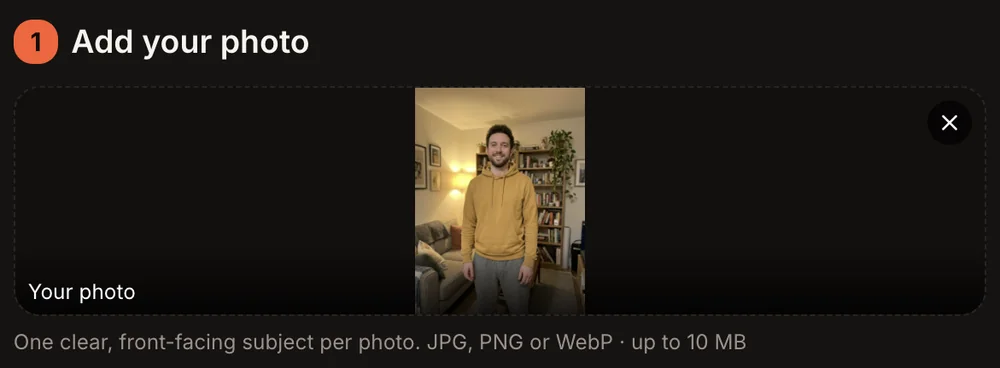
The same step with a photo added and ready to go.
Step 2 — Pick Format and Quality
Window Dance AI offers 9:16 (TikTok · Reels), 1:1 (Feed) and 16:9 (YouTube). Standard 720p costs 10 credits; HD 1080p costs 20. Every video is 10 seconds.
Step 3 — Create and Wait
Tick the consent checkbox: "This is me, or I may use this photo, and the person is 18 or older." Then press the orange "Create · 10 credits" button and sign in with Google if asked. The video usually takes a few minutes. You can close the tab — we email you when it is ready.
Step 4 — Check and Post
Your window dance AI video appears in My videos as an MP4 with no watermark. Press "Download MP4" to save it, or "Make another" for a new one.
The sound in your video is original — no existing song is used. To post with the window dance trend sound, pick it in the TikTok or Instagram sound library when you upload.
Window Dance Trend Ideas
Here are a few caption ideas for your window dance AI video:
- Friday night plans: "I thought I was alone" — your solo Friday night ritual, exposed. The grin lands hardest when the caption sets up how comfortable you were.
- Tag the neighbour: "POV: my neighbour at 2am" and tag a friend.
- Roommate carousel: Make one video per roommate and let people vote on the best moves.
- Window peeper part two: Post it right after a window peeper video. Caption: "the sequel nobody asked for."
Best Photos for Window Dance AI
A good photo makes a better window dance AI video. Here is what to aim for:
- One person, front-facing. One adult, clear lighting on the face, no sunglasses. The guilty grin needs a readable face.
- Waist up or full body. You appear from the waist up once the camera reaches the glass.
- Everyday outfit. The video keeps your exact clothes. A hoodie or pyjamas fits the caught-at-home mood of the window dance trend better than a suit.
Phone photos are fine. Avoid group photos, side profiles, and anything where your face is small or blocked.
Common Problems and What to Try
| Problem | What to try |
|---|---|
| Face does not look right | Use a clearer, front-facing photo with even lighting and no sunglasses. |
| Still processing after several minutes | Most videos finish in a few minutes. You can close the tab; we email you when it is ready. |
| Render failed | Credits come back automatically. Try again with a different photo or format. |
| The video clearly did not work | Press "Report a problem" in My videos within 7 days. We review every report and either return the credits or refund the payment for that video. |
Window Dance AI FAQ
How many photos does Window Dance AI need?
One. Upload one clear, front-facing photo of one adult. The studio has a single photo slot labelled "Your photo."
How long is a window dance AI video?
Every video is 10 seconds — the creep, the dance, the freeze, and the curtain.
Can I use the trending sound?
No existing song is used. Pick the window dance trend sound in TikTok's or Instagram's sound library when you upload.
Is it the same as window peeper?
No. The window peeper meme shows a person freezing mid-bite in a lit window — being caught doing nothing. The window dance trend flips the joke: you are caught dancing and having a good time.
What does it cost?
One-time credit packs start at $9.99 for 10 credits and never expire. Monthly plans start at $39.99 for 50 credits a month. Standard quality costs 10 credits per video; HD costs 20. There is no free trial.
Can I put my pet in a window dance AI video?
Pets are not offered for this trend. The template is built for one adult dancer.
Is my photo private?
Yes. Photos and videos are private to your account and never shown in a public gallery.
Make Your Own
The Window Dance AI studio is open now. Pick a photo, choose your format, and join the window dance trend with your own window dance AI video in a few minutes — no editing, no app, no prompt.
Once you have posted yours, try another trend. The Quiet on the Creek AI guide walks through the shush-and-bounce dance on a creek dock, and the Nicole Kidman Dance AI guide covers another solo dance from one photo. The same trend also goes by apartment dance; see the Apartment Dance AI guide.
Sources
- TikTok: @dancevault14, "Try it here" CapCut template (2026-10-22; 1.2M plays on 2026-11-06)
- TikTok: @letsayhey, how to make the peeking-through-the-window dance effect (2026-10-24)
- TikTok tag: #dancingthroughthewindow
- Window Peeper AI: the window peeper meme explained
Updated November 6, 2026.